16
|
Hardware
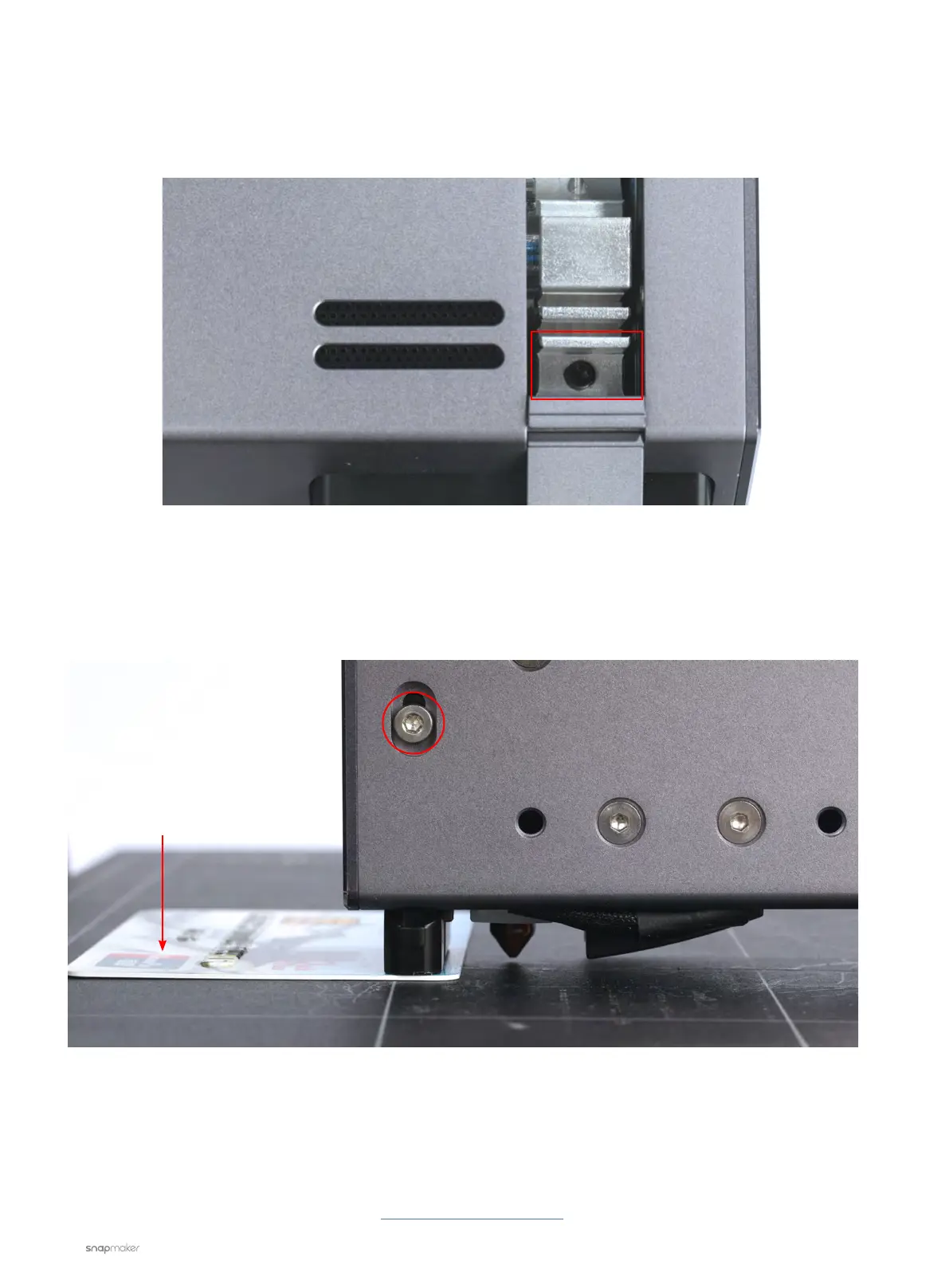
6. Do the following to check whether the nozzle and the probe sensor are seated right:
6.1 Loosen the adjusting screw of the nozzle (circled in the picture below), make sure the nozzle is inserted all
the way in.
6.2 Move the 3D Printing Module down until the nozzle tip touches the Print Sheet.
6.3 Loosen the screw of the probe sensor so that it can be adjusted.ss
6.4 Find a credit card (or anything with a height of about 1 mm) and put it under the probe sensor on the Print
Sheet.
6.5 Make sure the probe sensor touches the credit card so that the nozzle is about 1 mm lower than the
sensor.
6.6 Tighten the screw of the probe sensor.
6.7 Redo calibration and see if the problem is solved.
If the problem persists, please contact us at support@snapmaker.com for further assistance.
Credit card
Adjusting screw of the
probe sensor



 To Next Page