48
|
Hardware
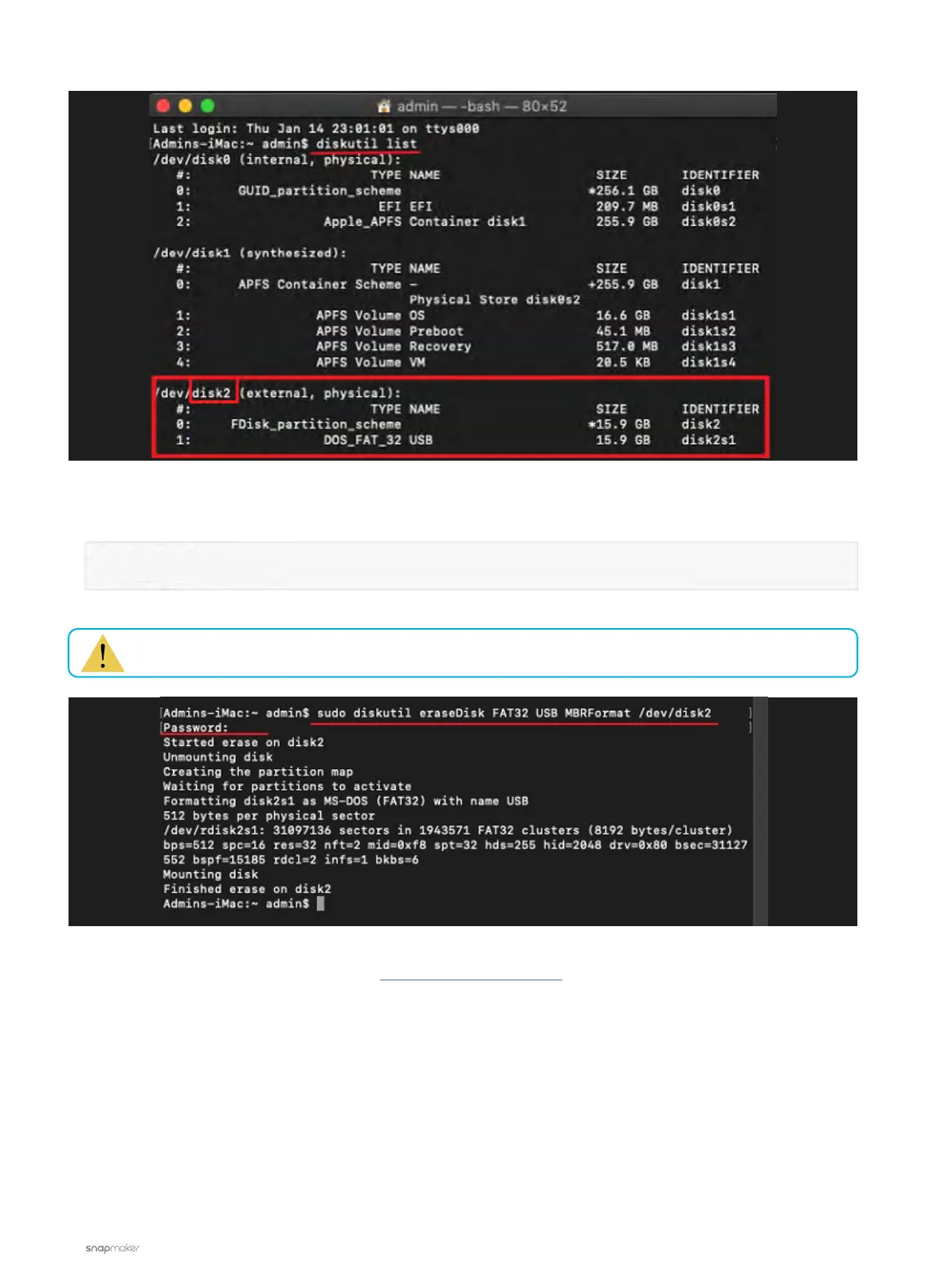
b. Check the number of your USB flash drive as circled in the above picture. After that, input the command
below, and then hit the Enter key. Note that this step requires your computer password.
If the problem persists, please contact us at support@snapmaker.com for further assistance.
sudo diskutil eraseDisk FAT32 USB MBRFormat /dev/diskX
Replace the 'X' at the end of the command with the number of your USB flash drive.



 To Next Page