User Manual |
28
3D Printing - 03 How to 3D Print
Auto Leveling
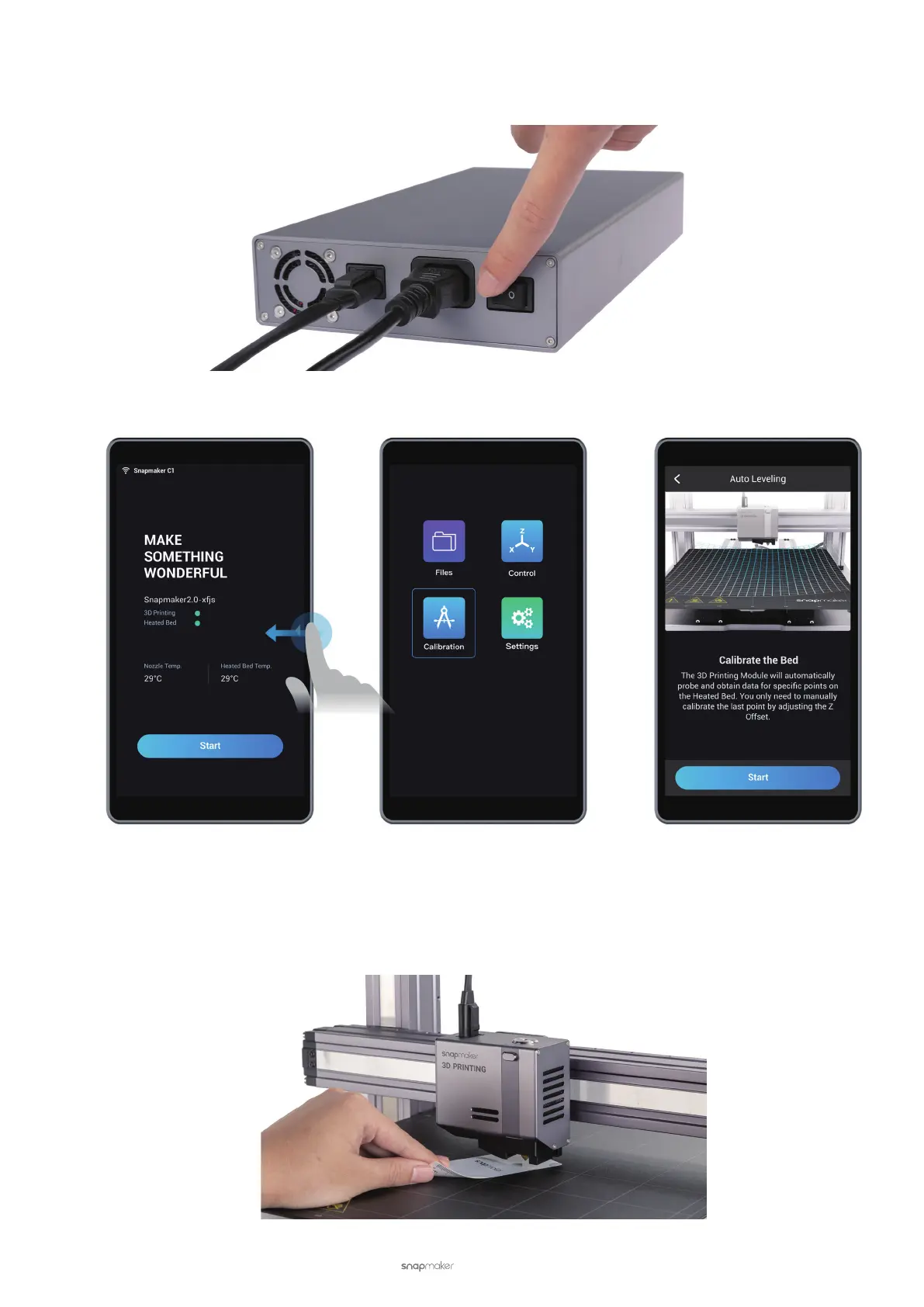
(1) Turn on the 3D printer.
(2) Read instructions. On the Touchscreen, swipe left to tap Calibration. Read on-screen instructions on how to
level the bed and tap Start to run Auto Leveling.
(3) Start calibrating. The 3D Printing Module has a built-in distance sensor measuring the distance between the
nozzle and Print Sheet at specic points. If the Print Sheet is not at, the 3D Printing Module will automatically
adjust its movement to keep the nozzle and Print Sheet at an optimum distance during printing.
All you need to do is to manually calibrate the last point:
a. Place the Calibration Card or a piece of paper between the nozzle and Print Sheet.



 To Next Page