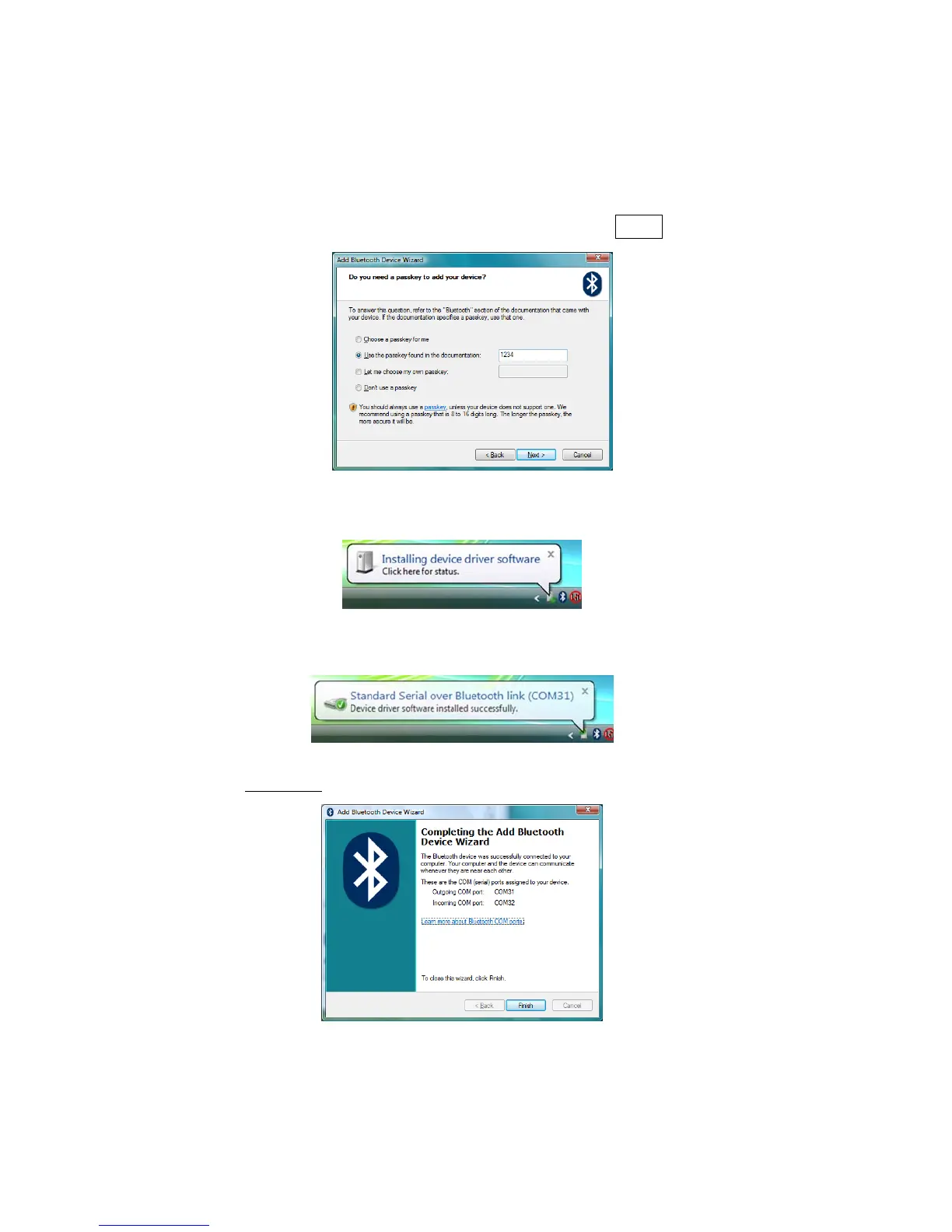
4. In the passkey options screen, select Use the passkey found
in the documentation and enter the default PIN
1234.
5. Your computer will exchange passkeys and connect to the
CHS. A status balloon will report that device drivers are being
installed.
6. After connecting, the CHS will beep once. A status balloon
report a Bluetooth serial communications link.
7. In the last screen of the wizard, note the COM number of the
Outgoing
COM port (the one in the status balloon).
CHAPTER 5: SETUP FOR WINDOWS XP & WINDOWS VISTA 47















 To Next Page