8
GB
NET-VISION 7 - SOCOMEC
4. REQUIREMENTS
4.1. WEB BROWSER
NET VISION interacts with the end user through a web browser. All web browsers compliant
with HTML. js and XML technologies can access to NET VISION pages.
4.2. NET VISION Explorer
This tool must be installed in a Windows™ computer to congure IP settings, to upload the NET
VISION conguration, or to upgrade the FW. Please refer to the Appendix.
NET VISION Explorer detects all UPS connected on the same local network through NET VI-
SION. This tool helps to check the IP addresses of each NET VISION.
NET VISION Explorer is compliant with all NET VISION FW versions from V5 to V7.
5. NET VISION INSTALLATION
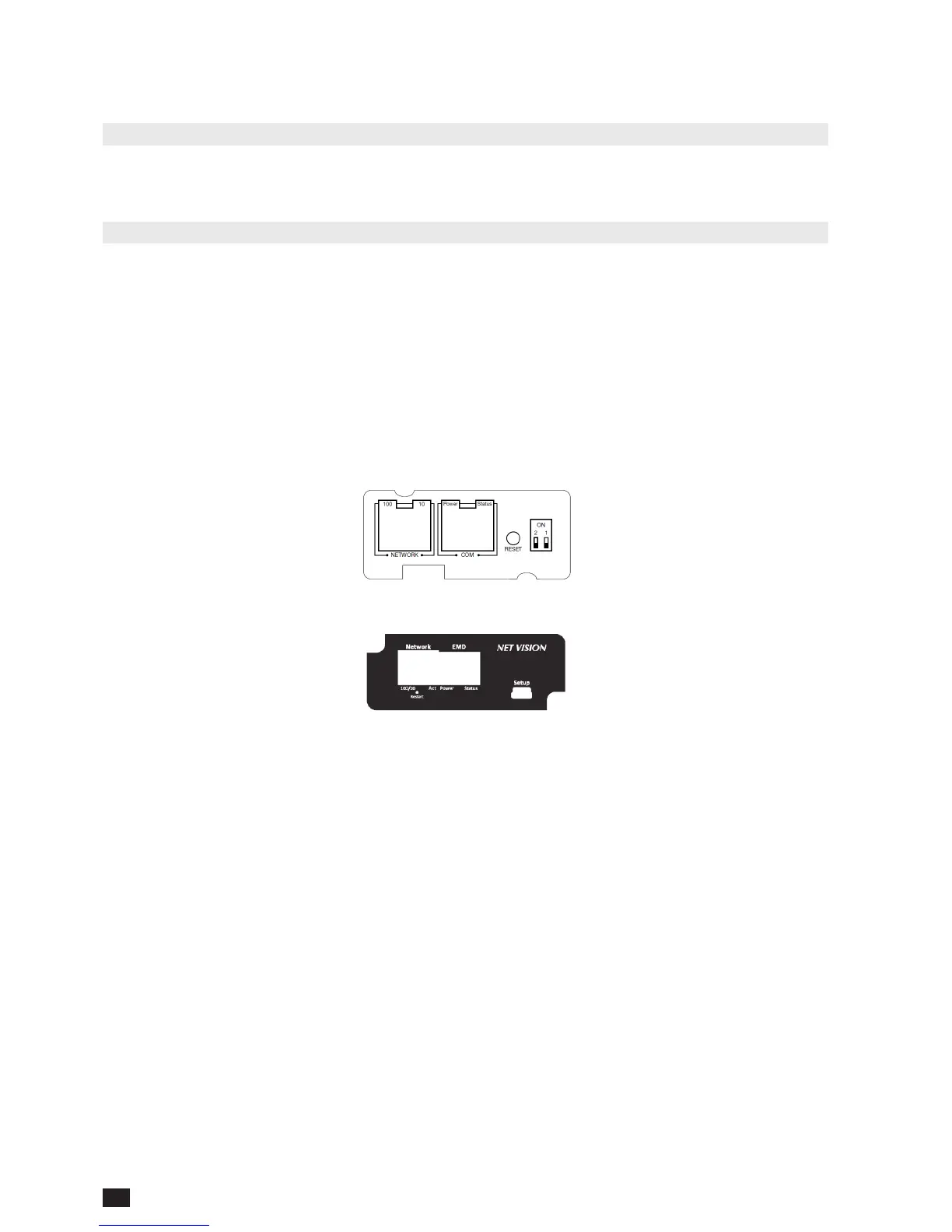
NET VISION CARD 5 & 6
NET VISION 7 Card
NET VISION Card is installed and screwed into one of the available COM-Slots. The metallic
front part can be adapted, to x the NET VISION to com-Slot depending on the UPS model.
NET VISION is powered by the UPS and communicates through serial link to the internal µC
board of the UPS.
The serial link COM port must be set on the UPS control panel to establish the communication with UPS.
6. UPS SERIAL LINK SETTINGS
• NETYS / MODULYS range: 9600bds, no parity, slave 1
• ITYS: 2400bds, no parity, slave 1
• MODULYS GP2.0 / ITYS PRO:
57600bds
, no parity, slave 1:
COM-Slot 1 or COM-Slot 2
• MASTERYS BC / GP / GP 2.0 / IP+ / EM:
9600bds, no parity, slave 1:
COM-Slot 1 or COM-Slot 2
• MASTERYS BC+ / GP4:
57600bds
, no parity, slave 1:
COM-Slot 1 or COM-Slot 2
• DELPHYS MP / MP elite + / EM / MX: 9600bds, no parity, slave 1: COM-Slot 5 only
• DELPHYS BC / GP / GP2.0 / Xtend: 9600bds, no parity, slave 1: COM-Slot 2 only



 To Next Page