Operation Instruction
26
Highlight the Settings box beside Disk Temperature, and press the
button. Select the temperature of hard disk
drive at which you want the DVR to trigger an alert if the temperature exceeds the defined threshold. Refer to the hard
disk drive manufacturer’s documentation for the correct temperature setting.
The DVR can be set to react to system events. Highlight the Actions box beside the desired event and press the
button. System events can be associated with an Alarm-Out connector, sound the DVR’s internal buzzer, and/or notify
a number of different devices.
NOTE: Alarm-Out action cannot be set to System , Boot Up, Restart and Shutdown events.
For the Notify action to work, the DVR should be registered in the Speco Central (Remote Administration
System).
Capacity Estimator
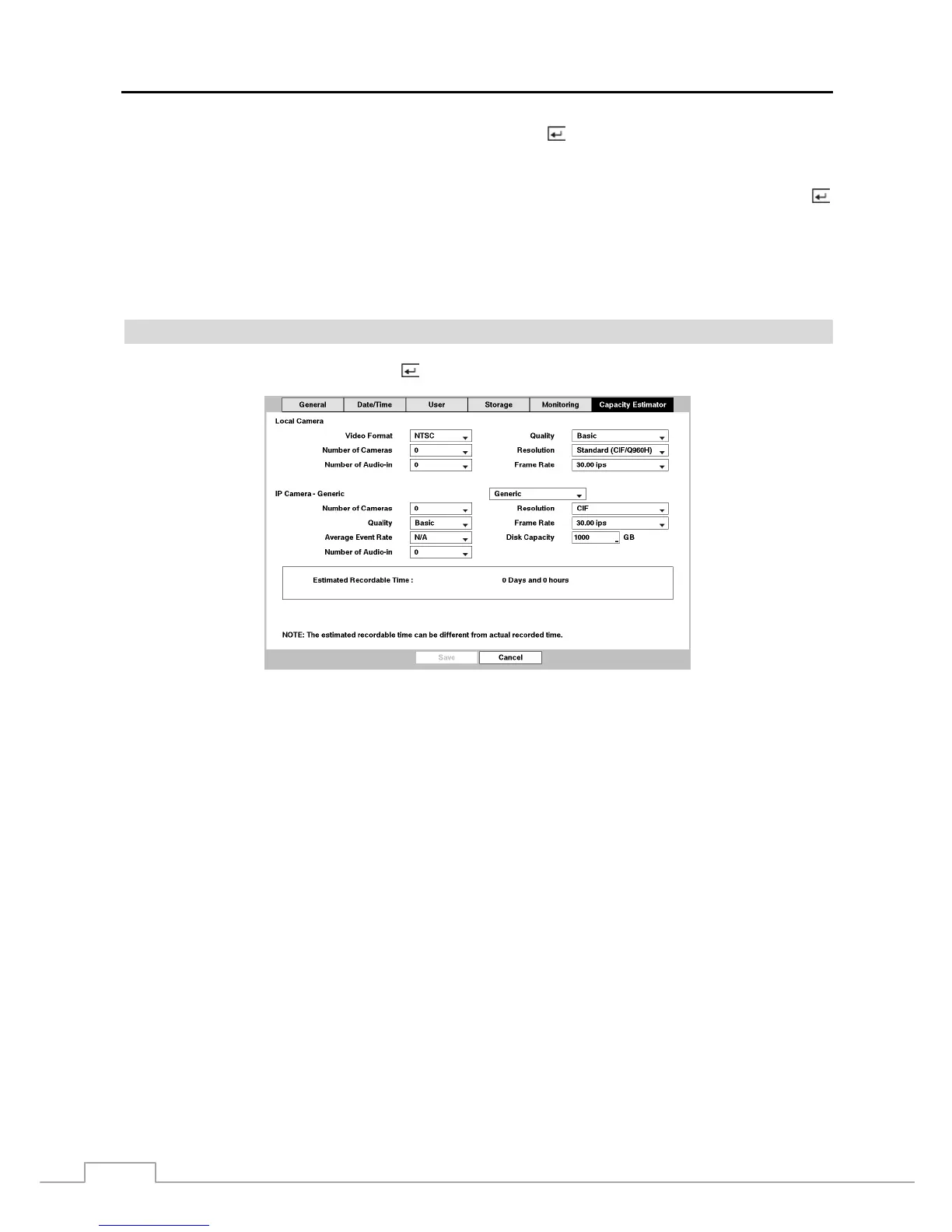
Highlight Capacity Estimator and press the
button, and the Capacity Estimator setup screen appears.
Figure 13 : System – Capacity Estimator setup screen.
The Capacity Estimator screen allows you to calculate the available record time
of the DVR’s storage device. Set
up the calculation conditions.
Video Format: Select the video format: NTSC or PAL. (Local Camera Only)
Number of Cameras: Select the number of cameras.
Number of Audio-In: Select the number of audio inputs.
Average Event Rate: Set the average event rate. (Network Camera Only)
Quality: Set the recorded image quality.
Resolution: Set the recorded image resolution.
Frame Rate: Set the images per second for recording.
Disk Capacity: Set the capacity of the storage device.
Number of Cameras: Select the video format: NTSC or PAL.
Quality: Select the number of cameras.
Average Event Rate: Select the number of audio inputs.
Number of Audio-In: Set the average event rate.
Resolution: Set the recorded image quality.
Frame Rate: Set the recorded image resolution.
Frame Rate: Set the images per second for recording.
Disk Capacity: Set the capacity of the storage device.
Estimated Recordable Time displays the estimated available record time.
NOTE: The estimated available record time can vary from the actual recording time.



 To Next Page