Digital Video Recorder
33
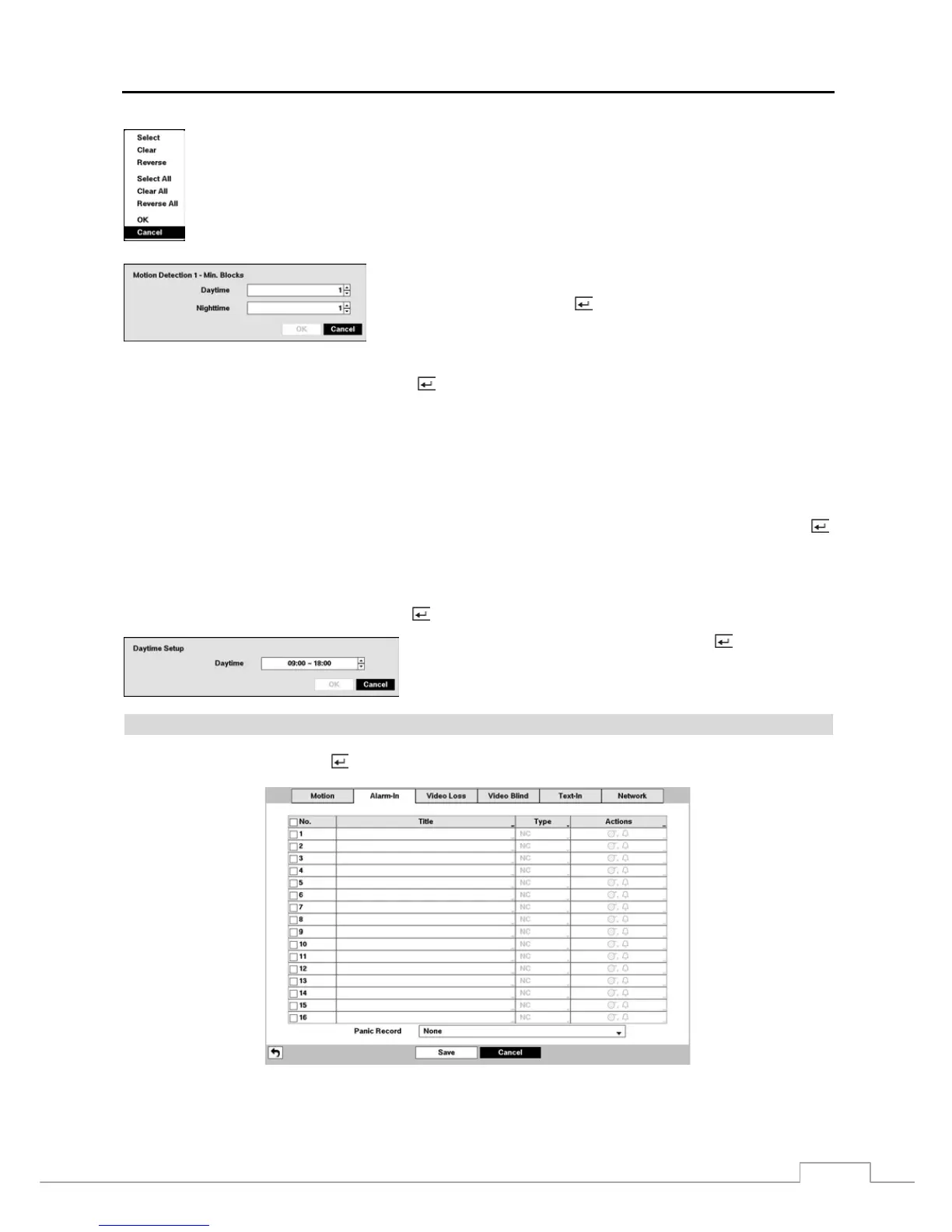
Select — Activates highlighted blocks to detect motion.
Clear — Deactivates highlighted blocks so that they will not detect motion.
Reverse — Activates inactive highlighted blocks and deactivates active highlighted blocks.
Select All — Activates all blocks to detect motion.
Clear All — Deactivates all blocks so that they will not detect motion.
Reverse All — Activates inactive blocks and deactivates active blocks.
OK — Accepts changes and closes Zone setup.
Cancel — Exits Zone setup without saving changes.
You can adjust the minimum number of detection blocks that must be
activated to trigger a motion alarm. Highlighting the box under the Min.
Blocks heading and pressing the
button allows you to adjust the minimum
number of detection blocks for Daytime and Nighttime independently.
Smaller numbers provide greater sensitivity because fewer detection blocks
must be activated.
Highlight the box under the Actions and press the
button. The DVR can be set to react to motion detection differently
for each camera. Each camera can be associated with another camera, trigger an Alarm-Out connector, sound the DVR’s
internal buzzer, notify a number of different devices, move PTZ cameras to preset positions, display a camera on a SPOT
monitor, and/or trigger the Digital Deterrent sound.
Turning Zone View On will allow you to observe how the DVR is reacting to motion. When in the motion viewing
mode, the detection zone of video will be displayed. Any detected motion within the zone will be displayed in red.
You can control excessive event logging and remote notification of motions detected after the motion dwell time by
adjusting the motion ignoring dwell intervals. Highlight the box beside Motion Ignoring Interval and press the
button. A list of intervals ranging from 1 to 5 seconds or Never appears. The DVR will not log and notify motion events
occurred during the preset interval range.
NOTE: The record action for motion events will not be affected by the Motion Ignoring function.
Highlighting Daytime Setup and pressing the button allows you to set up the Daytime range.
Highlight the box beside Daytime and press the button. Use the
Up and Down arrow buttons to set the Daytime range. The DVR will
consider the remaining time range as the Nighttime.
Alarm-In
Highlight Alarm-In and press the
button, and the Alarm-In setup screen appears. (Local Cameras Only)
Figure 20 : Event – Alarm-In setup screen.



 To Next Page