Digital Video Recorder
87
⑩ Click the
to set up the image drawing mode, OSD display and beep on/off. You can adjust the display speed
by changing the image drawing mode, select OSD information to be displayed on the screen, and turn the DVR’s
internal buzzer on and off from a remote site.
⑪ Click the to save the current image as a bitmap or JPEG file format.
⑫ Click the to change the setup of the remote DVR.
⑬ The event status window at the bottom displays a list of events that were detected from the remote site.
⑭ Selecting a camera on the screen and clicking the right mouse button displays the text menu screen.
Change Camera Title: Changes the camera name.
Enable Audio: Enables audio communication with the remote site. When the
audio control panel displays, click the
to send audio to the connected remote
site and click the button again to stop sending audio. Click the
to monitor live
audio from the connected remote site through the attached speaker and click the
button again stop monitoring live audio. Clicking both and allows two-way
communication. Clicking the
disables audio communication.
Aspect Ratio: Changes the image aspect ratio.
Anti-Aliasing Screen: Enhances image display quality by eliminating stair
stepping (aliasing) effects in the enlarged image.
NOTE: A camera name change in the Remote Watch mode does not affect the camera name set up on the remote
site. Leaving the Camera Title blank causes the camera name set up on the remote site to display.
The
icon will display on each camera screen when audio communication is available between the
Speco Remote system and a DVR.
Web Search Mode
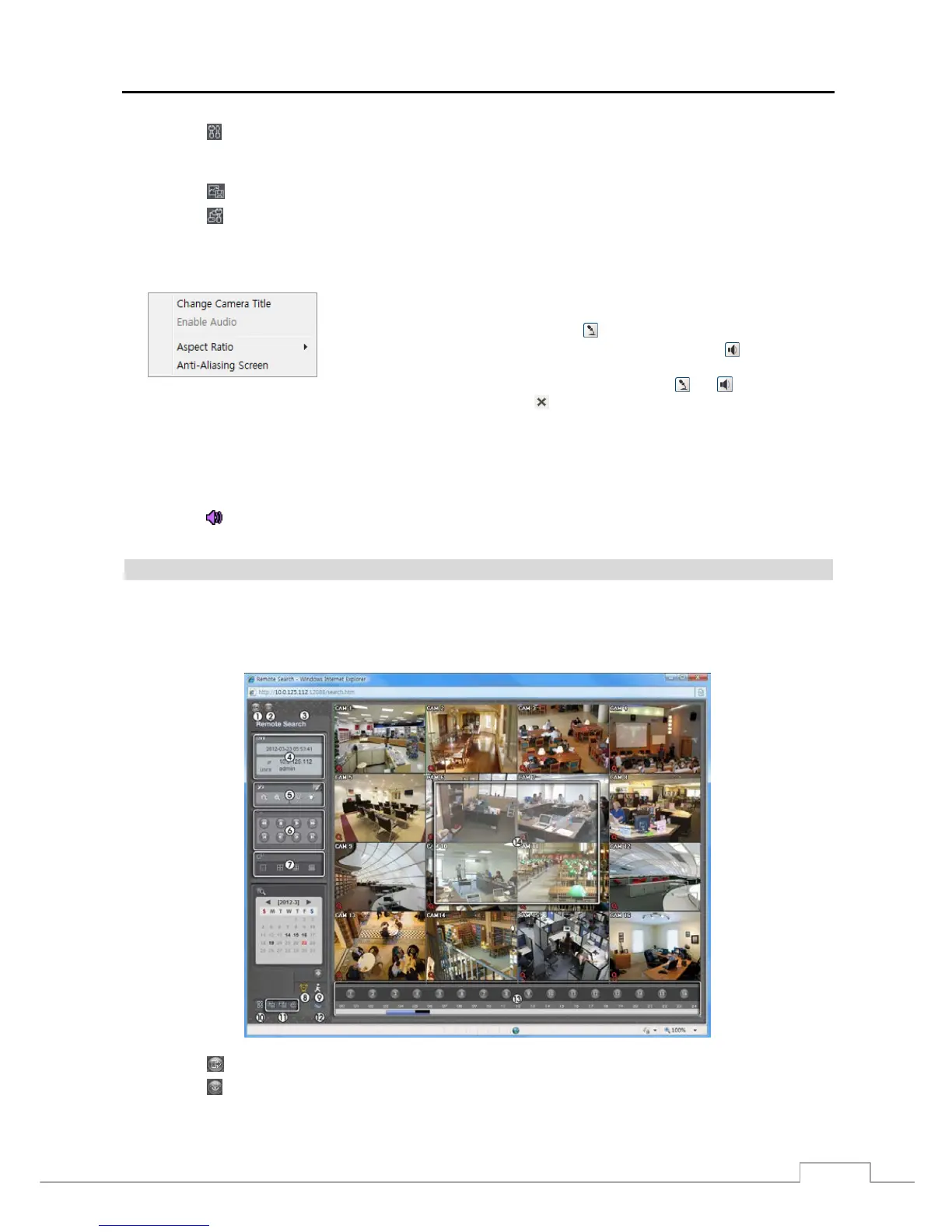
Remote Search is a remote web search program that allows you to search recorded video on the remote DVR.
NOTE: The remote site connection in the Remote Search mode will automatically be disconnected if there is
no activity for 30 minutes.
① Click the
to log out the Speco Remote program.
② Click the to access to the web monitoring mode.
③ Position the mouse pointer on the Remote Search logo to see the version of the Speco Remote program..



 To Next Page