Operation Instruction
74
NOTE: If the DVR has images recorded in more than one recording mode in the same time range, the recording
status bar displays recording information in the following priority order: Panic → Pre-Event → Event →
Time → Irregular (Irregular recording caused by temporary disconnection from the network device). The
color of the bar indicates different recording modes: Red for Panic, Yellow for Pre-Event, Purple for Event,
and Blue for Time.
Selecting
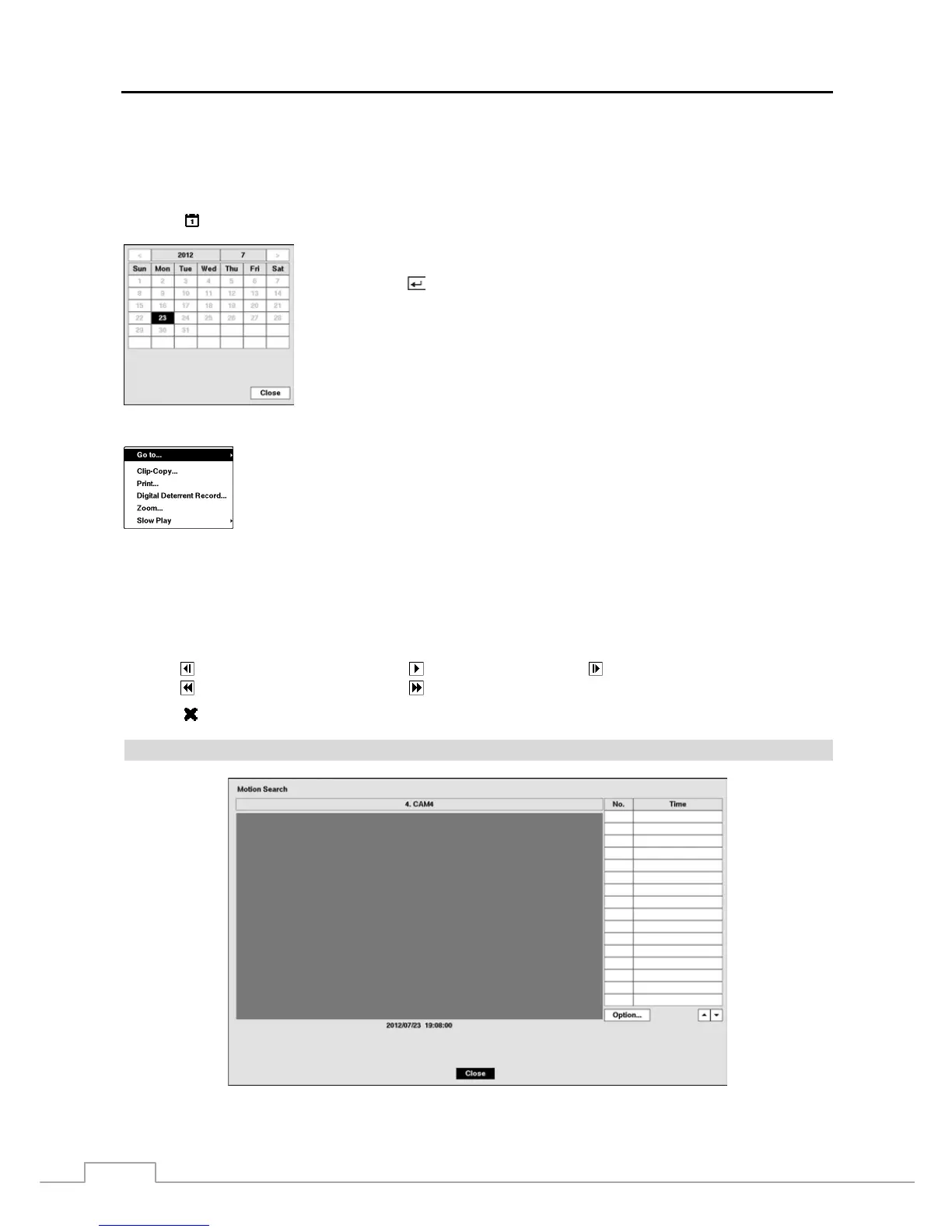
located at the bottom displays the Calendar Search screen.
Selecting Menu in the top-right corner
displays the Search menu.
Go To: Displays the first or last recorded image, searches by date and time, or adds the current
playback point to the bookmark list (see the previous Searching Video – Go To and Bookmarks
sections of this chapter for more details).
Clip-Copy: Clips a video segment and saves it (see the following Clip Copy section for more
details).
Print: Prints the current playback image.
Digital Deterrent Record: Extracts audio files from recorded audio on the DVR see Chapter 3 – Configuration –
Digital Deterrent section for more details).
Zoom: Zooms the current playback image.
Slow Play: Plays video at low speed (x1/2, x1/3, x1/4, x1/6 and x1/8).
The individual playback controls at the bottom perform the following functions as described below:
Go to the previous image Play/Pause Go to the next image
Fast backward play Fast forward play
Selecting
in the top-left corner exits the Record Table Search screen.
Motion Search
Figure 51 : Motion Search screen.
Days with recorded video display on the calendar with white numbers. You can highlight
the days with recorded video by using the arrow buttons. Once you have highlighted
a day, press the
button to select it. The first recorded image of the selected date will
pause on the screen. Once you have selected the date you want to search, review the
surrounding video by using the playback controls located at the bottom of the Record
Table Search screen.



 To Next Page