Operation Instruction
34
The alarm terminal strip on the back of the DVR has inputs associated with each alarm. You can set up each input on
the Alarm-In screen. You can turn each input On or Off by highlighting the alarm number and pressing the
button.
Each input can be given a title. Highlight the desired Title box and press the
button. A virtual keyboard appears
allowing you to enter a title name.
Each input can be set as NO (normally open) or NC (normally closed).
Highlight the box under the Actions and press the
button. You can set the actions the DVR will take whenever it
senses an input on one of its alarm input connectors. Alarm input can be associated with cameras, trigger an Alarm-Out
connector, sound the DVR’s internal buzzer, notify a number of different devices, move PTZ cameras to preset positions,
display a camera on a SPOT monitor, and/or trigger the Digital Deterrent sound.
You can set up the DVR to start panic recording whenever it senses an input on one of its alarm input connectors. Highlight
the box beside Panic Record and press the
button. A list of Alarm Inputs appears, and you can select which alarm
input you want associated with panic recording. The DVR will continue panic recording until an input on the selected
alarm input is released as long as
(Panic) in the Live Monitoring menu is not selected to stop the panic recording.
Video Loss
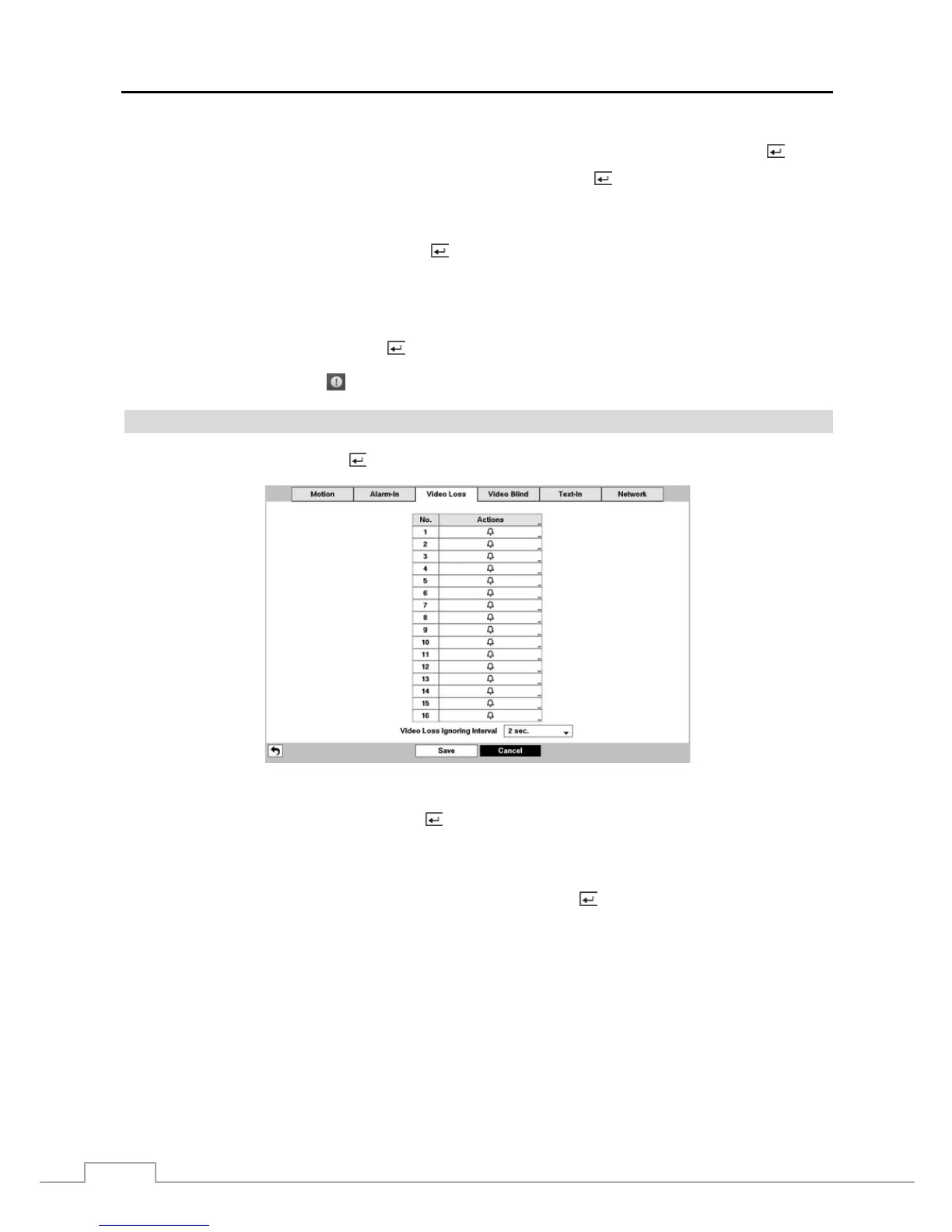
Highlight Video Loss and press the
button, and the Video Loss setup screen appears. (Local Cameras Only)
Figure 21 : Event – Video Loss setup screen.
Highlight the box under the Actions and press the
button. The DVR can be set to react to video loss differently for
each camera. Each camera can be associated with another camera, trigger an Alarm-Out connector, sound the DVR’s
internal buzzer, notify a number of different devices, move PTZ cameras to preset positions, and/or display a camera
on a SPOT monitor.
Highlighting the box beside Video Loss Ignoring Interval and pressing the button allows you to set the duration of
a signal loss before the DVR will report a Video Loss. The DVR will not consider any signal loss from a camera to be a
Video Loss if the detected signal loss is shorter than the preset interval.



 To Next Page