Operation Instruction
68
Jog Dial, Shuttle Ring
Jog Dial: The Jog Dial only functions when playback video has been paused. By turning the jog dial clockwise,
you can play video forward image-by-image. By turning the jog dial counterclockwise, you play video backward
image-by-image.
Shuttle Ring: The Shuttle Ring only functions in the Playback mode. The Shuttle Ring is spring loaded and returns
to the center position when released. Turning the ring clockwise plays video forward. Turning the ring counterclockwise
plays video backward. Playback speed varies with the amount the ring is turned. The playback speeds are
, ,
, x0.5, , , and
. When you release the ring, it snaps back to the center position and the video pauses.
Mode Button: Pressing the MODE button toggles different display formats. The available formats are: PIP, 2x2, 3x2,
3x3, 4x3, 4x4 and 5x4.
You can use a mouse for convenient playback control. Position the mouse pointer on the playback screen, and the
following Record Table Search (Compact View Mode) screen will display. The individual controls on the toolbar
perform the following functions as described below:
Go to the previous image Play/Pause Go to the next image
Fast backward play Fast forward play
Searching Video
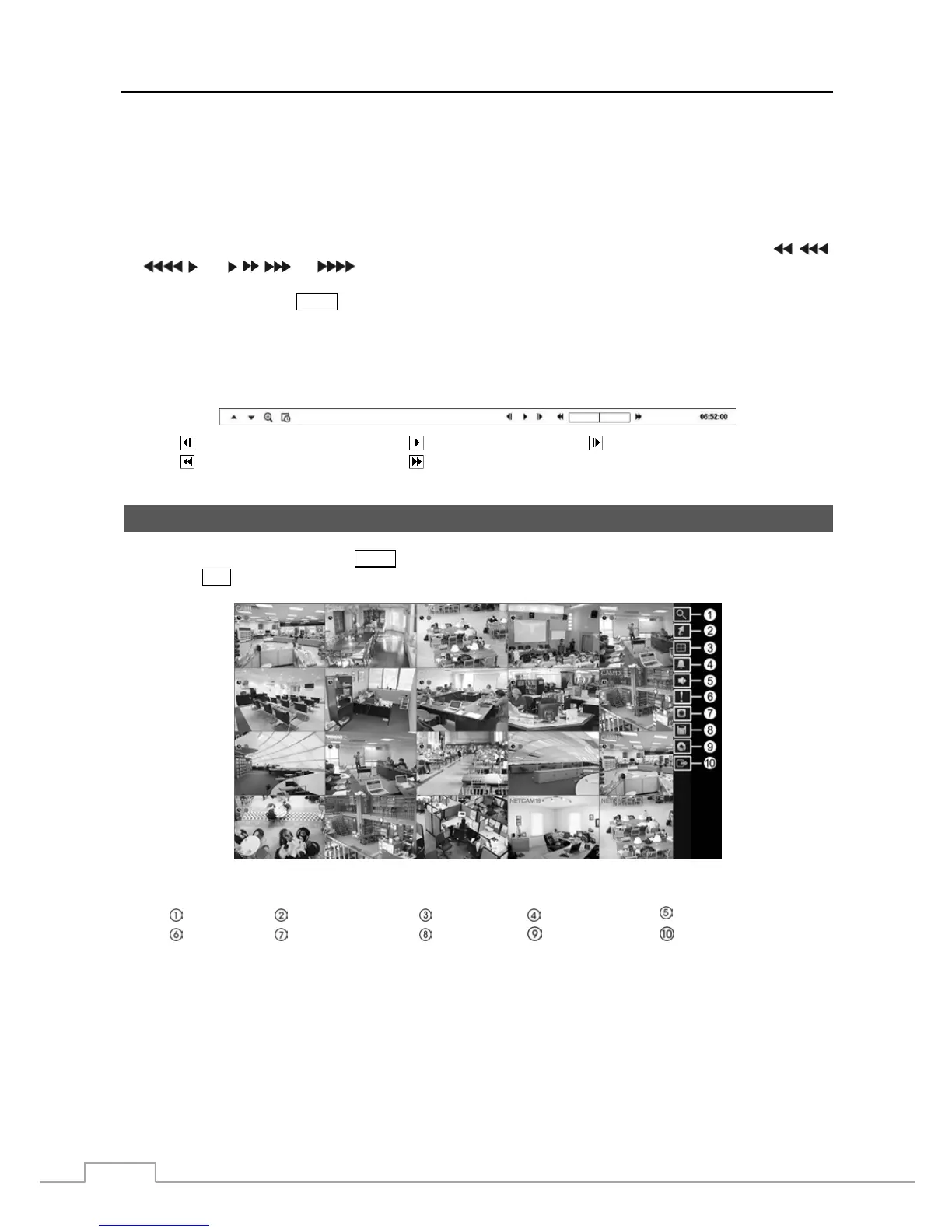
While in the search mode, pressing the MENU button displays the following Search menu to the right edge of the screen.
Pressing the ESC button hides the menu. You can navigate through menus and items by pressing the arrow buttons.
Figure 48 : Search menu.
Search Go To Display Alarm
Digital Deterrent
Panic Camera menu Export Data Source Exit
NOTE: The Search menu also can be displayed by moving the mouse pointer to the right edge of the screen.



 To Next Page