Digital Video Recorder
27
Recording Setup
General
Highlight General and press the
button, and the General setup screen appears.
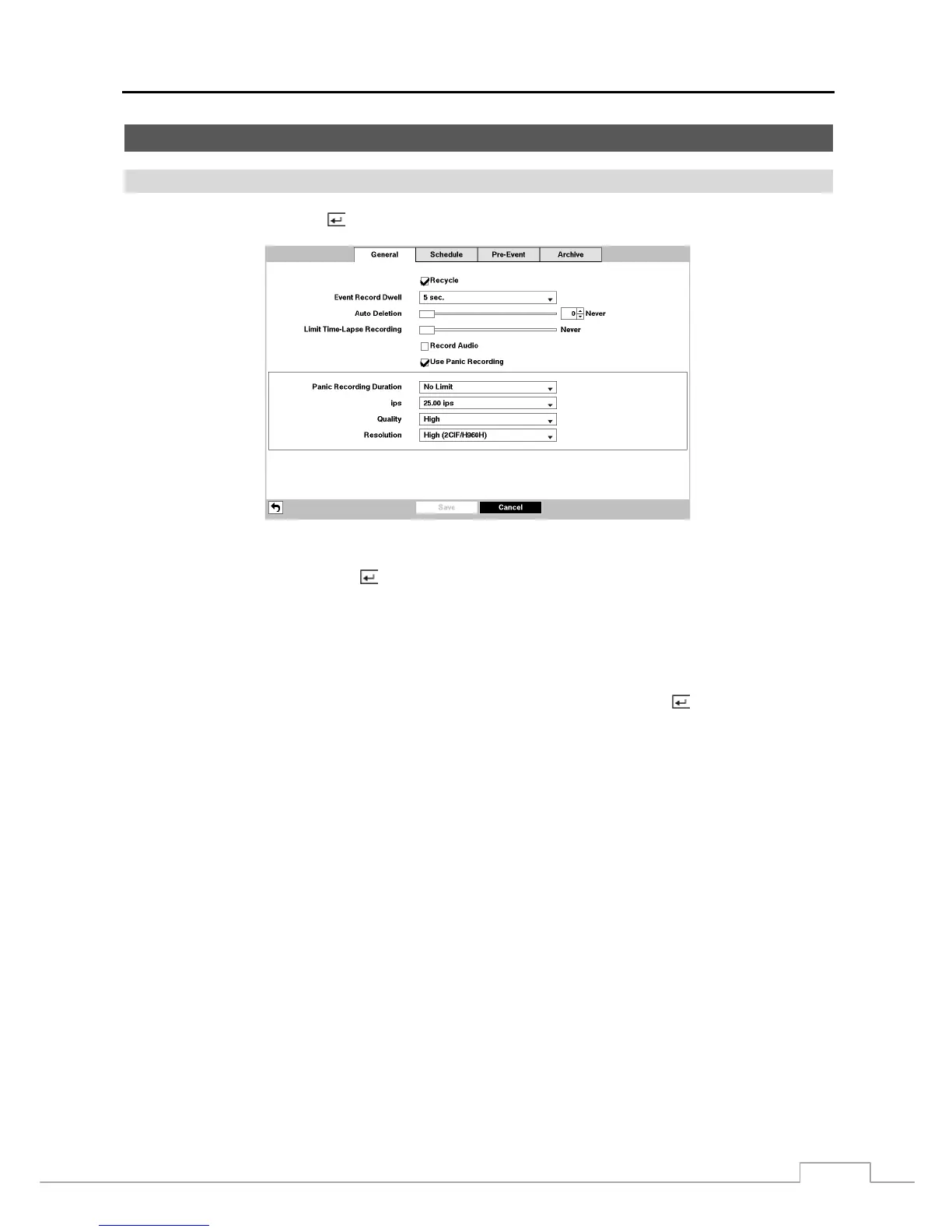
Figure 14 : Record – General setup screen.
Highlighting Recycle and pressing the
button toggles between On and Off. In the Recycle mode, the DVR records
over the oldest video data once all available storage space has been used. When Recycle is turned off, the DVR stops
recording once all available storage space has been used.
Highlight the Event Record Dwell box and set the length of time you would like to record for the associated event.
You can set the dwell from 5 seconds to 15 minutes. Refer to Event Actions screen in this chapter for information
regarding event recording.
The DVR can record up to four audio inputs. Highlighting Record Audio and pressing the button toggles between
On and Off.
Highlight the slide bar beside Auto Deletion, and use the Left and Right arrow buttons or Up and Down arrow buttons
to adjust the length of time recorded data will be kept from 1 to 999 days. The DVR automatically deletes video recorded
earlier than the user-defined period under three conditions: at midnight, whenever the system reboots or whenever the
user changes the Auto Deletion settings. Selecting Never will disable the Auto Deletion function.
Highlight the slide bar beside Limit Time-Lapse Recording, and use the Left and Right arrow buttons to adjust the
length of the maximum storage time for time-lapse recording from 1 to 99 days. The Limit Time-Lapse Recording
feature will function when the storage device has enough space to record video data longer than the preset period. When
this feature is On, the DVR records over the oldest “time-lapse” video once all available storage has been used in the
Recycle mode, so more event video can be saved. Selecting Never will disable the Limit Time-Lapse Recording function.
NOTE: When the storage device does not have enough space to record video data longer than the preset Limit
Time-Lapse Recording period, the DVR records over the oldest video data (time-lapse or event video)
as it would in the Recycle mode even if this feature is turned On.
The maximum storage time is only an estimate because the amount of space required to store video varies
depending on many factors such as motion and image complexity.



 To Next Page