Operation Instruction
38
NOTE: Displaying events is supported when the network device is networked with the DVR.
Highlighting the box under the Use and pressing the
button turns each selected event On and Off.
Highlighting the box under the Actions and pressing the
button selects how the DVR reacts to network devices
events. The network devices events can be associated with cameras, trigger an Alarm-Out connector, sound the DVR’s
internal buzzer, notify a number of different devices, move PTZ cameras to preset positions, and/or display associated
local cameras on a SPOT monitor.
NOTE: For the event detection and action to work, the event-related settings for network devices should set
properly.
Highlighting the box under the Dwell Time and pressing the
button allows you to set the dwell time of network
devices events. Dwell times range from 1 second to 15 seconds or Not Using.
Network Setup
General
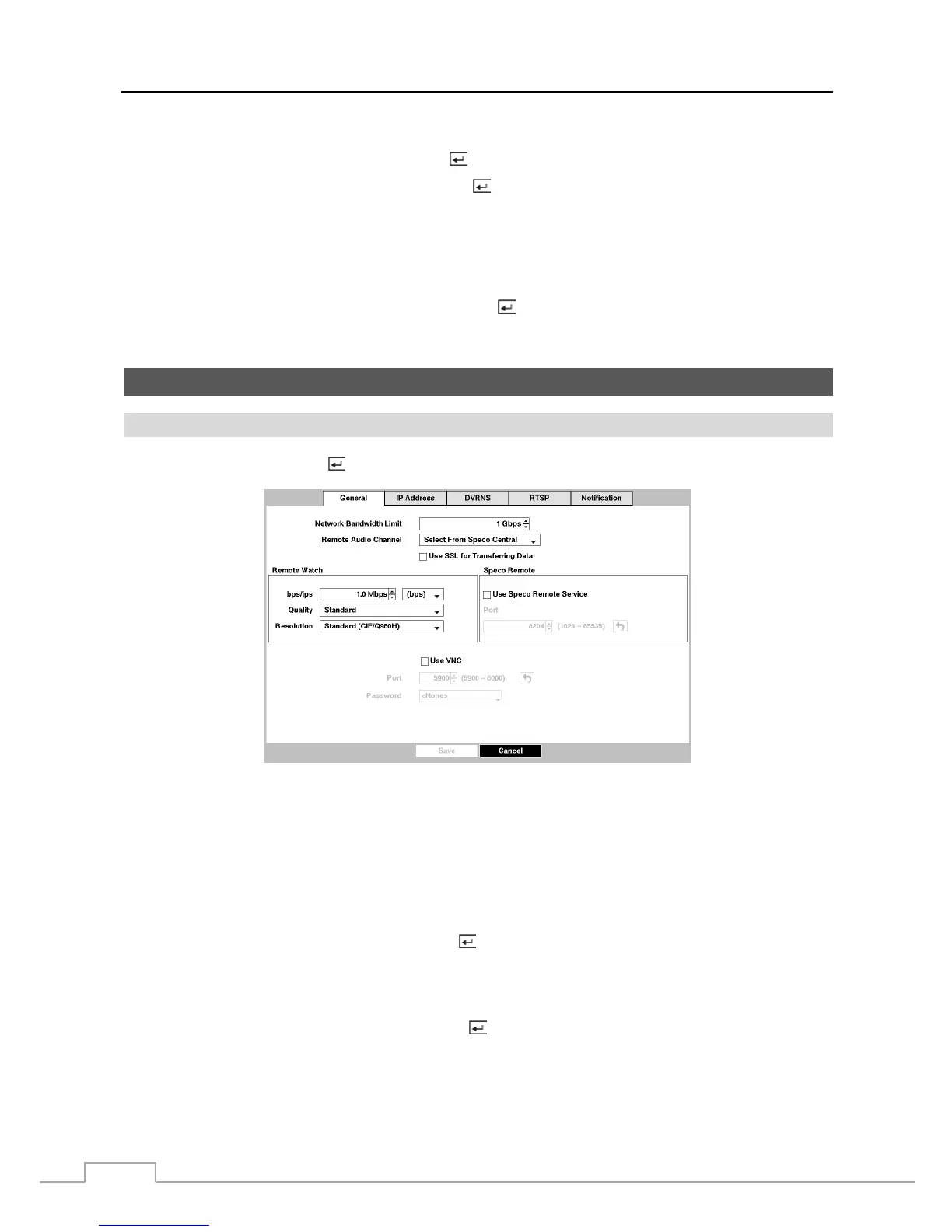
Highlight General and press the
button, and the General setup screen displays.
Figure 26 : Network – General setup screen.
You can limit the network bandwidth settings so that system does not consume too much network bandwidth. Highlight
the box beside Network Bandwidth Limit and press the Up and Down arrow buttons to set the desired maximum
bandwidth from 50Kbps to 1Gbps.
NOTE: When limiting the network bandwidth, the remote watch image on the PC running Speco Central or Speco
Remote might not be displayed properly.
The DVR supports two-way audio communication between a local system and a PC running Speco Central. Highlighting
the box beside Remote Audio Channel and pressing the
button allows you to select the audio channel that sends audio
to the remote site. Selecting Select From Speco Central will send audio of the channel selected from Speco Central.
NOTE: Depending on network conditions, audio might be interrupted or out of synchronization during
transmission.
Highlight Use SSL for Transferring Data and press the button to toggle between On and Off. When it is On, the
security of data except video and audio transmitted for remote monitoring or remote recording can be enhanced by
using the SSL (Secure Sockets Layer) authentication. When using the SSL function, the DVR cannot be connected
with a remote program or a network keyboard which does not support the SSL function.
CAUTION: The



 To Next Page