Operation Instruction
54
You can define which cameras display sequentially
on the Spot Monitor when in the single-screen display
format. Highlighting the box under the Camera and
pressing the
button toggles between On and Off.
You can adjust the display dwell time by highlighting
the box under the Dwell and pressing the
button.
You can select dwell intervals ranging from 1 to 20
seconds.
Pressing the SEQ button or selecting (Sequence) in the Live Monitoring menu causes the DVR to sequence cameras.
NOTE: Sequence cannot be used in the 4x4 display mode of the 16-channel.
Monitoring and playing back video from network devices is not supported on the SPOT monitor.
Status Setup
Event
Highlight Event and press the
button, and the Event setup screen appears.
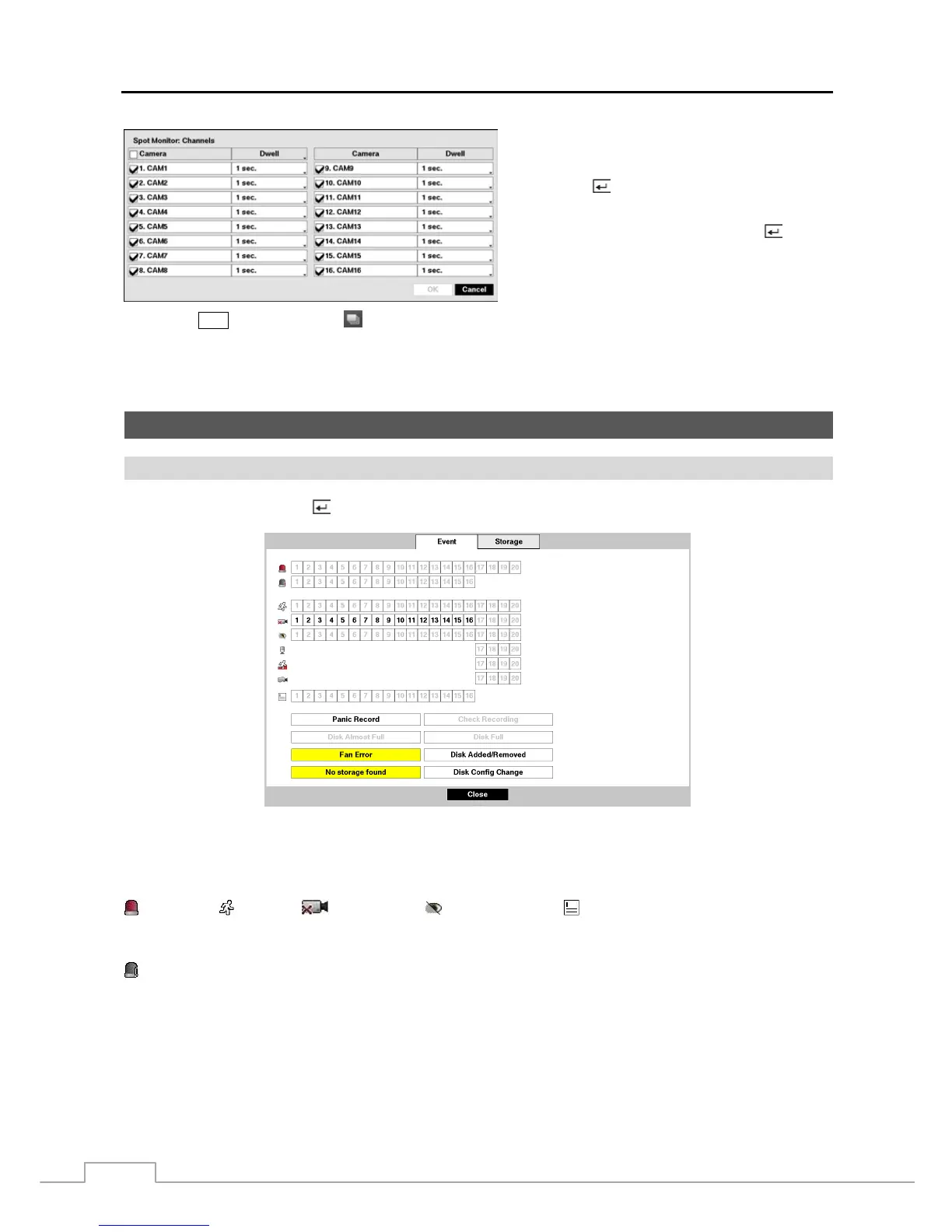
Figure 39 : Status – Event setup screen.
The Event Status screen displays the status of the DVR’s systems and inputs. Events will be highlighted, and related
channels or events will flicker for five seconds when detected.
(Alarm-In), (Motion), (Video Loss), (Video Blind) and (Text-In) will be highlighted when each
event is detected based on the settings you made in the Alarm-In, Motion, Video Loss, Video Blind and Text-In setup
screen on the Event menu.
(Check Alarm-In) and Check Recording will be highlighted when each event is detected based on the settings
you made in the Monitoring setup screen on the System menu.
Panic Record will be highlighted while the DVR is in the panic recording mode.
Disk Almost Full will be highlighted when the DVR is not in the Recycle mode and the level of disk usage reaches
the Disk Almost Full percentage you made in the System Event setup screen on the Event menu. Disk Full will be
highlighted when the DVR is not in the Recycle mode and all available storage space has been used.
Fan Error will be highlighted when the cooling fan to the left of the power cord on the rear panel is not working for
more than four seconds.


 To Next Page
 Loading...











