Digital Video Recorder
81
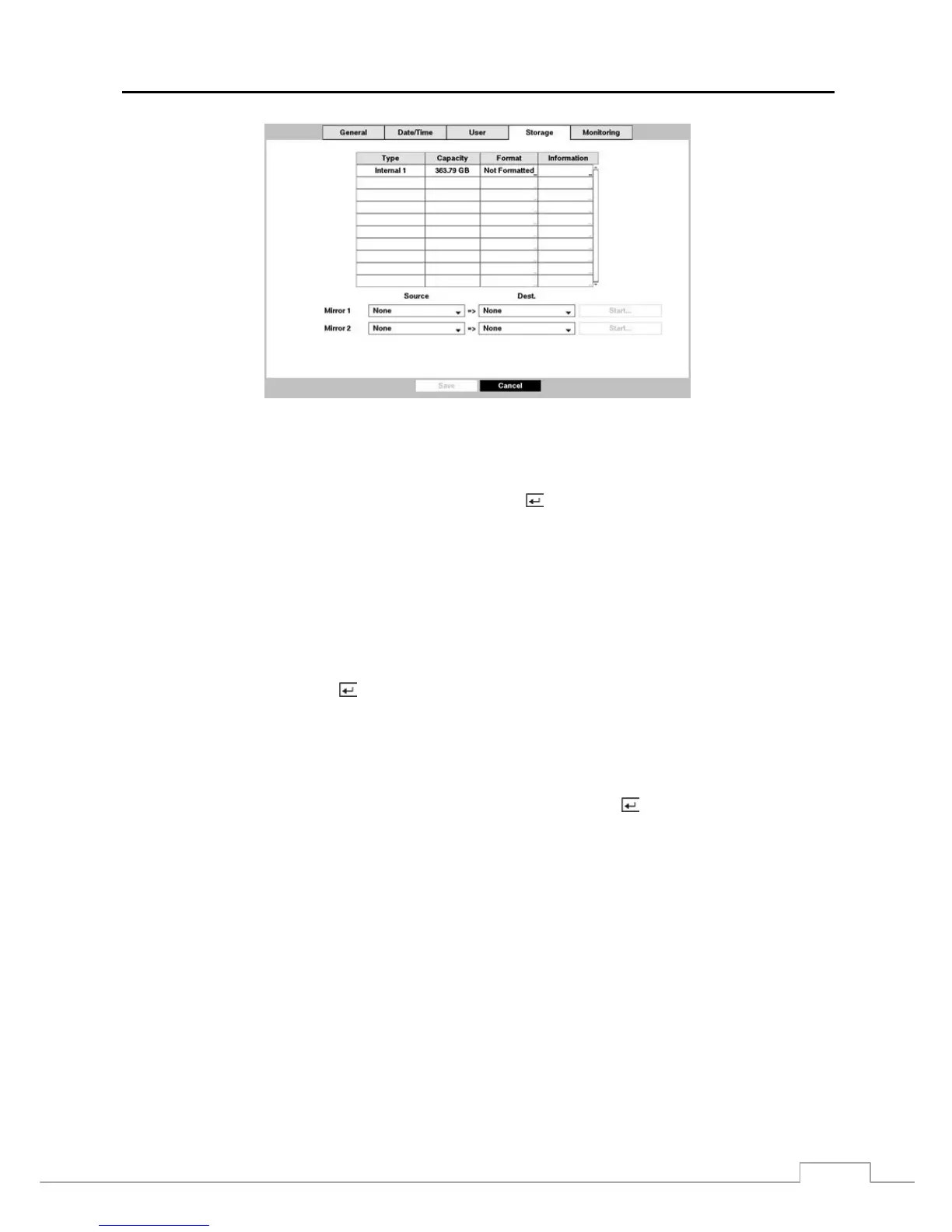
Figure 56 : System – Storage setup screen.
You can enable mirroring between two disks by designating the source disk and the destination disk from a list of internal
hard disk drives. Up to two Mirrors are supported.
Highlighting the boxes under Source and Dest. and pressing the button allows you to select the source disk and
the destination disk for the selected Mirror.
NOTE: The source disk can be designated only from devices formatted for recording.
A device formatted for archiving cannot be used for disk mirroring.
The capacity of the destination disk should be the same or higher than the source disk for proper mirroring
between the two disks.
CAUTION: Any existing data on the Destination Disk will be erased once it is designated as a mirro
destination disk.
Highlighting Start and pressing the
button displays a confirmation screen asking you to confirm whether or not you
want to start mirroring the selected disk. Once you start mirroring, the two disks will be resynchronized. Any data on
the destination disk will be erased, and the data on the source disk will be copied to the destination disk. If the source
disk is formatted and has no data, the disks will not be resynchronized. Resynchronization takes about 40 minutes per
each 10GB of capacity. After resynchronization is complete, disk mirroring (writing data on the two disks at the same
time) will start.
Once disk mirroring starts, you can cancel it by highlighting Stop and pressing the button. Selecting Stop displays
a confirmation screen asking you to confirm whether or not you want to stop mirroring for the selected disk.
NOTE: Once disk mirroring stopped, the destination disk will be set to Not Used. If resynchronization has been
finished, the destination disk cannot be used for recording or archiving, but it can be used for searching.
If you want to use the disk for recording or archiving, you must reformat it.
CAUTION: Disk mirroring will NOT automatically restart from an interrupted state. Once mirroring
is stopped, you must restart it by following the mirroring setup procedures.
CAUTION: If disk mirroring fails, you must



 To Next Page