PTZ
DVR User Manual
30
further you drag the analog joystick from the middle of the image, the faster the dome or PTZ rotates. The dome or PTZ will stop rotating when you
stop dragging the analog joystick.
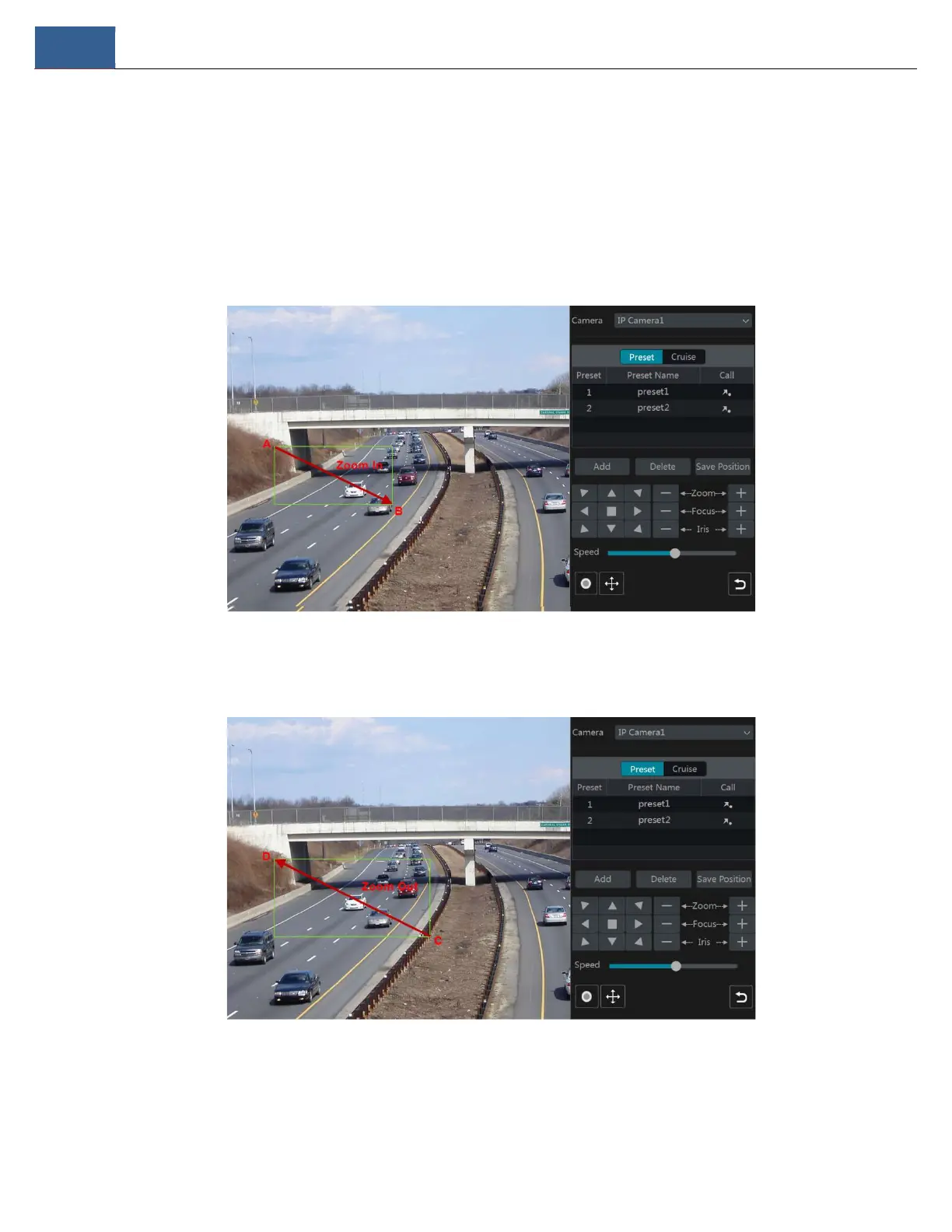
3D Control
Click the camera image on any area and then the image will be centered on the clicked point.
Refer to the picture as shown below. Drag the mouse from A to B to get a green rectangle and the rectangular area will zoom in.
Refer to the picture as shown below. Drag the mouse from C to D to get a green rectangle and the rectangular area zoom out.
Advanced 3D Control
Double click the left button of the mouse on any area of the camera image to make the image size double and be centered on the clicked point.
Press and hold the left button of the mouse on any area of the camera image to zoom in on the image; press and hold the right button to zoom out



 To Next Page