Spectralink IP-DECT Server 6500 Installation and Configuration Guide
14215700 Version 3.0
April, 2014 56
Chapter 8: Configuring Spectralink Media
Resources
This section provides you with information on how to power up the media resource and connect
the unit to a computer. It also provides information on how to configure a media resource through
the web based Administration Page using either DHCP or static IP address.
Configuring a Spectralink Media Resource Using Static
IP Address
General Configuration
On the Configuration/General page you define IP, DNS and NTP settings for the media resource.
Media Resource Configuration
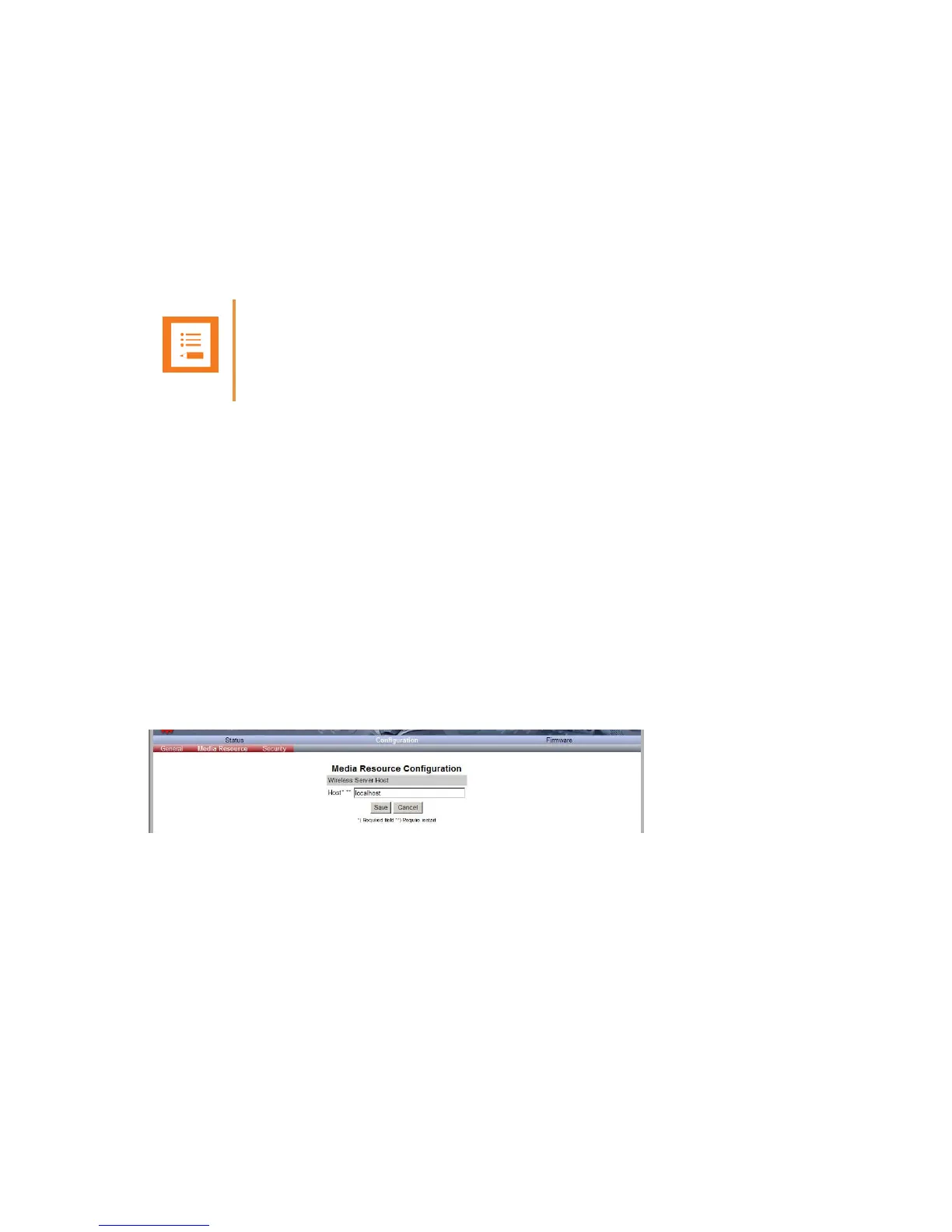
On the Configuration/Media Resource page you configure the media resource.
1 Click Configuration, and then click Media Resource.
Figure 33 Adm. Page Media Resource: Config./Media Resource page
2 In the Host field, type the address of the wireless server.
3 Click Save.
Note
The media resource is pre-configured to use DHCP. It is recommended to configure the media
resource using DHCP.



 To Next Page