Spectralink IP-DECT Server 6500 Installation and Configuration Guide
14215700 Version 3.0
April, 2014 92
— SIPQuick status
— Base stationsQuick status
— Media resources Quick status
— ProvisioningQuick status
— NTPQuick status
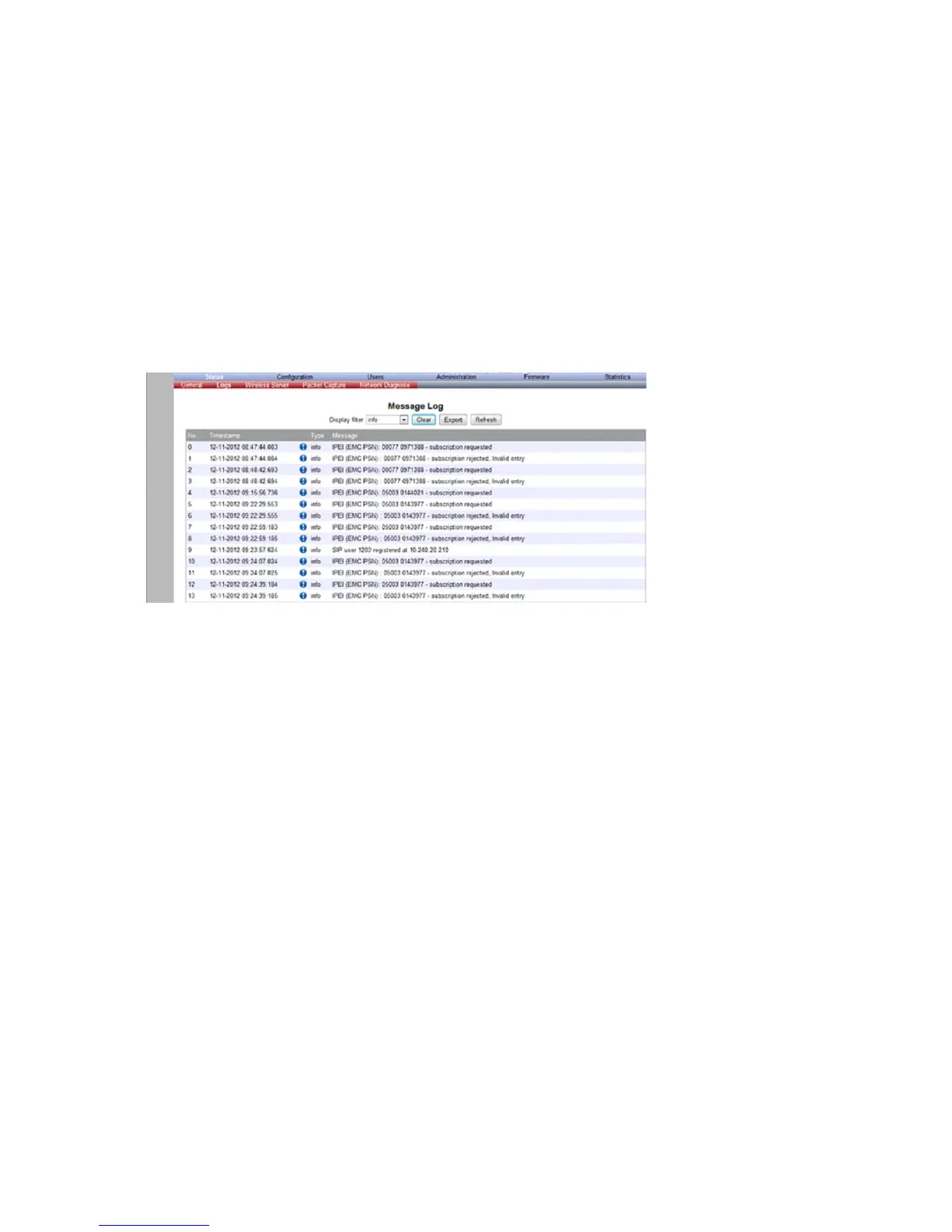
Logs Information
This page provides logs information such as media resource connection, base station connection
and different types of status.
Figure 87 Adm. Page Media Resource: Status/Logs page
1 From the Display filter list you can select between emergency, critical, error, warning,
notice, info or debug depending on the logs you want to see.
The different types of status are:
— emergency (errors causing the system to malfunction for all calls)
— critical (events that do not occur under normal operation, cause minor malfunction)
— error (events that do not occur under normal operation, cause minor malfunction)
— warning (events that do not occur under normal operation, may cause malfunction)
— notice info (events that occur under normal operation, relevant to an administrator)
2 Click Status, and then click Logs.
3 Click Save if you want to save the logs in a file.
A Save As dialog box appears.


 To Next Page