Spectralink IP-DECT Server 6500 Installation and Configuration Guide
14215700 Version 3.0
April, 2014 63
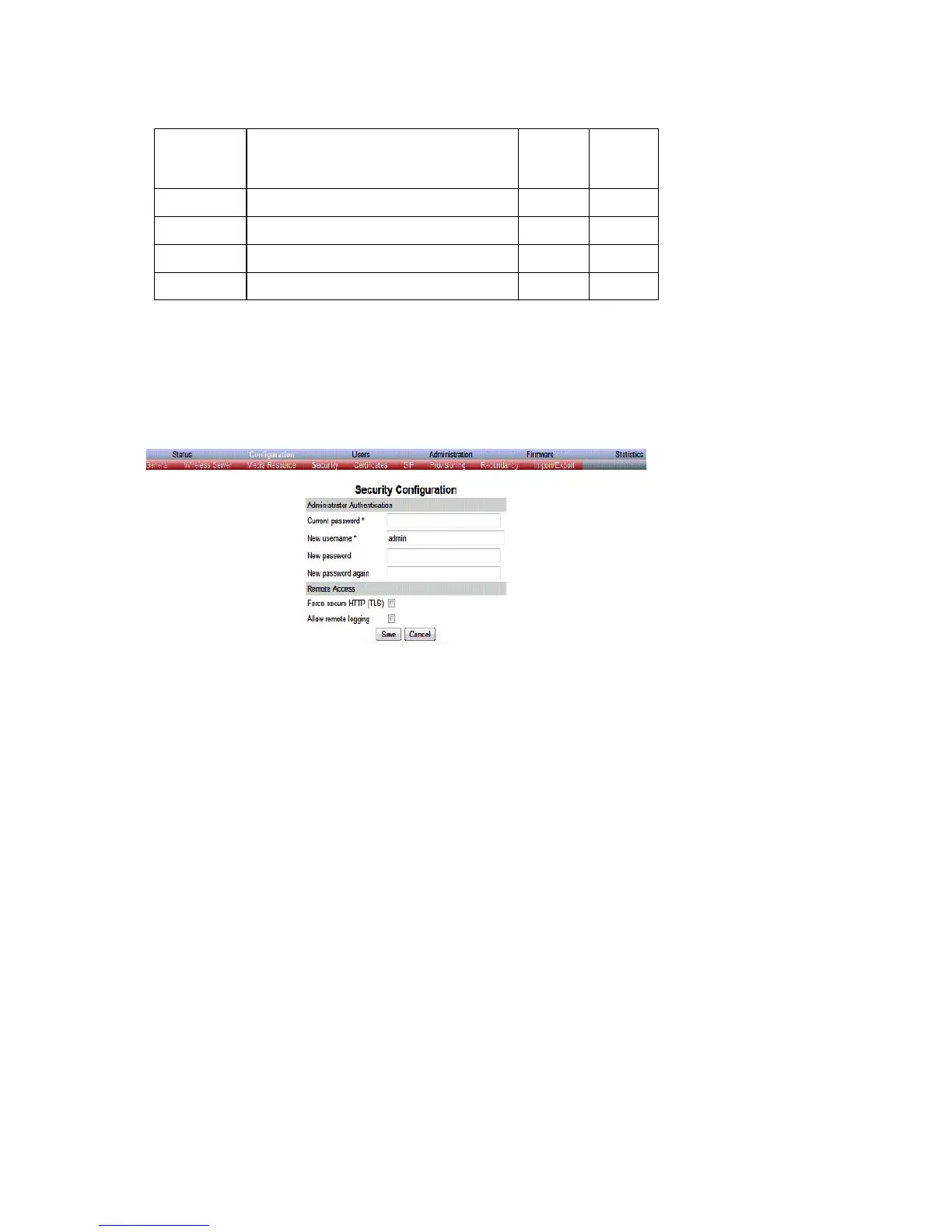
Security Configuration
It is possible to change the password for the unit.
1 Click Configuration, and then click Security (optional).
Figure 39 Adm. Page Base Station: Configuration/Security page
2 In the Current password field, type the current password.
3 In the New username field, type a new username.
4 In the New password field, type a password.
5 In the New password again, type the password again.
6 Click Allow remote logging if it should be possible to log on to the system remotely (Useful
in case of troubleshooting).
7 Click Save.
Base Station Configuration
To configure the base station:
1 Click Configuration, and then click Base Station.
Broadcast
announcem
ents
Specifies if UPnP announcements are
broadcasted. When enabled, the device
broadcasts announcements automatically.
x
Host
Port
Facility
Level



 To Next Page