Spectralink IP-DECT Server 6500 Installation and Configuration Guide
14215700 Version 3.0
April, 2014 72
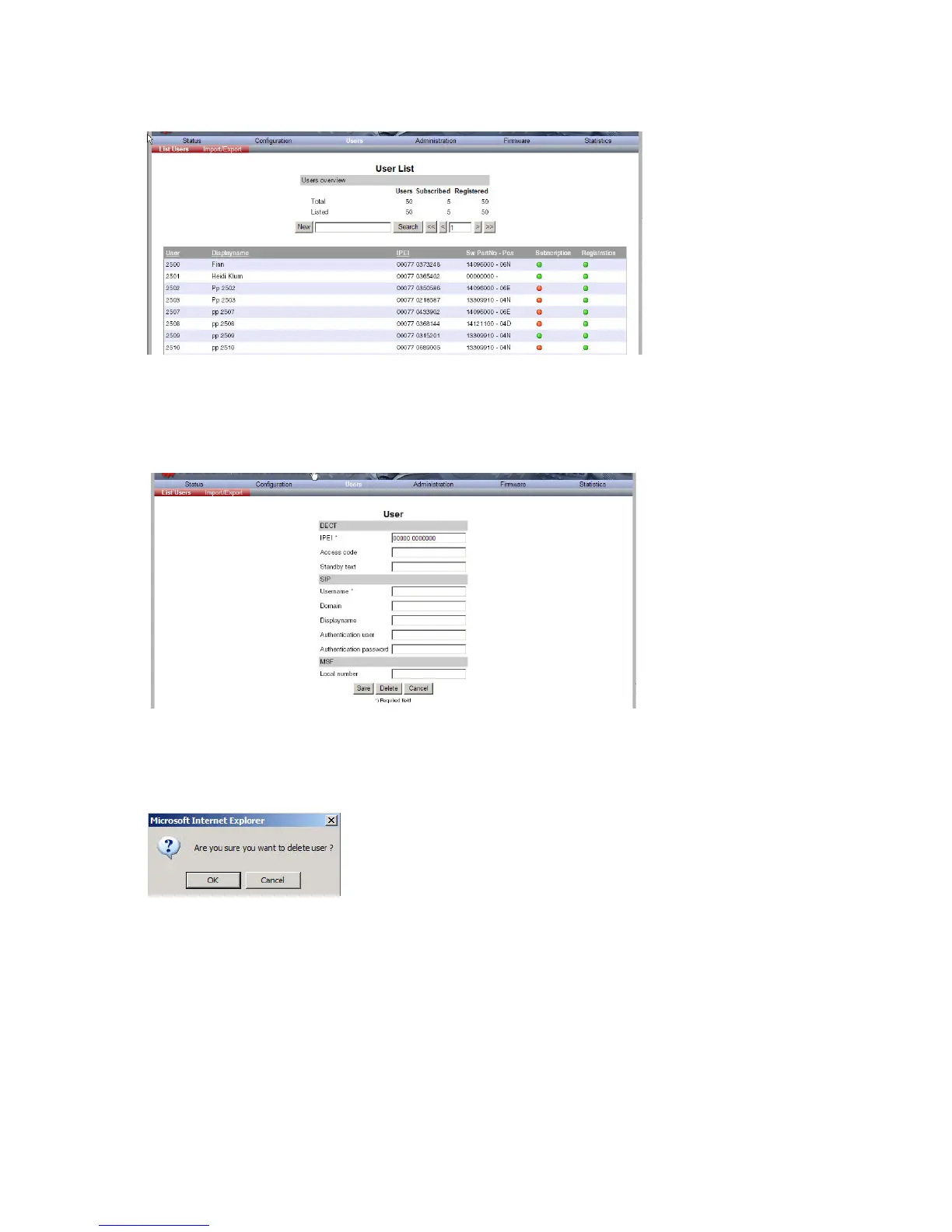
Figure 47 Adm. Page WS: Users/List Users page
2 Type the beginning of a number or name to search for in the text field, and then click Search
or select the handset in question by clicking on the user information.
The following page appears.
Figure 48 Adm. Page WS: Users/List Users/User page
3 Click Delete to remove the registration.
A warning box appears.
Figure 49 Warning box
4 Click OK.
Changing User Configurations
You can change user configurations, such as the AC (authentication code) using the web based
Administration Page.



 To Next Page