Spectralink IP-DECT Server 6500 Installation and Configuration Guide
14215700 Version 3.0
April, 2014 90
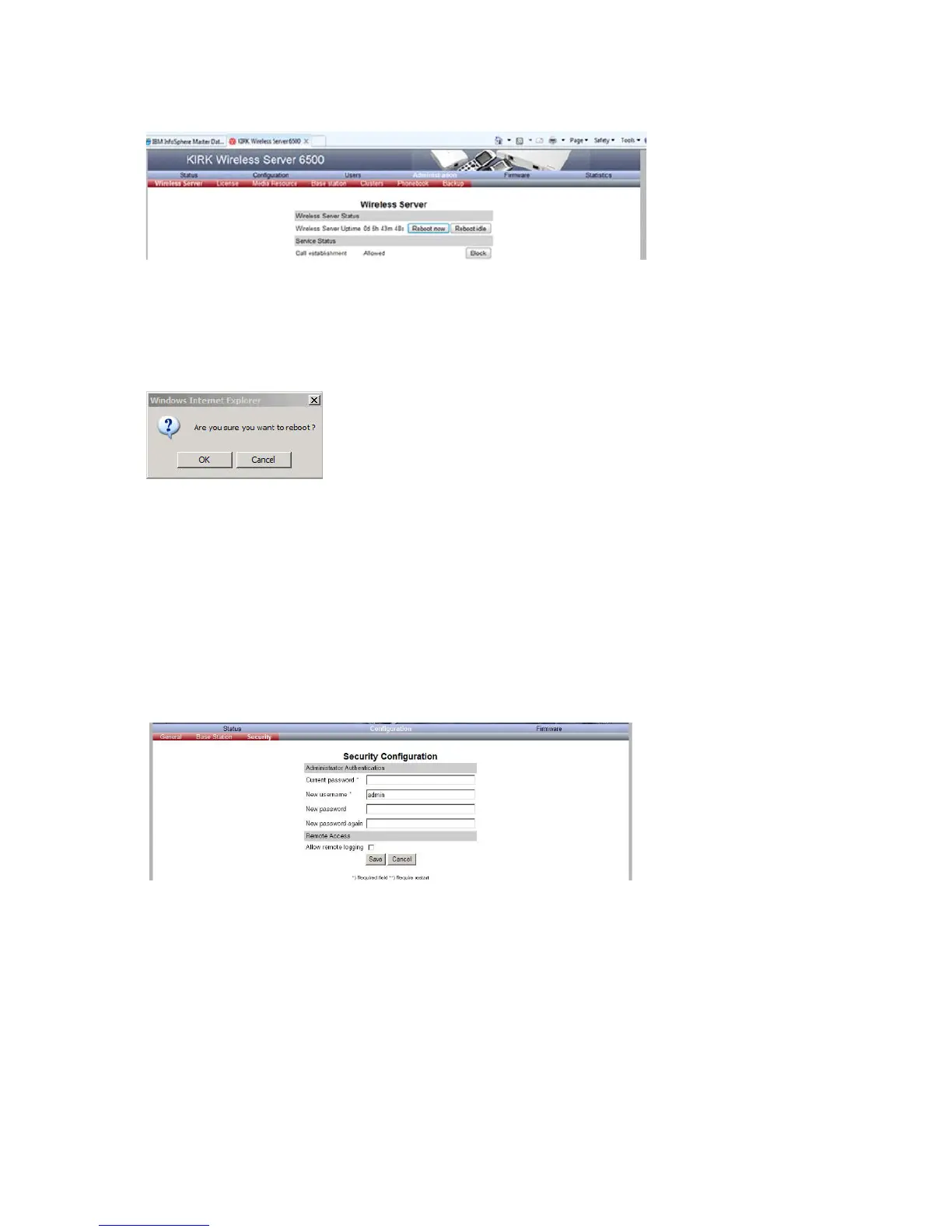
Figure 83 Adm. Page Wireless Server: Administration/Wireless Server page
2 After Wireless Server Uptime click Reboot now or Reboot idle (when active calls have
ended).
A warning box appears.
Figure 84 Warning box
3 Click OK.
Spectralink Media Resources
Changing System User Name and Password
From the Administration Page it is possible to change the user name and password for the system.
1 Click Configuration, and then click Security.
Figure 85 Adm. Page Media Resource: Configuration/Security page
2 In the Current password field, type the current password.
3 In the New user name field, type a user name.
4 In the New password field, type a new password
5 In the New password again field, type the new password again to confirm it.
6 Click Save to change the password.



 To Next Page