spencer 2022A user guide spencerhealthsolutions.com 10
Setting up spencer
To set up your spencer SmartHub, follow these instructions:
1. Open the spencer case and review the Quick Start Guide.
2. Identify a stable, at, dry surface in your home on which to place the device. Be sure it is near a
power outlet.
Note: Be sure your additional medical devices (e.g., blood pressure monitor) can be placed and used
within 15-feet of the spencer SmartHub.
3. Remove the spencer SmartHub from its case and place it on the chosen surface.
4. Plug in the device.
The spencer SmartHub will automatically turn on. (You do not need to use the power button to turn
on the device.)
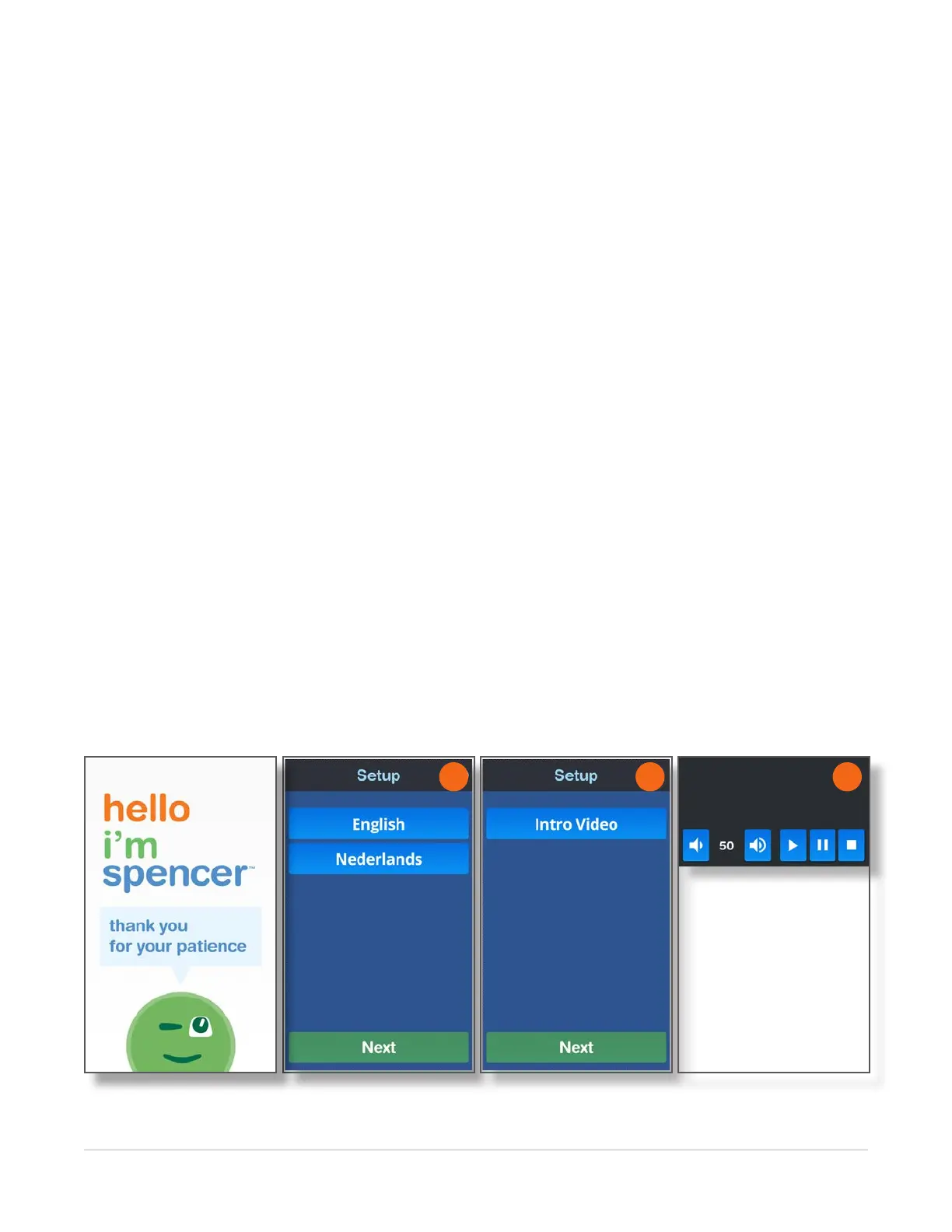
An introduction screen displays.
5. Select your preferred language by touching the name on the screen, and then touch the Next
button.
The Setup screen displays, giving you the option to play the Intro Video or move on to loading the
rell.
6. To watch the video, touch the Intro Video button. To move forward, click the Next button.
NOTE: You can nd this and other videos in the Tools section later.
7. Touch the Pause or Restart buttons if you want to stop or replay any sections.
8. After you have watched the video, or to skip the video and load the medication cartridge, touch the
Next button.
5 6 8



 To Next Page