spencer 2022A user guide spencerhealthsolutions.com 44
Enabling Android Notifications
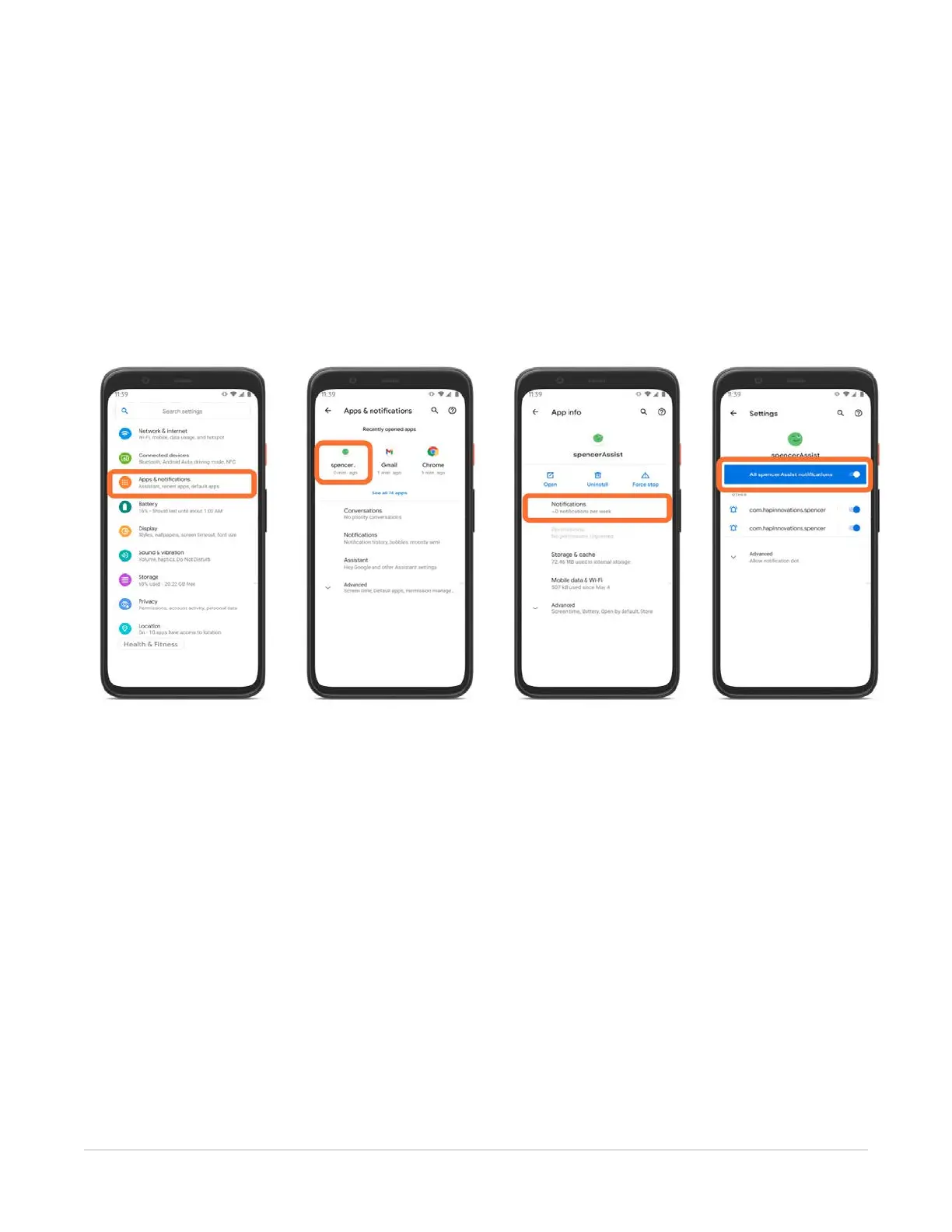
Settings > Apps & notications > spencerAssist > Notications > All spencerAssist
notications
To enable Android notications, follow these instructions:
1. From the Settings menu on your Android device, select Apps & Notications.
2. Select the spencerAssist app.
3. Select Notications.
4. Turn on “All spencerAssist notications.”



 To Next Page