spencer 2022A user guide spencerhealthsolutions.com 17
Adjusting the Alert Volume
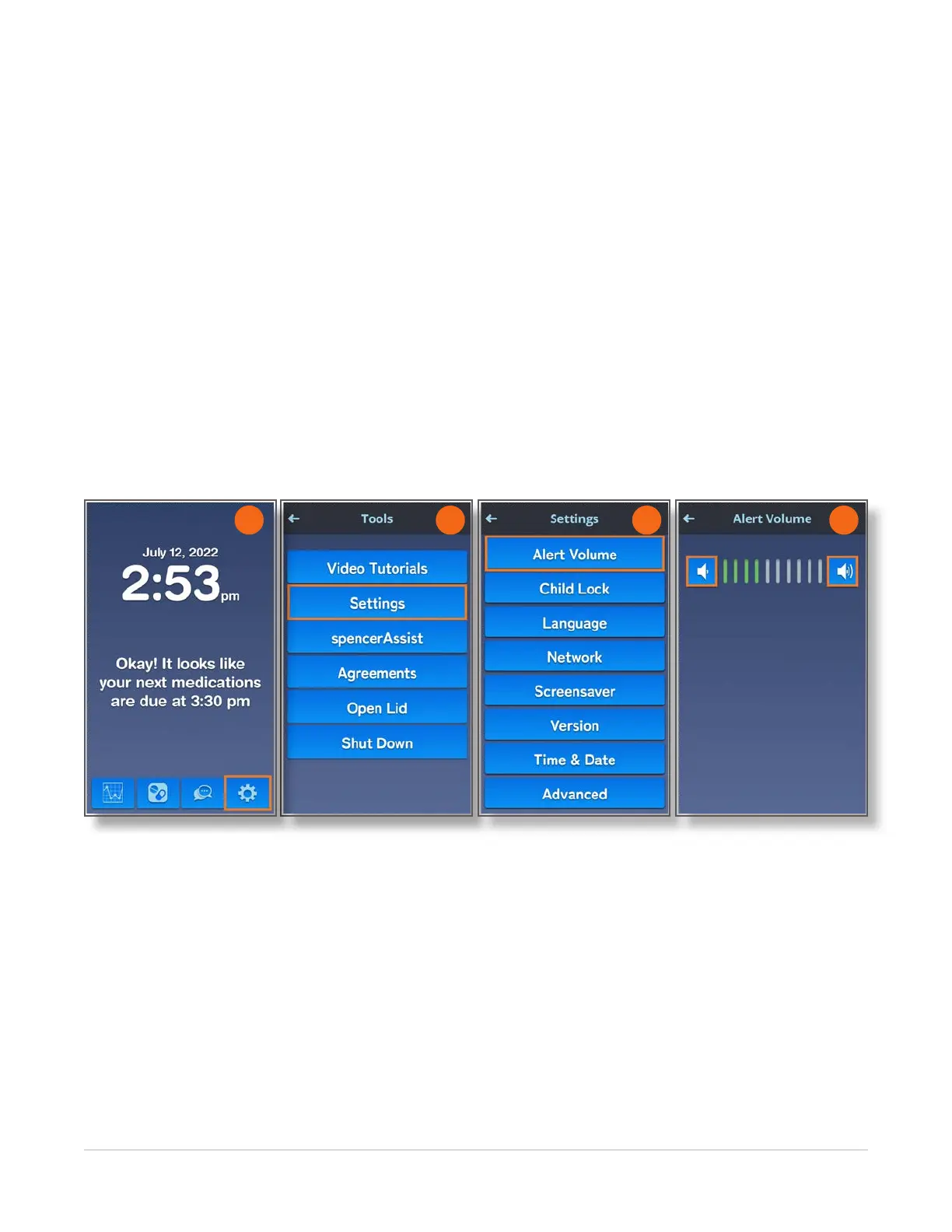
Home > Tools > Settings > Alert Volume
To adjust the alert volume, follow these instructions:
1. Navigate to the Home screen and touch the Tools icon.
2. On the Tools screen, touch the Settings button.
3. On the Settings screen, touch the Alert Volume button.
4. On the Alert Volume screen, touch the speaker icons on either side to decrease and to increase
the volume.
NOTE: This volume setting is for the normal dispense notication. The escalated dispense notication
will be louder.
2 3 4
1



 To Next Page