spencer 2022A user guide spencerhealthsolutions.com 63
Setting the Preferred Language
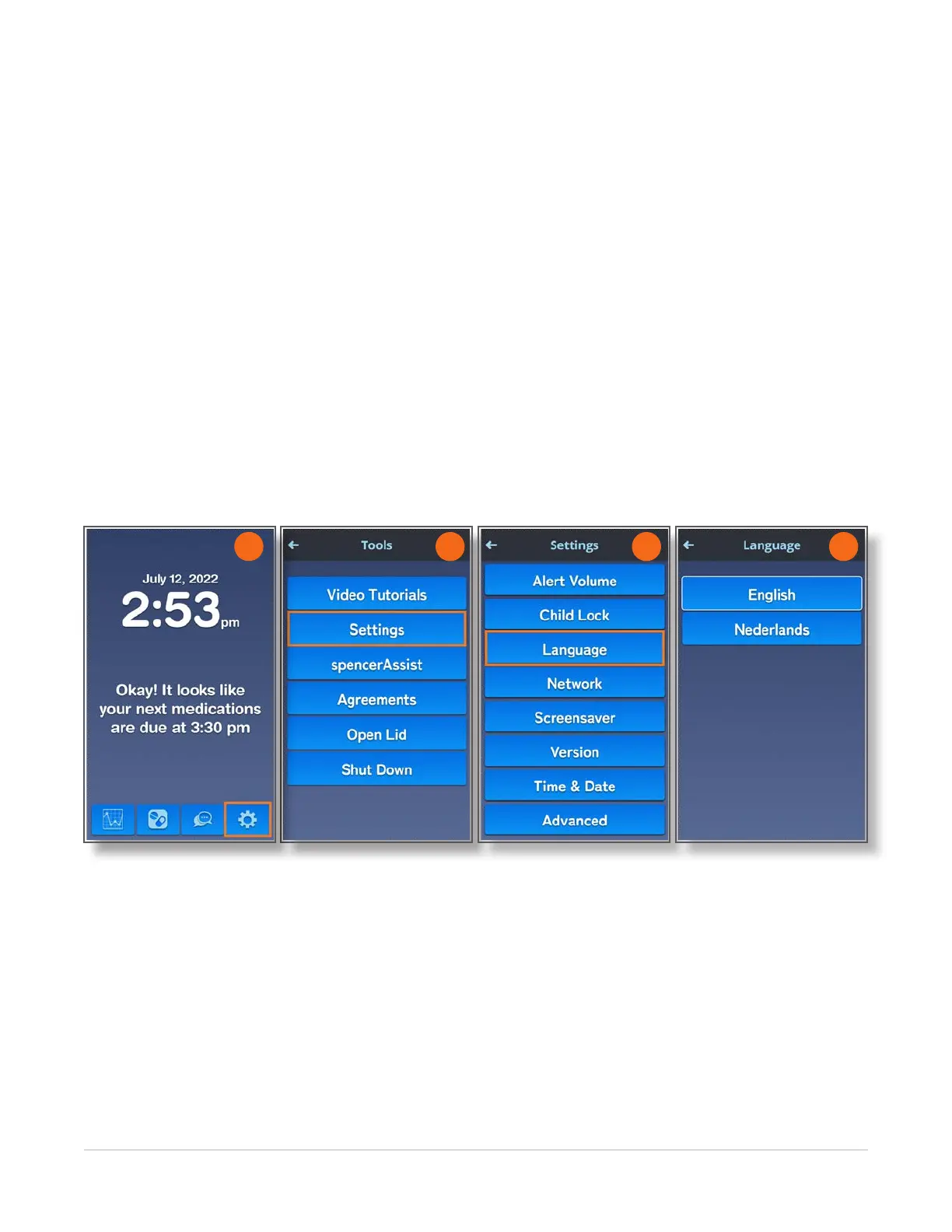
Home > Tools > Settings > Language
To select or change your preferred language for spencer screens, voice prompts, and help videos,
follow these instructions:.
1. Navigate to the Home screen and touch the Tools icon.
2. On the Tools screen, touch the Settings button.
3. On the Settings screen, touch the Language button.
4. On the Language screen, touch the button with your preferred language.
Text on all screens and voice prompts will now be in the selected language. Help videos will also
be in the selected language.
5. Touch the Back Arrow at the top left of the screen to return to the Settings screen, or touch the
Home icon in the upper right corner to return to the Home screen.
2 3 4
1



 To Next Page