spencer 2022A user guide spencerhealthsolutions.com 65
Accessing Version Information
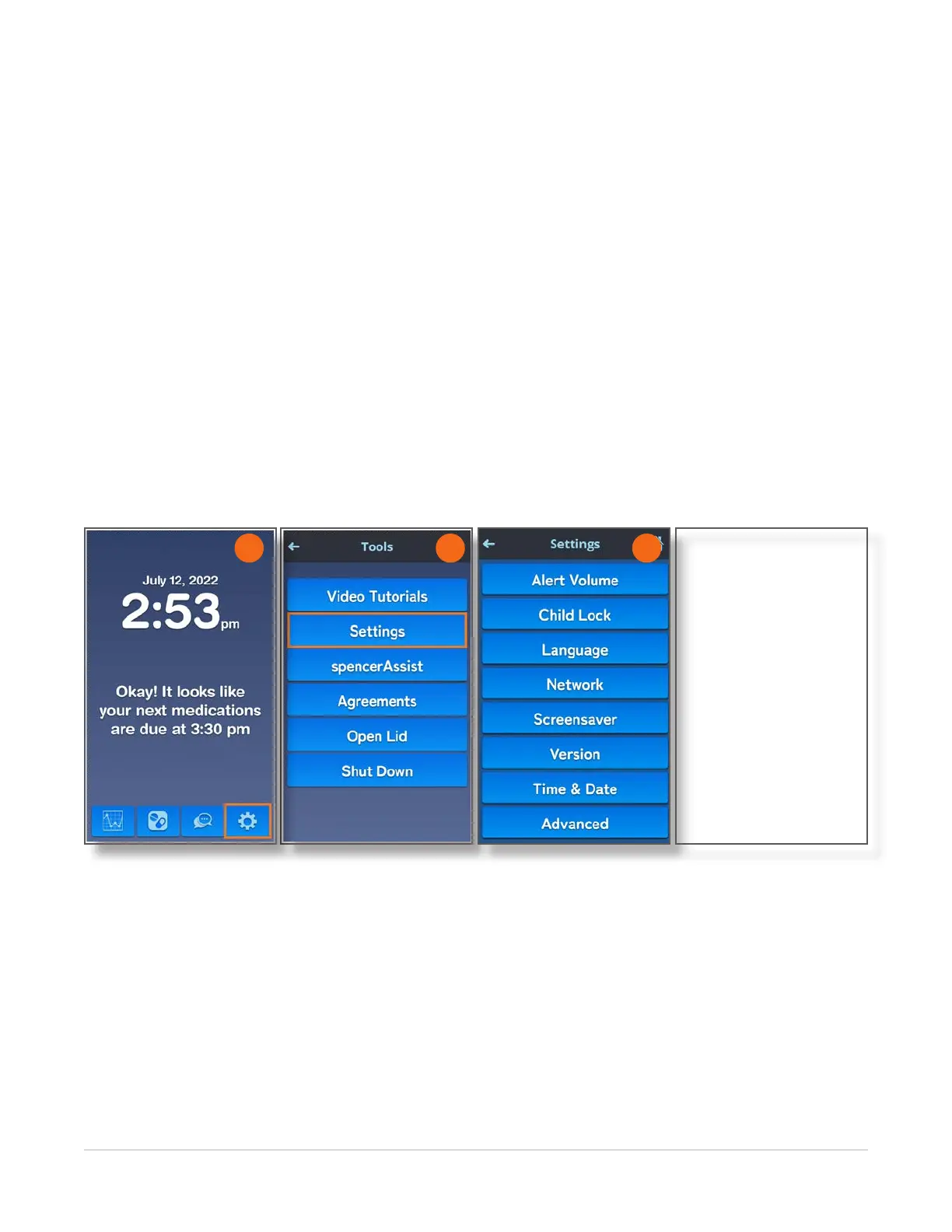
Home > Tools > Settings > Version
It may be necessary to identify the spencer SmartHub version information for the Spencer Health
Solutions Customer Care team to provide you with technical assistance.
To view the version of software currently installed, follow these instructions:
1. Navigate to the Home screen and touch the Tools icon.
2. On the Tools screen, touch the Settings button.
3. On the Settings screen, touch the Version button.
The Version screen displays the following information:
• Serial number for your spencer device
• Versions for software, hardware, and other spencer components
• Software installation date
NEED SCREENS HERE
2 3
1



 To Next Page