spencer 2022A user guide spencerhealthsolutions.com 39
Overview
The spencer
®
SmartHub will regularly ask patients survey questions to track their physical and
emotional health during the course of their medication therapy. Your responses to these survey
questions help your care team determine if your medication therapy is working, if the prescribed dosage
is effective, or if patients are experiencing side effects that may be impacting your quality of life.
Your responses are not only important in keeping you connected with your care team, but that de-
idientied information may also help others are prescribed a medication in the future.
Completing Surveys on spencer
spencer will display a message and provide an audio alert when it is time to take your survey.
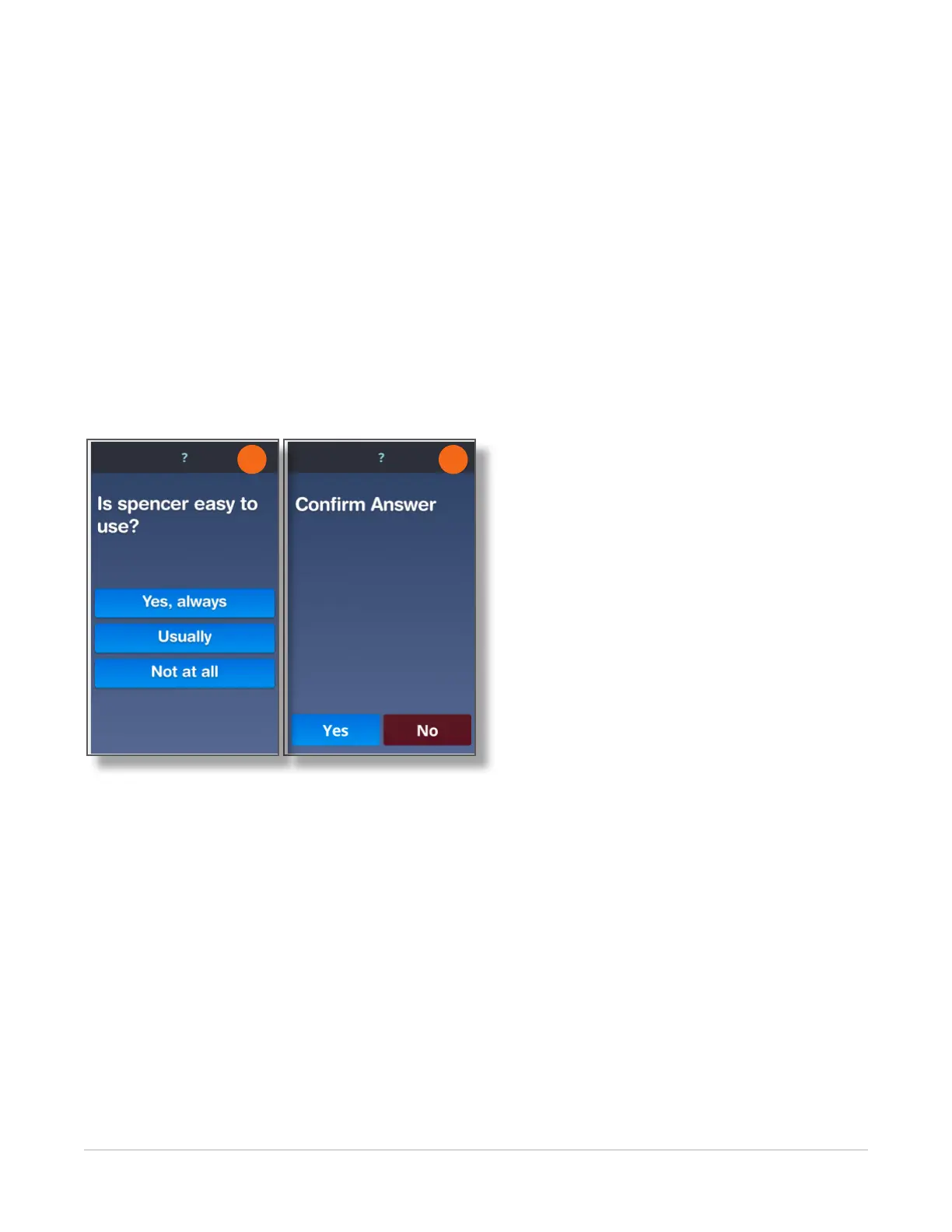
1. Complete the survey by answering all of the questions on your touch screen.
2. Touch the Yes or No button to conrm your answer.
2
1
Completing Surveys on spencerAssist
®
You can complete your regular survey questions using the spencer SmartHub touch screen or using the
spencerAssist mobile app.
NOTE: If you take a survey using spencerAssist, the spencer SmartHub will continue to send out an
audio alert until the survey is complete, or the survey time limit is over, whichever is rst.
For more information, refer to Using spencerAssist on page 40.



 To Next Page