spencer 2022A user guide spencerhealthsolutions.com 50
Connecting/Pairing the Glucometer
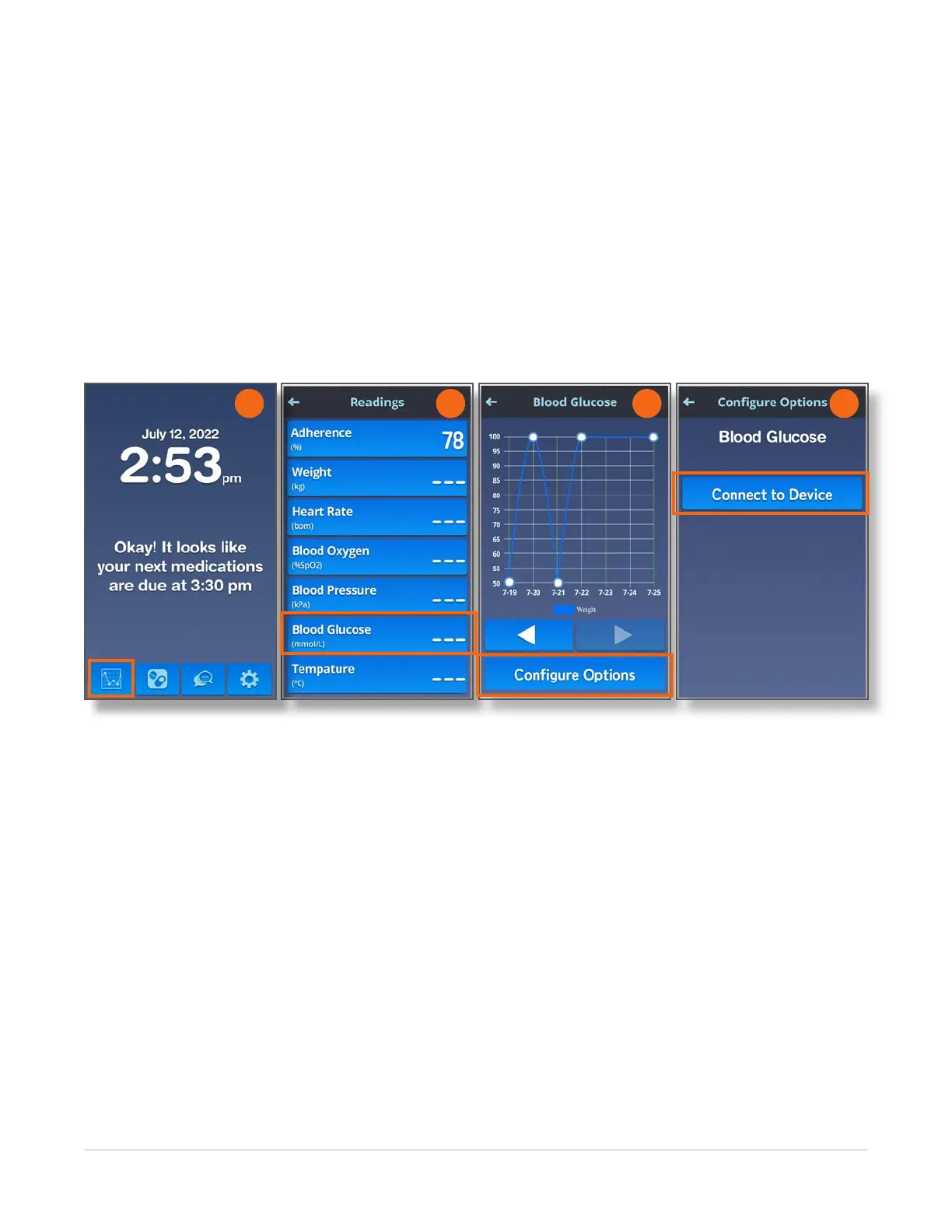
Home > Readings > Weight > Configure Options > Connect to Device
Connecting/pairing the glucometer with spencer requires an additional step that other Bluetooth-
enabled devices do not require. To connect/pair the glucometer with spencer, follow these instructions:
1. From the Home screen, touch the Readings icon.
2. On the Readings screen, touch the Blood Glucose button.
3. On the Blood Glucose screen, touch the Congure Options button.
4. On the Congure Options screen, touch the Connect to Device button.
2 3 4
1



 To Next Page