spencer 2022A user guide spencerhealthsolutions.com 16
Accessing Video Tutorials
Home > Tools > Video Tutorials
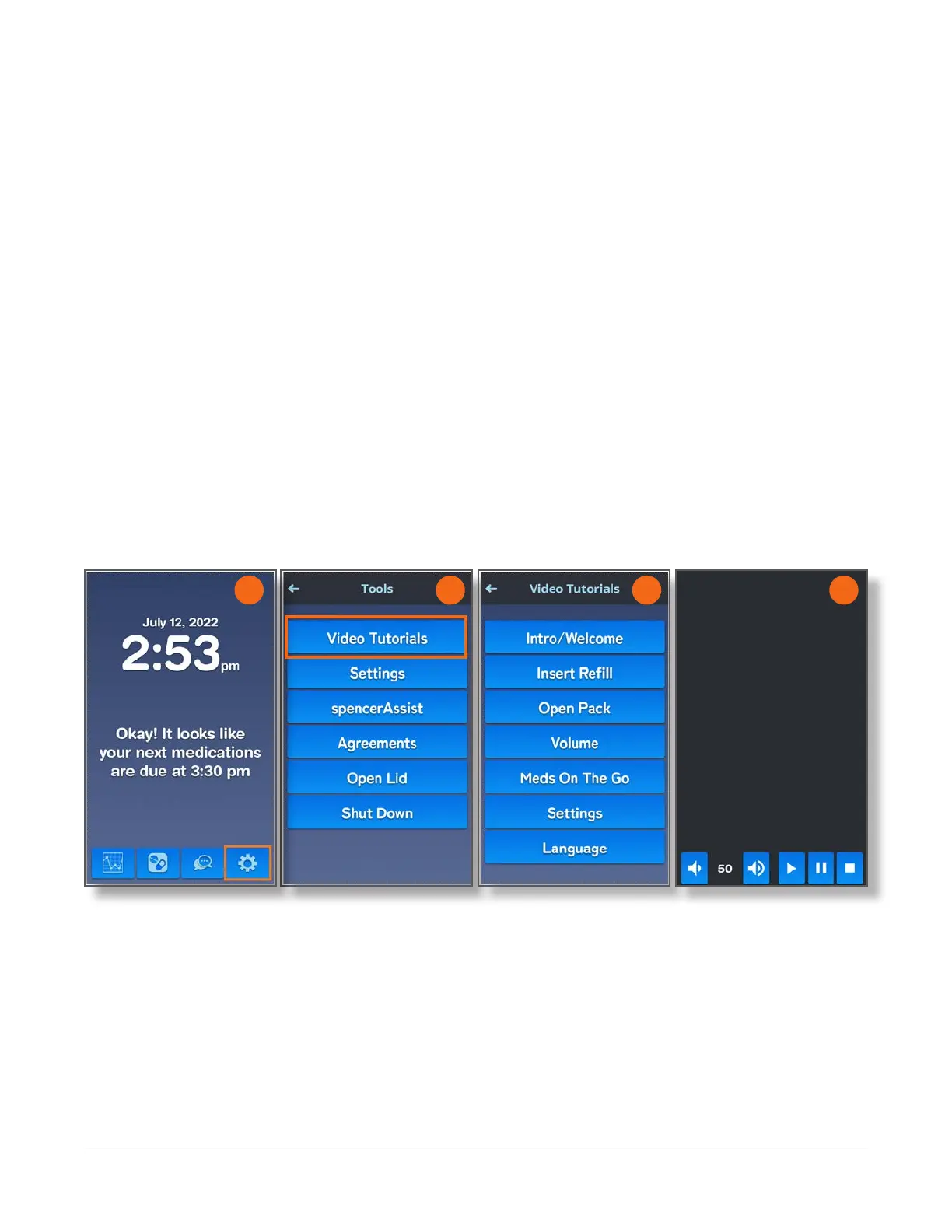
There are a number of help videos that show you how to use the features of your spencer SmartHub.
To see the complete list and view videos, follow these instructions:
1. Navigate to the Home screen and touch the Tools icon.
2. On the Tools screen, touch the Video Tutorials button.
The Video Tutorials screen displays a long list of available videos, all of which will not t on the
screen. To scroll through the available videos, use your nger to move the gray bar on the right (the
slider) down to see the bottom of the list.
3. Touch the button for the video you want to view.
4. Use the buttons at the bottom of the tutorial screen to adjust the volume for the video, play/pause
the video, and/or restart the video.
NOTE: The Restart button changes from grey (inactive) to blue (active) once you start a video. The Play
button changes to a Pause button while the video is playing.
2 3 4
1



 To Next Page