spencer 2022A user guide spencerhealthsolutions.com 53
Viewing Current Readings
When connected to specic Bluetooth-enabled devices, spencer can record important health data, such
as your weight and blood pressure. Easy-to-read graphs show the trends in the readings over time.
To view your current health readings, follow these instructions:
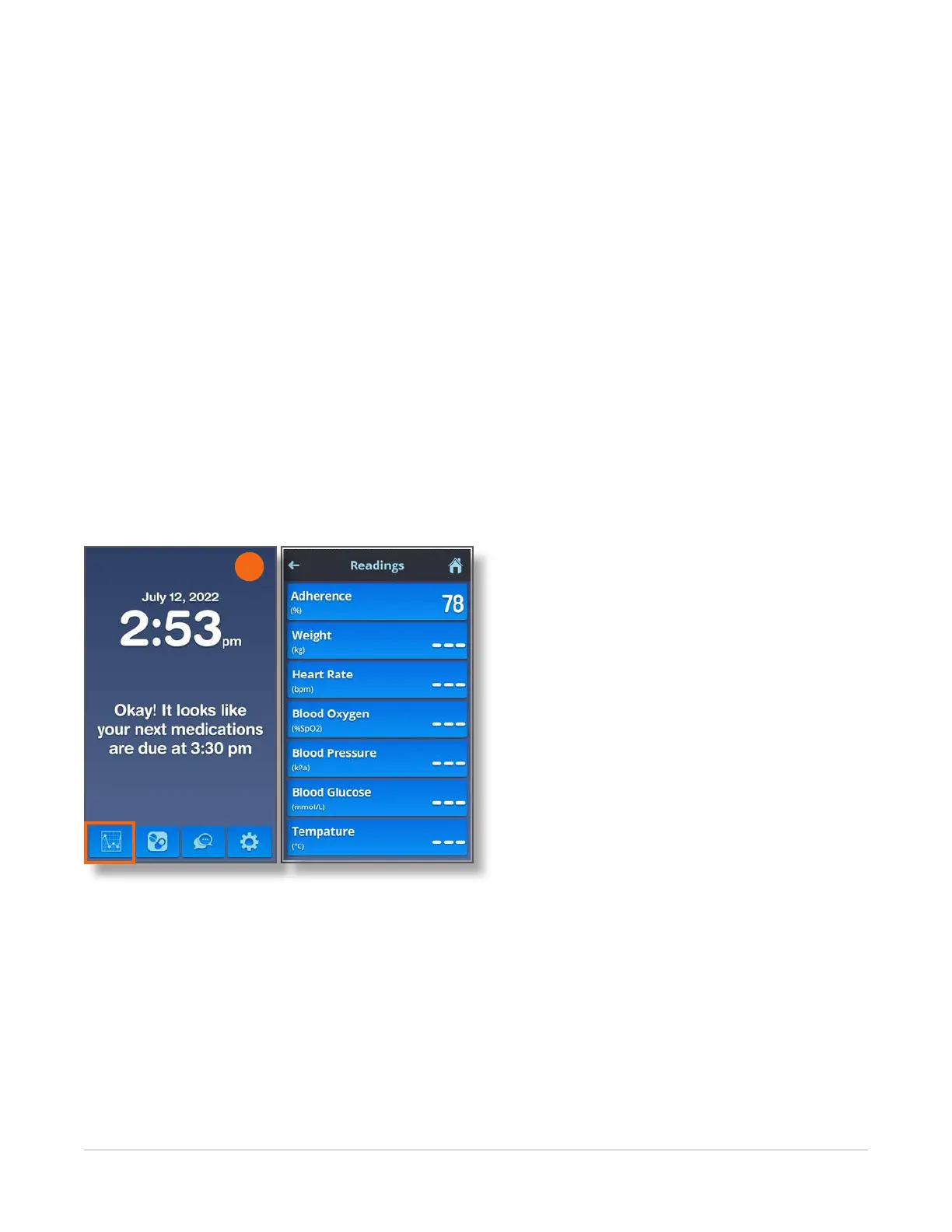
1. Navigate to the Home screen and touch the Readings icon.
The Readings screen displays, showing the most current readings of the following measurements:
• Adherence – An overview of how you have followed instructions for taking your medication.
• Weight – Your weight as measured and recorded using a Bluetooth-enabled scale.
• Heart Rate – Your pulse rate as measured and recorded by a Bluetooth-enabled pulse oximeter.
• Blood Oxygen – Your blood oxygen level as measured and recorded by a Bluetooth-enabled
pulse oximeter.
• Blood Pressure – Your blood pressure as measured and recorded using a Bluetooth-enabled
blood pressure monitor.
• Blood Glucose – Your glucose levels as measured and recorded by a Bluetooth-enabled
glucometer.
1



 To Next Page