spencer 2022A user guide spencerhealthsolutions.com 22
Acessing Network Information
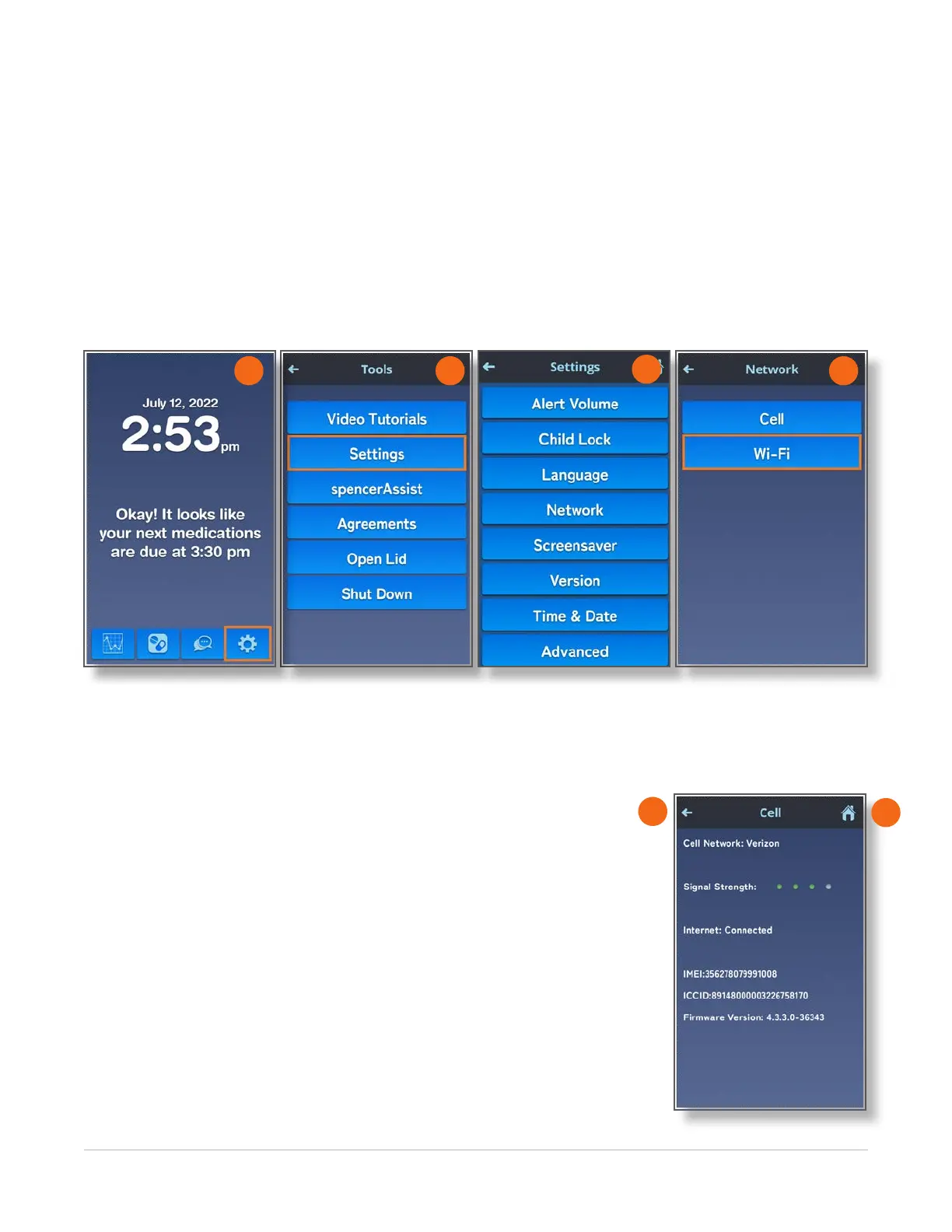
Home > Tools > Settings > Network
It may be necessary to identify your internet network information so that you can ensure that your care
team can view your information, and that you can receive information from your care team.
To access your cellular or wi network information, follow these instructions:
1. Navigate to the Home screen and touch the Tools icon.
2. On the Tools screen, touch the Settings button.
3. On the Settings screen, touch the Network button.
4. Touch the Cell or WiFi button.
2
3
4
1
The following information displays about each network that may be helpful to the Spencer Health
Solutions Customer Care team:
• Network
• IP address
• Signal strength
NOTE: The more bars beside Signal Strength, the stronger the signal.
5. Touch the Home icon to return to the Home screen.
6. Touch the Back arrow to return to the Network screen.
5
6



 To Next Page