spencer 2022A user guide spencerhealthsolutions.com 25
Changing Your Screensaver
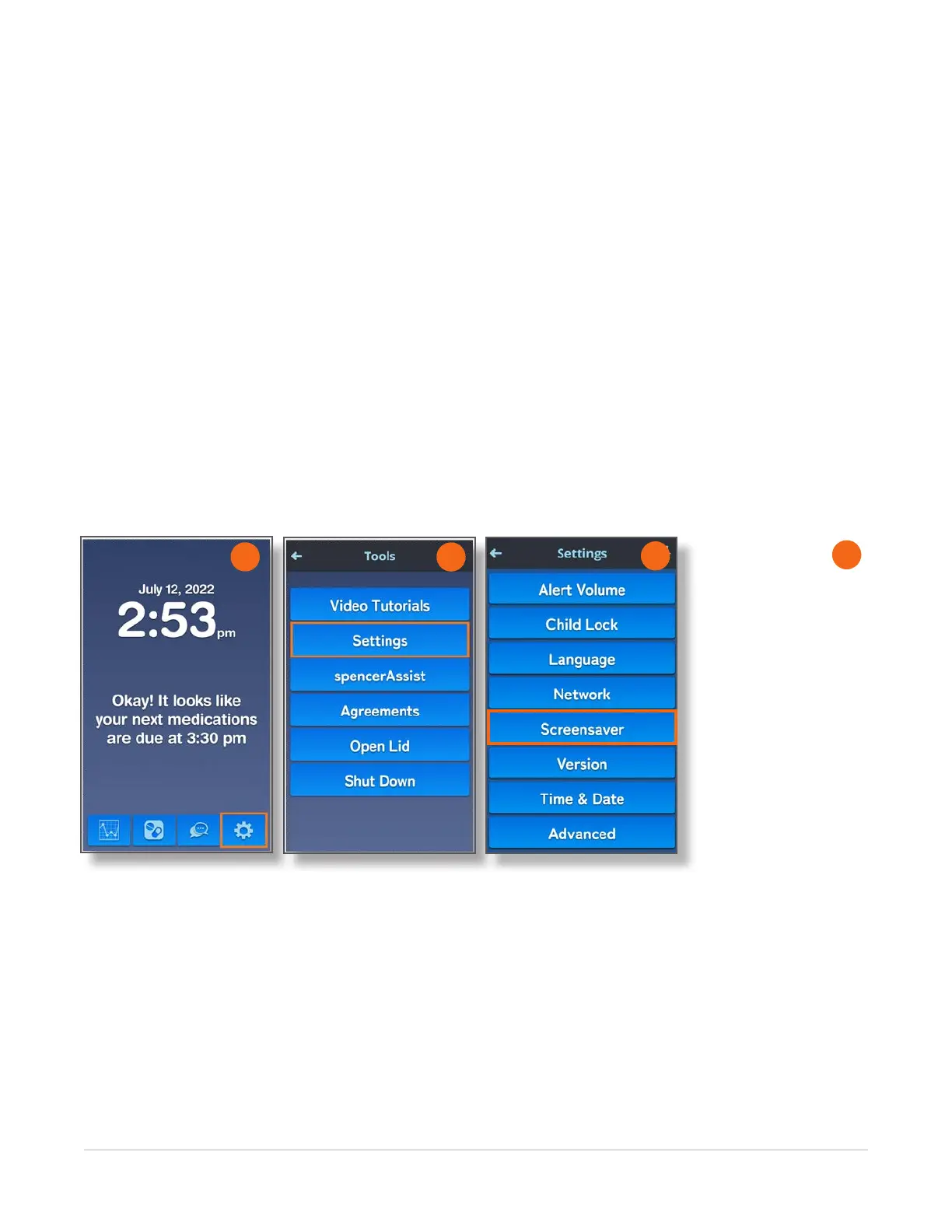
Home > Tools > Settings > Screensaver
To change your screensaver, follow these instructions:
1. Navigate to the Home screen and touch the Tools icon.
2. On the Tools screen, touch the Settings button.
3. On the Settings screen, touch the Screensaver button.
The Screensaver screen displays the following information:
• ??????
• ???????
2
4
1
3



 To Next Page