09/11/13 12:00
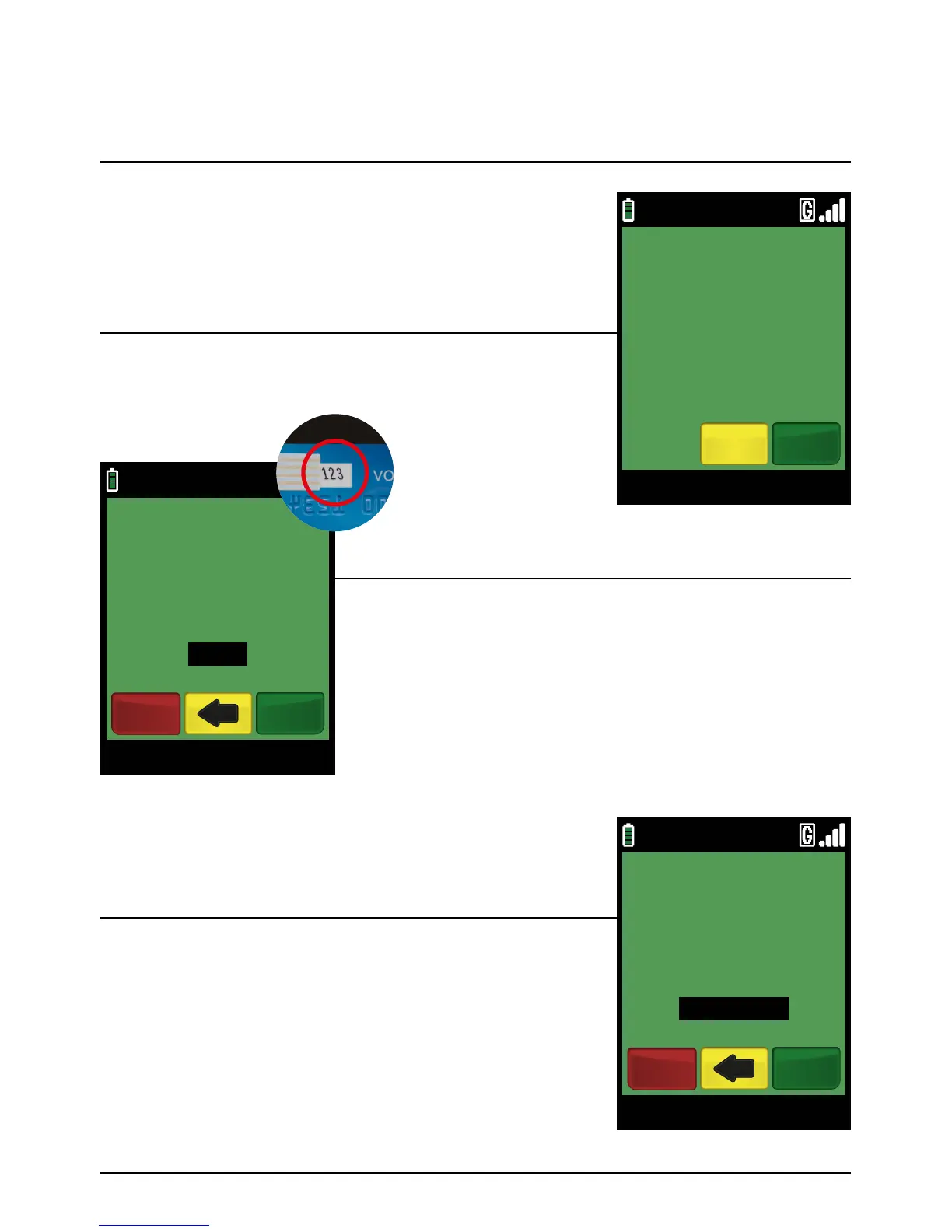
CVV2 FROM CARD
170
VISA SALE
EnterCancel
71
If prompted, ask the cardholder for the 3 digit CVV2 code (security
code) on the back of the card and press the green ‘ENTER’ key.
For an American Express card enter the 4 digit code printed
on the front of the card.
PLEASE NOTE:
If a mistake is made entering data, the the last digit can
be deleted by pressing the yellow ‘CLEAR’ key.
Since the cardholder (and card) is not present, select ‘NO’ by
pressing the yellow ‘CLEAR’ ke y.
If prompted, enter the number contained within the cardholder’s
postcode and press the green ‘ENTER’ k ey.
Example:
If the customer’s postcode is SP12 6UD, enter ‘126’.
PLEASE NOTE:
If a mistake is made entering data, the the last digit can
be deleted by pressing the yellow ‘CLEAR’ key.
Step 4
Step 3
Step 5
Sale Transaction (Cont.)
Page 71.
09/11/13 12:00
CARD PRESENT?
YesNo
VISA SALE
09/11/13 12:00
ENTER POST CODE
(NUMERICS ONLY)
Enter
126
VISA SALE
Cancel



 To Next Page