3-4
150832-639 Operator Manual Installation Instaructions
12. Install leg section as follows:
NOTE: The STERIS 4085 General Surgical Table is equipped with Hi-
Lock™ locking mechanism enabling quick and easy removal/
installation of the leg section with a safety lock feature.
a. Using hand control, position table top seat section to
horizontal by pressing LEG UP button (refer to S
ECTION 4.2,
H
AND CONTROL).
b. Insert both leg section installation rods into seat frame until
fully engaged. Listen for "click" sound to indicate correct
installation (see Figure 3-8).
NOTE: The leg section should slide easily into the back frame
(seat section). Do not force.
c. Pull leg section (both sides) to ensure correct installation.
This completes the STERIS 4085 General Surgical Table
installation. Refer to S
ECTION 4 for Operating Instructions.
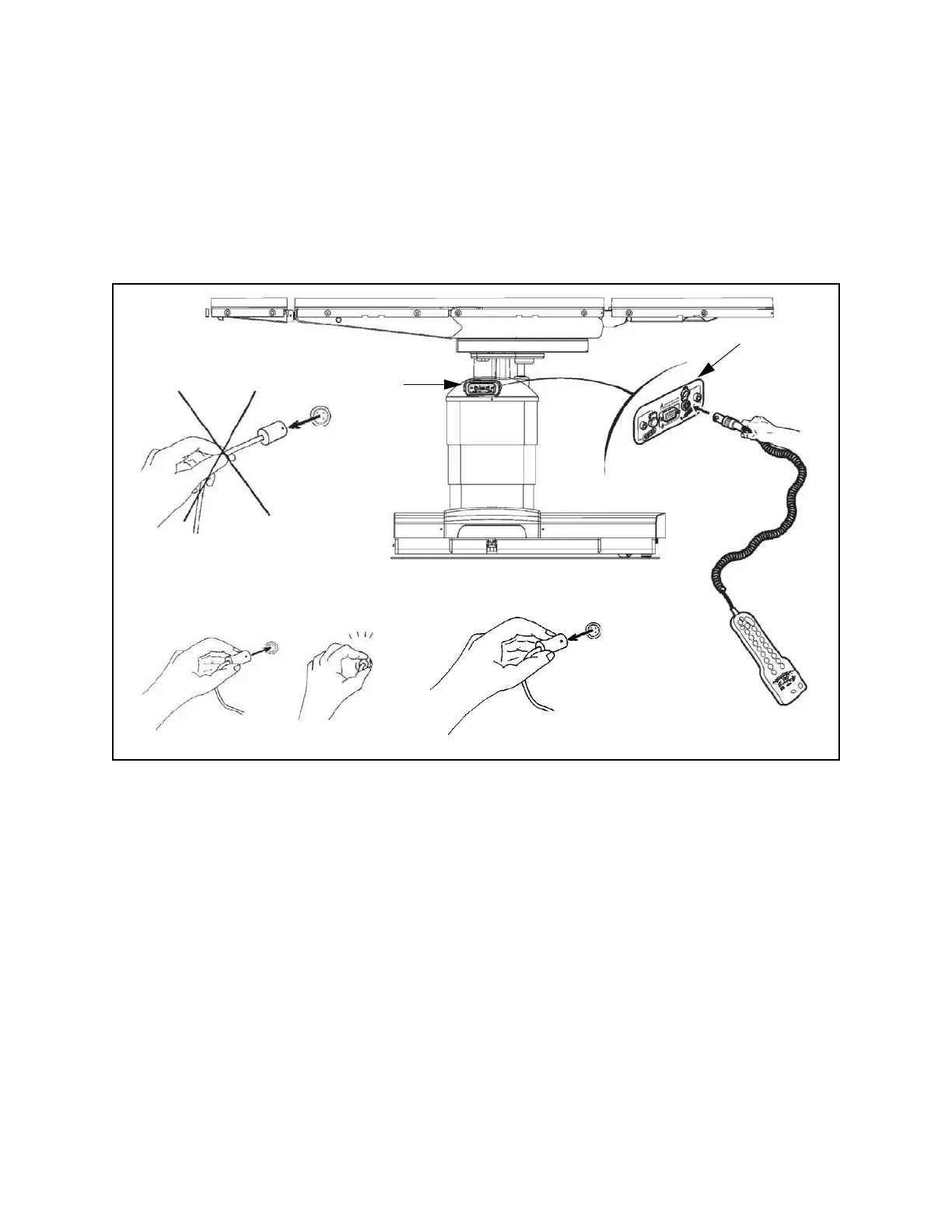
Figure 3-3. Connect Hand Control to STERIS 4085 General Surgical Table (Typical)
Control
Panel
Protective
Cover
Click













 To Next Page