5-6
150832-639 Operator Manual Routine Maintenance
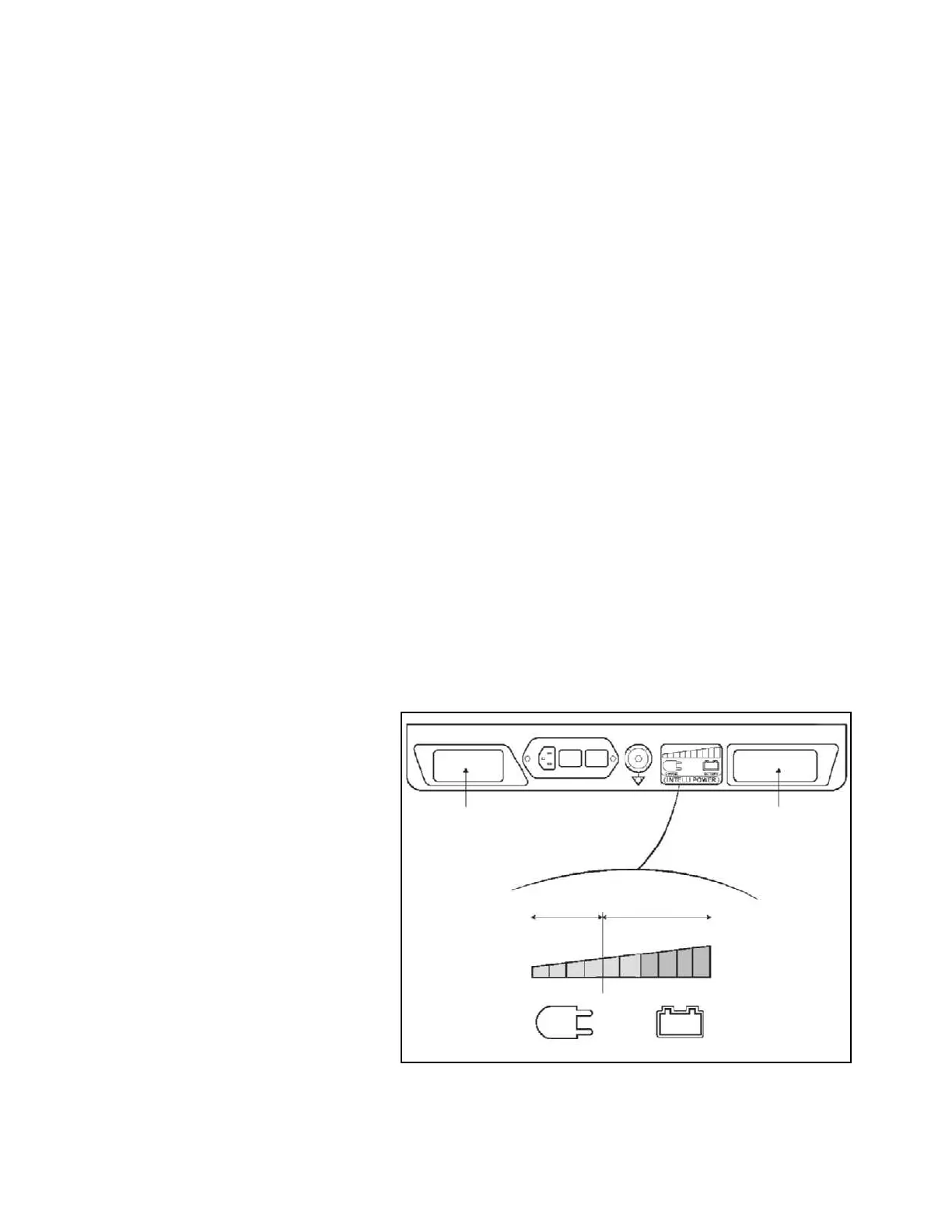
table operation without damaging the batteries. However, when the
last green diode bar is OFF, batteries must be recharged without
further delay or battery damage occurs. If all diodes are OFF,
batteries are completely drained and the table can only operate on
main facility power.
• Every 15 days when the table is in normal service; more often if
usage demands.
• Whenever HALF FILLED BATTERY icon appears on LCD
Status Control Indicator (Figure 4-4 Item 2).
• If the table remains in extended storage for longer than three
months; batteries must be charged every three months.
NOTE: If the sealed lead-acid gel electrolyte-type batteries do not
charge, check for the following:
1) Battery fuse is blown - replace (refer to Figure 3-1 and
S
ECTION 3, INSTALLATION INSTRUCTIONS Step 3).
2) Ac power cord is defective - replace if necessary.
3) Main Power Switch is OFF (not illuminated).
4) Charger Circuit is not operating.
Recharge batteries as follows:
1. Connect ac power cord to table base and plug into an
appropriate ac receptacle.
2. Turn Main Power Switch to ON (lighted green).
3. Allow approximately 12 hours for full battery charge.
4. Verify FILLED BATTERY icon on hand control. Disconnect ac
power.
Figure 5-1. INTELLIPOWER Panel LED Display
Label 1
Label 2
ORANGE
GREEN
CHARGE
BATTERY













 To Next Page