3 Overview
Indicators and information
Indicators and information
Operating errors and malfunctions can lead
to information being displayed (Info) or error
numbers being displayed (Error). As an initial
remedial action, the truck should be operated
correctly or driven into a neutral area of the
warehouse that is not equipped with a sensor
system. The truck must then be switched off
and on again in this neutral area.
If the information is still displayed or is not
included in the list below, the authorised
service centre must be contacted in order
to remedy the fault. When contacting the
authorised service centre, it is very helpful to
specify what information is being displayed.
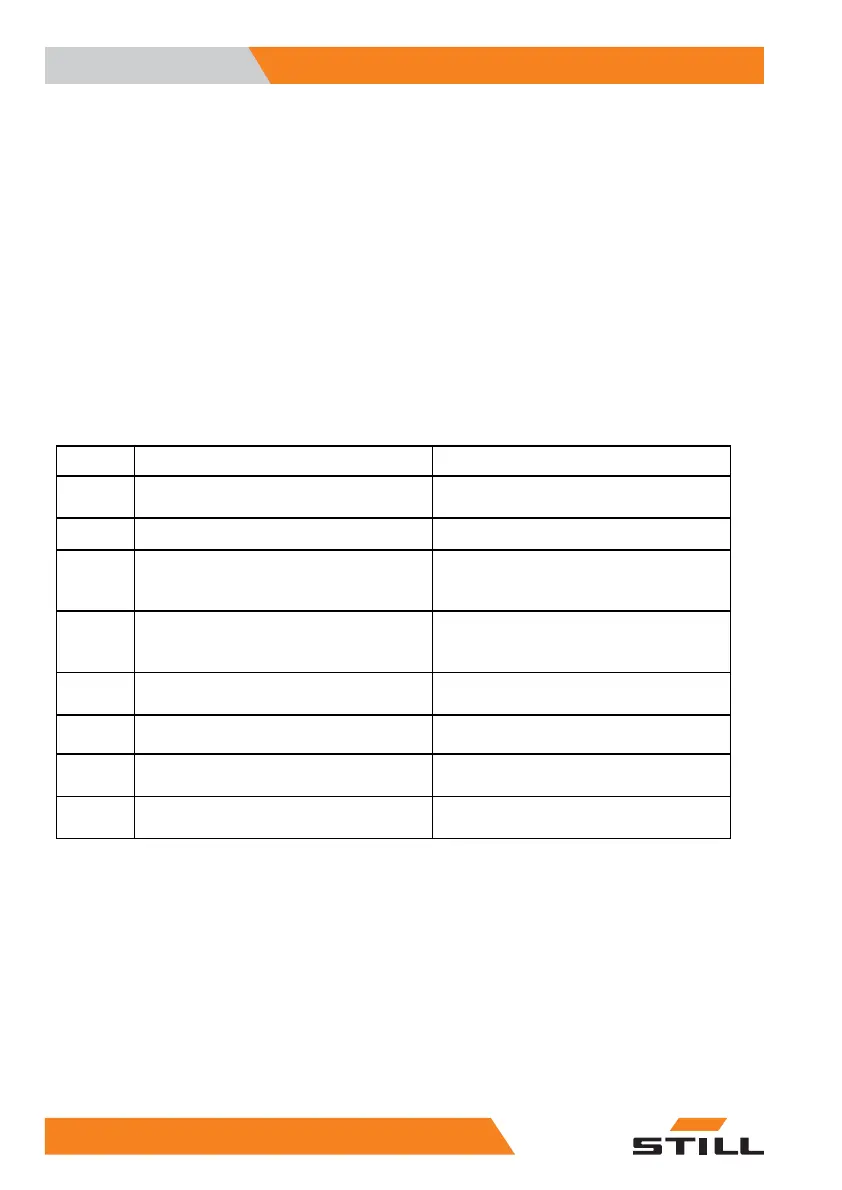
Indicator Possible cause
Remedy
Info1
Battery discharged, battery voltage too
low or battery faulty
Insert the correct charged battery or call
battery customer service.
Info2
Emergency off switch pressed Unlock the emergency off switch
Info3
Truck control unit has triggered the drive
stop.
Can be unlocked or brid
ged as an option
in order to continue
driving at creep
speed.
Info9
Steering knob mor
e than 2° from the
straight-ahead p
osition within mechani-
cal or inductive g
uidance.
Move the steering k
nob into the straight-
ahead position.
Info12
Slack chain caused by load support
restingonit
Lift main lift.
Info13
Accidental shift in the inductive guidance
from "Auto" to "Hand".
Switch back to "Auto".
Info14
Selected actuation is not plausible or a
keyisstuck.
Actuate functions only in accordance with
their intended use.
Info15
Incorrect switch-on sequence or switch
stuck
When switching on the truck, do not
activate any of the operating devices.
.
34
5213 804 2501 EN - 01/2016



 To Next Page