Communication
Operation manual
ID 442233.05
WE KEEP THINGS MOVING
31
7
Ergebnis
NOTICE
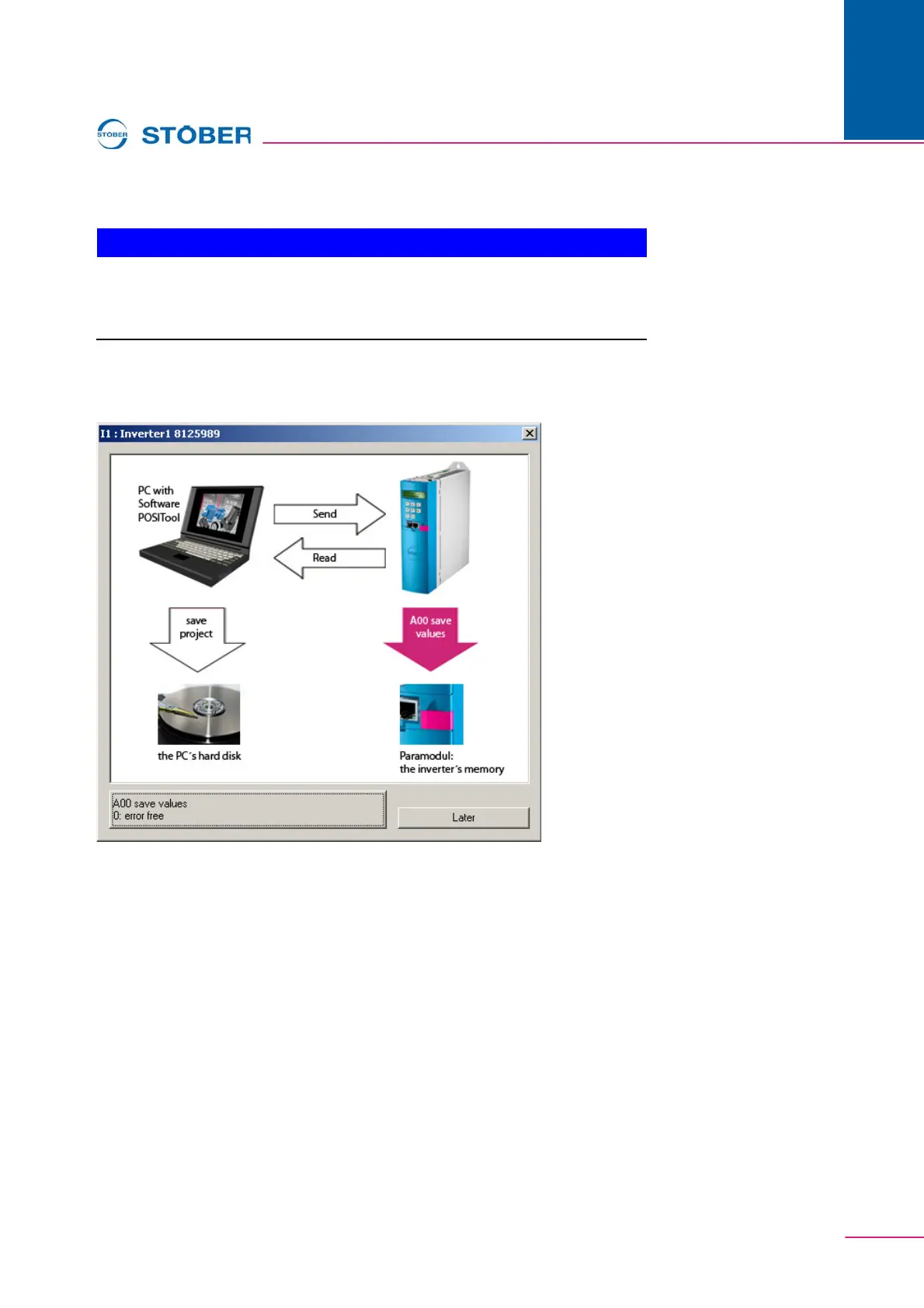
After being loaded to the inverter the application is not saved safe from
power failures!
To do this, execute A00 Save values.
During the connection is established, a status screen appears in the working area.
The progress of the current status procedure is indicated in this screen.
When the connection is activated, the following screen appears.
Fig. 7-5 Online connection established
With active connection ...
When a connection is active, the values which were changed on the inverter are
automatically transferred to the PC and vice versa. Similarly, actions can start the
Scope and Simubox function. The indicator parameters are only visible in online
mode.


 To Next Page