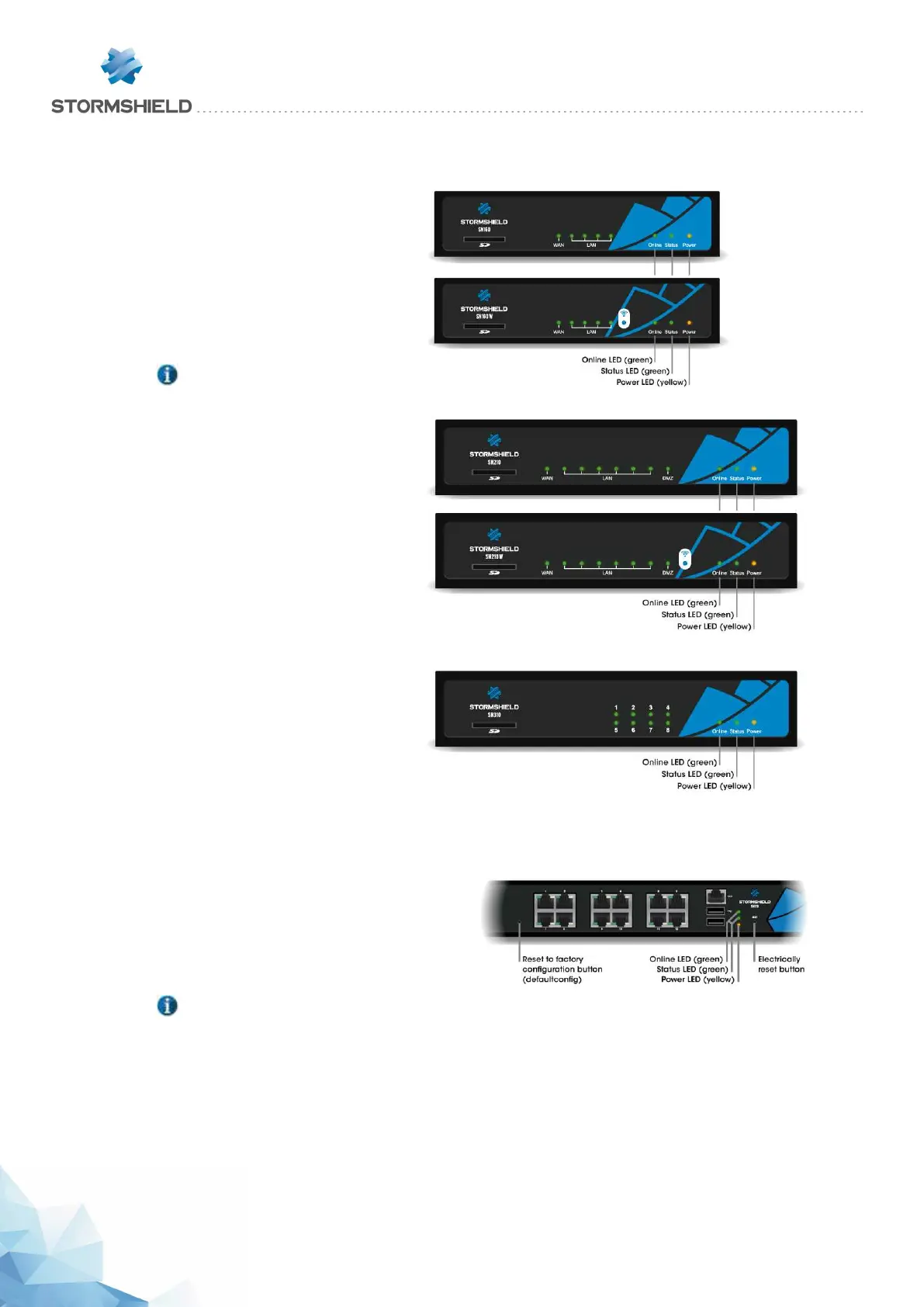
Starting up SN160, SN160W, SN210, SN210W and SN310 models
Plug your firewall into its power
supply; it will start automatically. Wait
a few minutes for all 3 LEDs – Online,
Status and Power to light up.
NOTE
If necessary during startup, you can
insert a USB key containing a
configuration. Console mode will
display the following message:
“Please insert your USB token to
continue”.
The lit Online LED will indicate the end
of the product’s startup phase.
Starting up SN510 and SN710 models
Plug your SN Firewall into the mains power supply, it
will automatically start up. Ensure that the power
supply switch is "ON". Your firewall will then
automatically start running. Wait a few minutes for all 3
LEDs – Online, Status and Power to light up.
NOTE
When you hear 8 consecutive beeps, you will be able to insert a USB key containing a configuration if
necessary. Console mode will display the following message: “Please insert your USB token to
continue”.
Two consecutive beeps and the lighted up Online LED indicate the end of the product’s startup sequence.
SNS - PRODUCT PRESENTATION AND INSTALLATION 2019
INITIAL CONNECTION TO THE PRODUCT
Page 47/66 sns-en-SNrange_installation_guide-2019 - 09/2019



 To Next Page