96
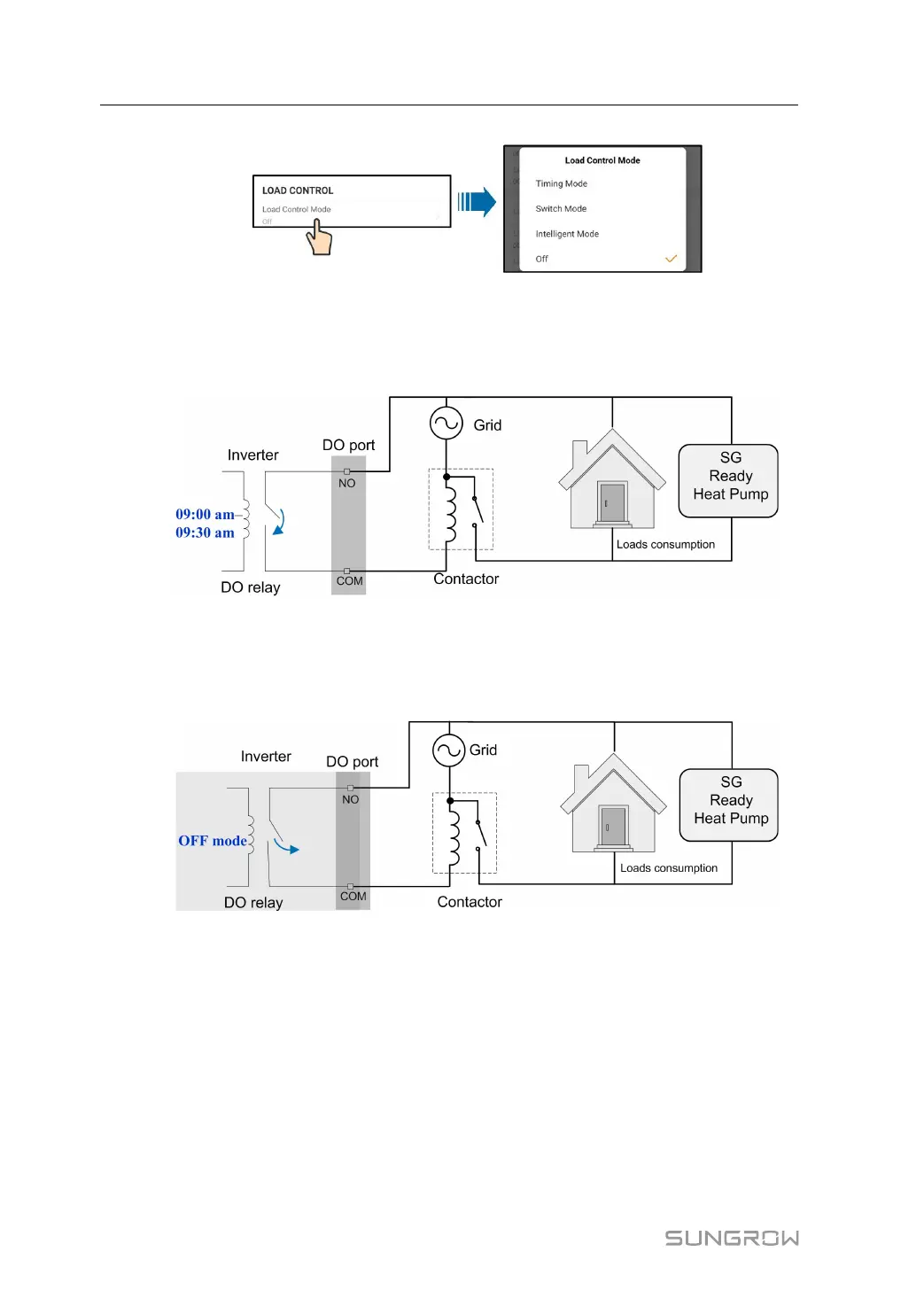
figure 8-22 Load Control
Timing Mode
In this mode, set the Load Timing Start Time 1 and Load Timing End Time 1, the system
will control the load operation during the interval. Take 09:00 am–09:30 am as an example.
figure 8-23 DO Operation in Timing Mode
Switch Mode
In this mode, the system will control the load operation according to the setting. In the follow-
ing example, the switch is set to OFF.
figure 8-24 DO Operation in Switch Mode
Intelligent Mode
The system will control the load operation according to the power optimization algorithm of
energy management.
During the setting interval, the DO function will be enabled to power on the load if the excess
PV energy exceeds the optimized power value.
Notice:
The intelligent mode is disabled in an off-grid system.
• When the inverter is installed to retrofit an exisiting PV system, the upper limit of opti-
mized power is the sum of the rated power of the hybrid inverter and the rated power of
the existing PV inverter.
8 iSolarCloud App User Manual



 To Next Page