47
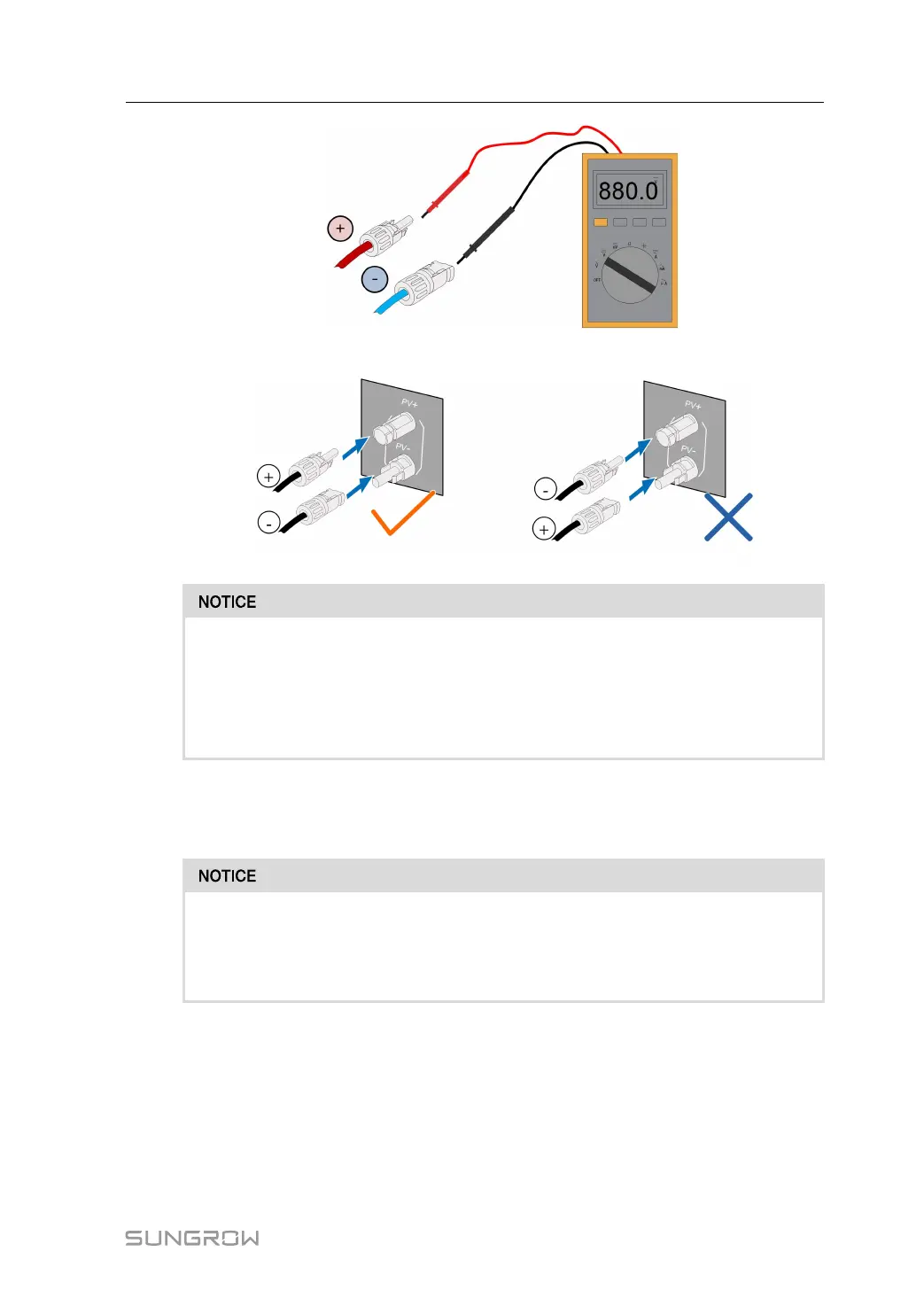
step 3 Connect the PV connectors to corresponding terminals until there is an audible click.
• Check the positive and negative polarity of the PV strings, and connect the PV
connectors to corresponding terminals only after ensuring polarity correctness.
• Arc or contactor over-temperature may occur if the PV connectors are not firmly
connected in place, and SUNGROW shall not be held liable for any damage
caused due to this operation.
step 4 Follow the foregoing steps to connect PV connectors of other PV strings.
step 5 Seal any unused PV terminal with a terminal cap.
If the DC input is connected inversely and the DC switch has been rotated to "ON",
do not operate immediately. Otherwise, the equipment may be damaged. Please
turn the DC switch to "OFF" and remove the DC connector to adjust the polarity of
the strings when the string current is lower than 0.5A.
- - End
6.7 Communication Connection
LAN function
• Through the Modbus TCP/IP protocol, the EMS or the Logger from the third party can
fully control the on/off, derating, charging and discharging of the inverter.
User Manual 6 Electrical Connection



 To Next Page