48
• (Optional) The inverter operation information can be transferred to the iSolarCloud serv-
er via the router.
WLAN function
With the WiNet-S module installed, view corresponding information through iSolarCloud App
or iSolarCloud Web.
RS485 function
The RS485 communication interfaces are used to establish communication connection with
monitoring devices.
6.7.1 Ethernet Connection
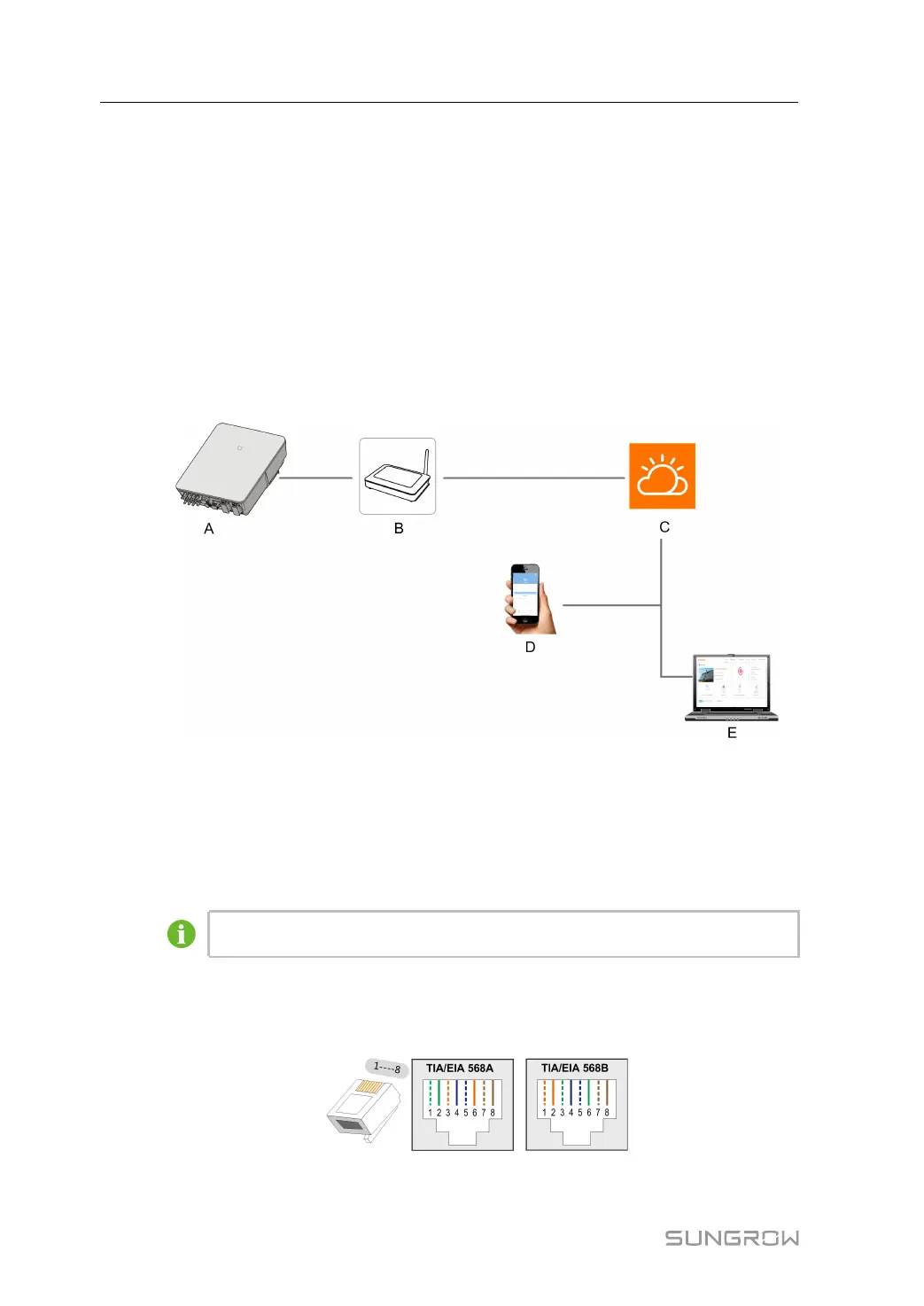
The following figure shows how the Ethernet connection may work with a router.
figure 6-2 Ethernet Connection with a Router
(A) Inverter (B) Router/Switch (C) iSolarCloud server
(D) iSolarCloud App (E) iSolarCloud
6.7.1.1 Assembling the LAN Connector
Skip step 1 if the standard network cable with RJ45 plug is prepared.
step 1 (Optional) Strip the insulation layer of the communication cable with an Ethernet wire strip-
per, and lead the corresponding signal cables out. Insert the stripped communication cable
into the RJ45 plug in the correct order, and crimp it with a crimper.
step 2 Unscrew the swivel nut from the connector.
6 Electrical Connection User Manual



 To Next Page