82
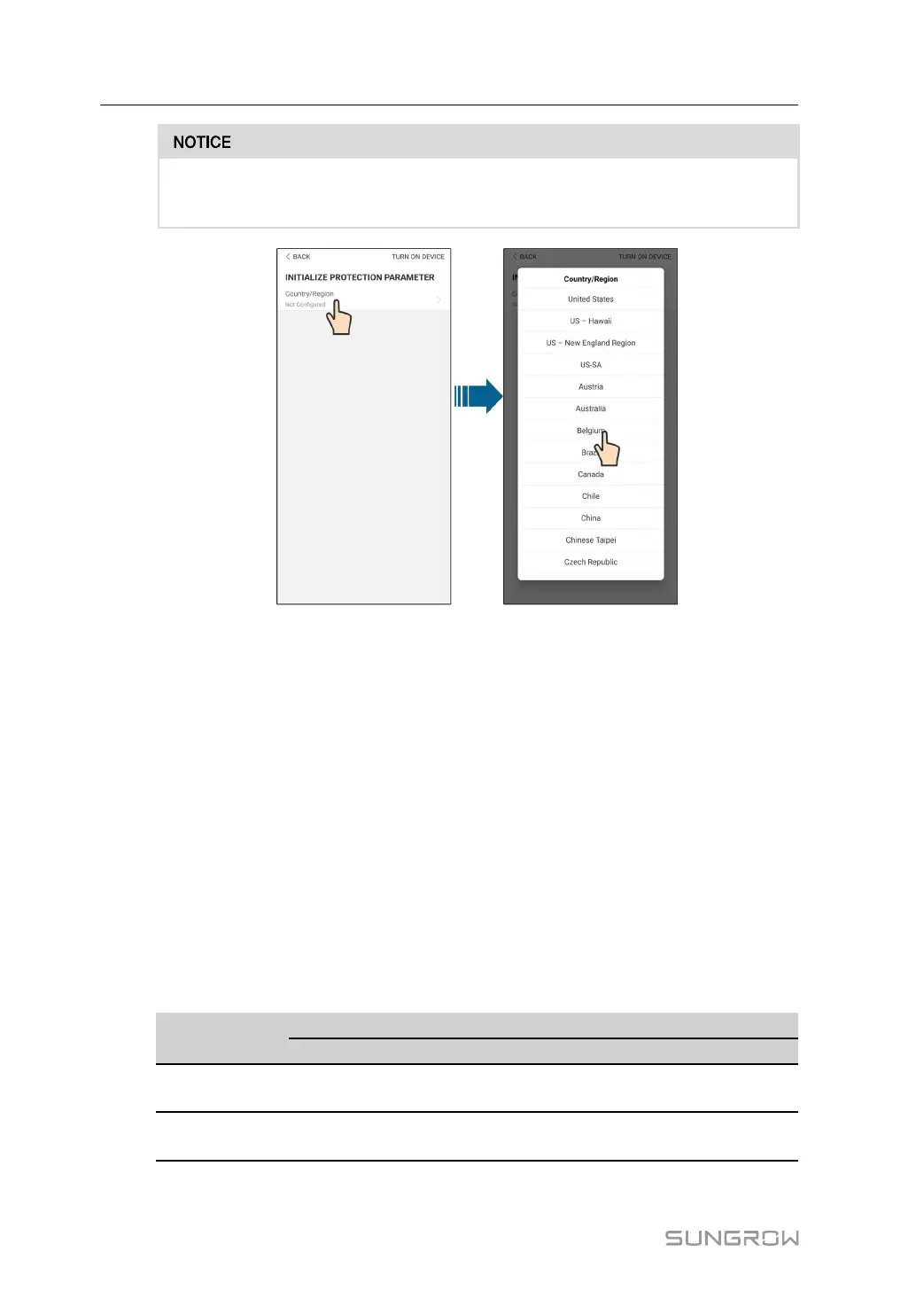
The "Country/Region" must be set to the country where the inverter is installed at.
Otherwise, the inverter may report errors.
figure 8-3 WLAN Local Access
step 6 After finishing the settings, tap TUNR ON DEVICE at the upper right corner and the device
will be initialized. The App will send start instructions and the device will start and operate.
step 7 After initialization settings, the App will return automatically to the home page.
- - End
8.5 Initial Settings
8.5.1 Feed-in Limitation
The function of the feed-in limitation is to control the amount of power injected in the grid by
the plant. In some situations,this function is also called as Export limitation or Zero ex-
port. The feed-in limitation function requires the using of Smart Energy Meter. Without the
Smart Energy Meter, the feed-in limitation function will be unavailable.
table 8-1 Description of feed-in limitation parameters
Parameter
Default value
Range
Germany
Others
Germany
Others
PV Installation
Power
Rated power
-
Rated power ~
300.00
-
Feed-in
Limitation
On Off On / Off
8 iSolarCloud App User Manual



 To Next Page