51
6.7.2.1 Ethernet Communication
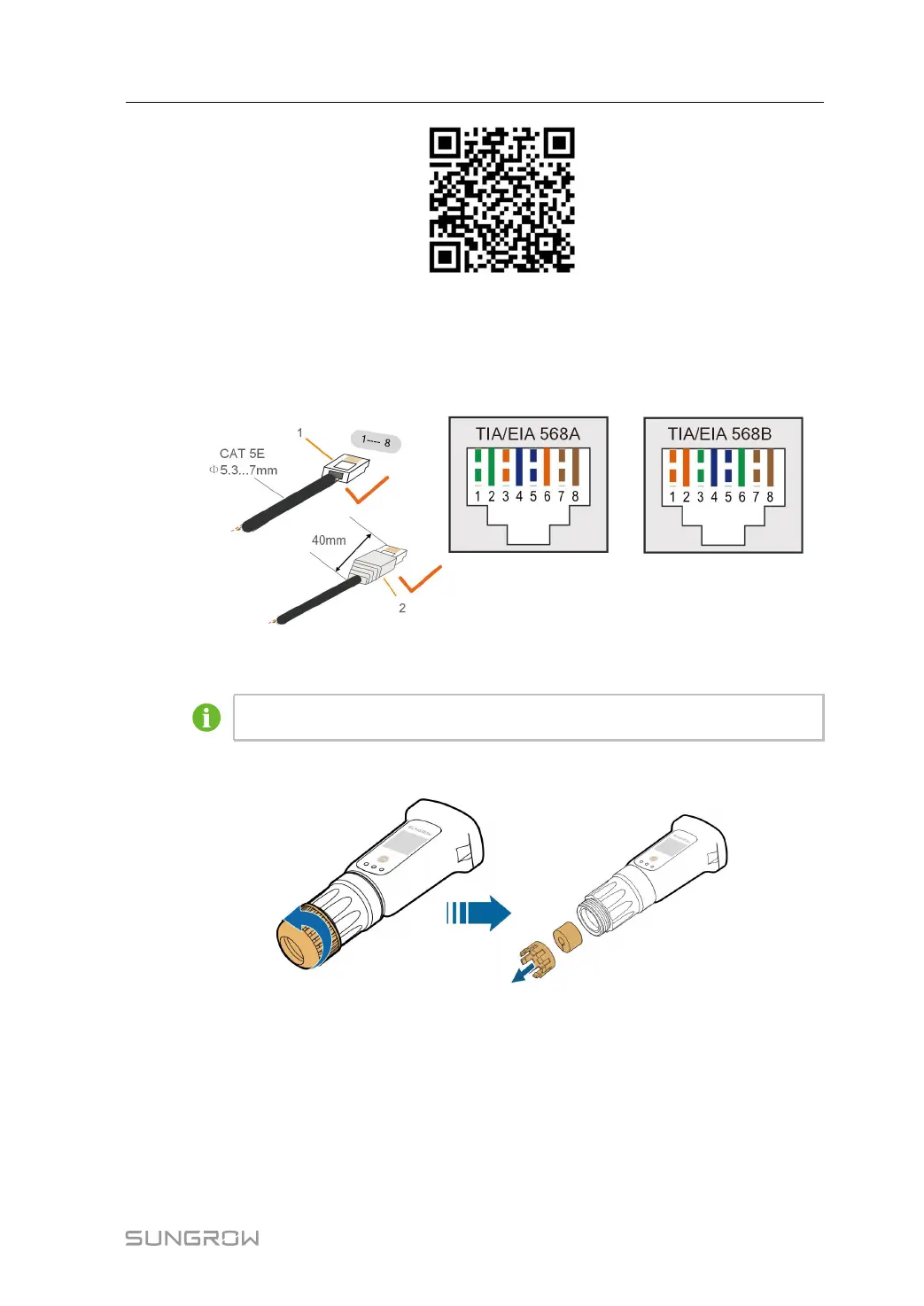
step 1 (Optional) Strip the insulation layer of the communication cable with an Ethernet wire strip-
per, and lead the corresponding signal cables out. Insert the stripped communication cable
into the RJ45 plug in the correct order, and crimp it with a crimper.
1: RJ45 plug 2:Protective cap
Skip this step if a standard network cable with RJ45 plug is prepared.
step 2 Unscrew the swivel nut from the communication module and take out the inner sealing ring.
step 3 Unscrew the housing from the communication module.
User Manual 6 Electrical Connection



 To Next Page