OPERATION & MAINTENANCE MANUAL SWE155F
3.2.5.8 User Setting Interface
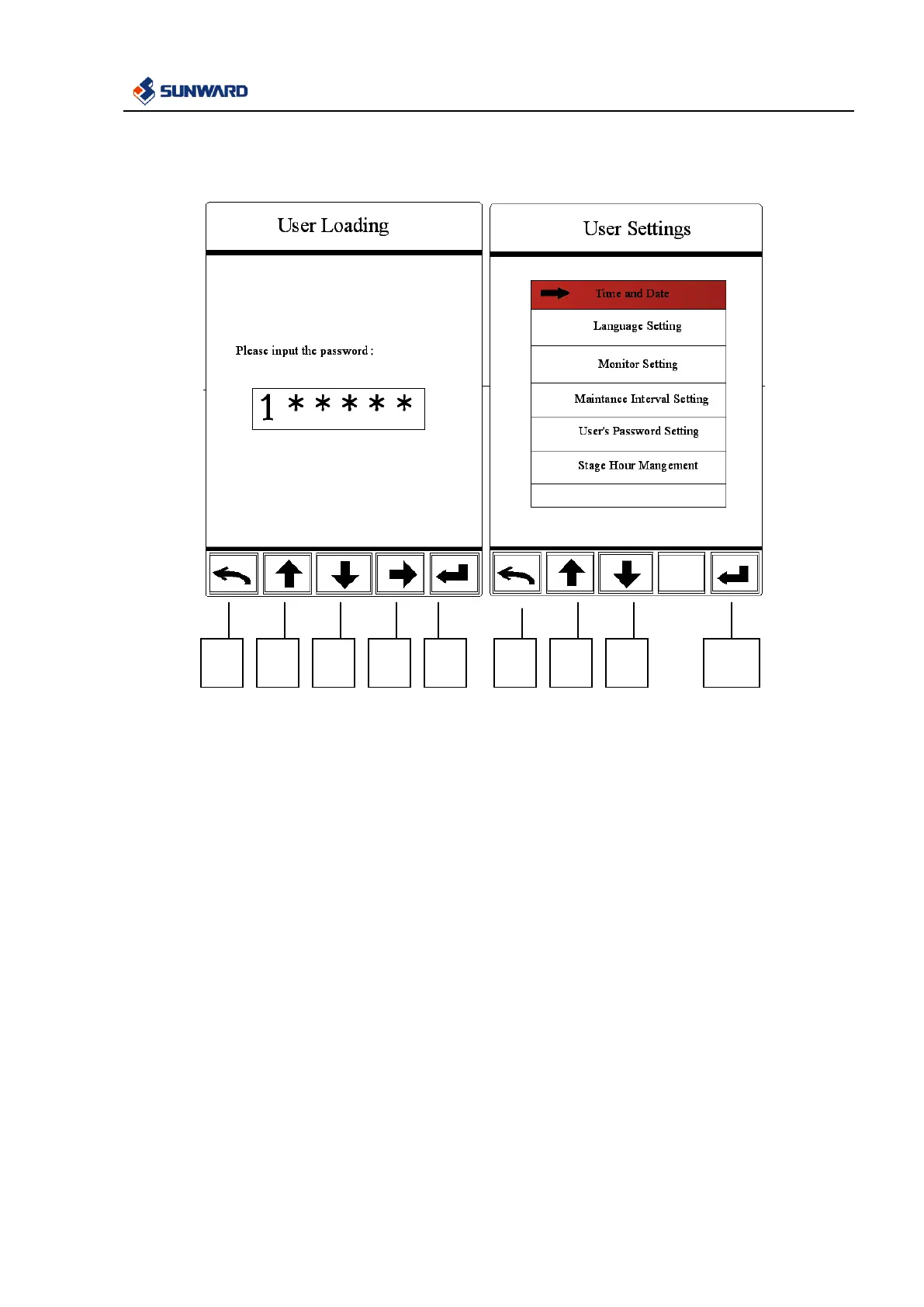
Input correct password in the user loading interface and then enter user setting interface, in this interface:
1. In user loading interface, use F2 and F3 to input password, F4 button is used for selecting password
digit capacity. After the correct password is input, press F5 to enter user setting interface.
2. User setting interface includes clock setting, language setting, display setting, maintenance interval
time setting, user password modification and stage hour management.
3. Press F2 and F3 to select menu, press F5 to enter into the selected menu, return by pressing F1.



 To Next Page