OPERATION & MAINTENANCE MANUAL SWE155F
3.2.5.9 System Settings Interface
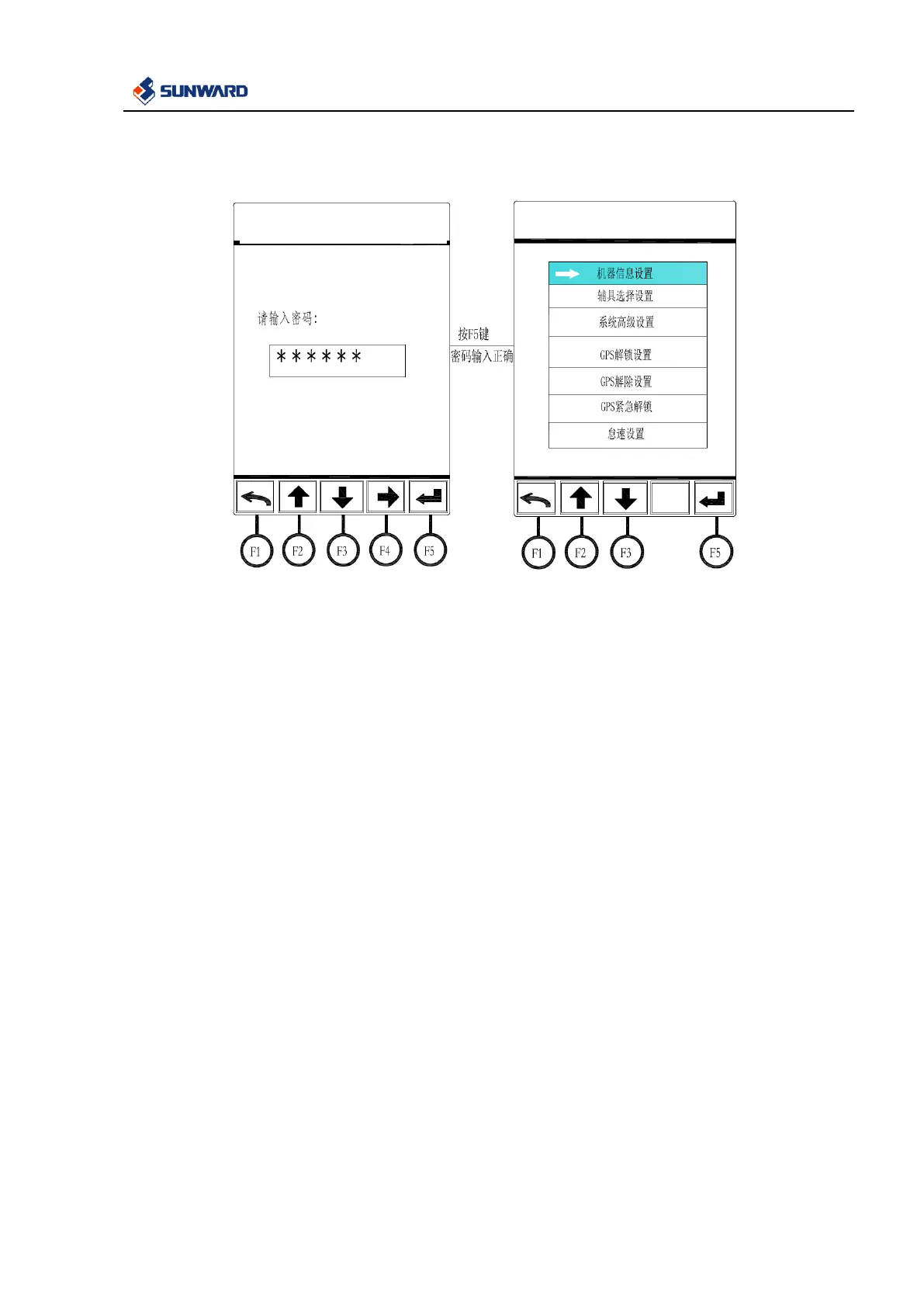
Input the correct password in the loading interface of system settings to enter the system settings interface in
which you can do following operations:
(1) In the loading interface of system interface, input correct password by F2 and F3, select the
password digit capacity by F4, confirm with F5 after correct password is input to enter the system
settings interface.
(2) In this interface, below settings are included:
Machine information, auxiliary attachment selection, advance system settings, GPS unlock, GPS
remove, GPS emergency unlock and idling speed. Select the menu by F2 and F3, confirm by F5, and
exit by F1.



 To Next Page