OPERATION & MAINTENANCE MANUAL SWE155F
Typical Operation Procedures
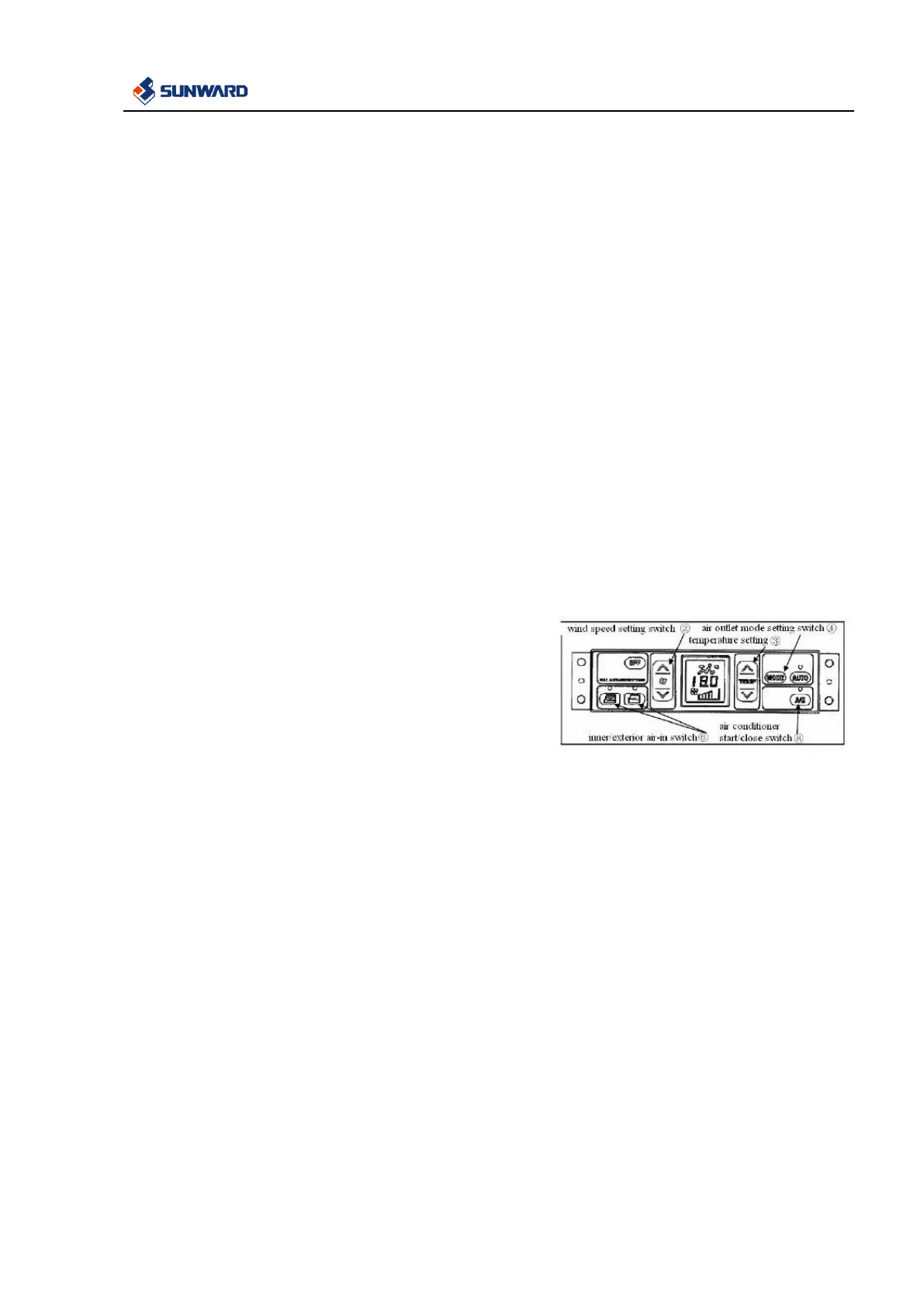
1. The auto mode setting switch ⑤ is on and the temperature, air
flow rate, auto switch, and A/C switch indicator lights on the
LCD screen are on.
2. Adjust the temperature switch and set the temperature to a
comfortable value. Set the temperature accordingly, and the air
conditioner automatically switches in the air flow rate, air outlet,
and internal/external circulation. The air conditioner runs
automatically to reach the set temperature.
Remarks: in the auto mode, the air flow rate is automatically
limited to prevent the cool air from flowing out and the engine
coolant temperature is flow.
Auto run stop
Press down the OFF switch ①
The set temperature and air flow rate indicators on the LCD
screen as well as the auto switch and A/C switch lights are
off and the air conditioner is stopped.
Manual operation control
1. Press down the fan regulation switch ② to regulate the air
flow rate. In addition, confirm the set temperature and air flow
rate by checking the information shown on the LCD screen.
2. It is possible to check whether the A/C switch ⑧ is switched
on by checking the light on it.
3. Set an appropriate temperature by regulating the temperature
regulation switch ③.
4. Adjust the blowing mode toggle switch ④ to enable the
required air outlets.
5. Select the required internal/external air mode by using the
internal/external switching button ⑥.
Stop of manual running
Press down the OFF switch ①
The set temperature and air flow rate on the LCD screen as well
as the light on the A/C switch are turned off and the air
conditioners running stops.


 To Next Page