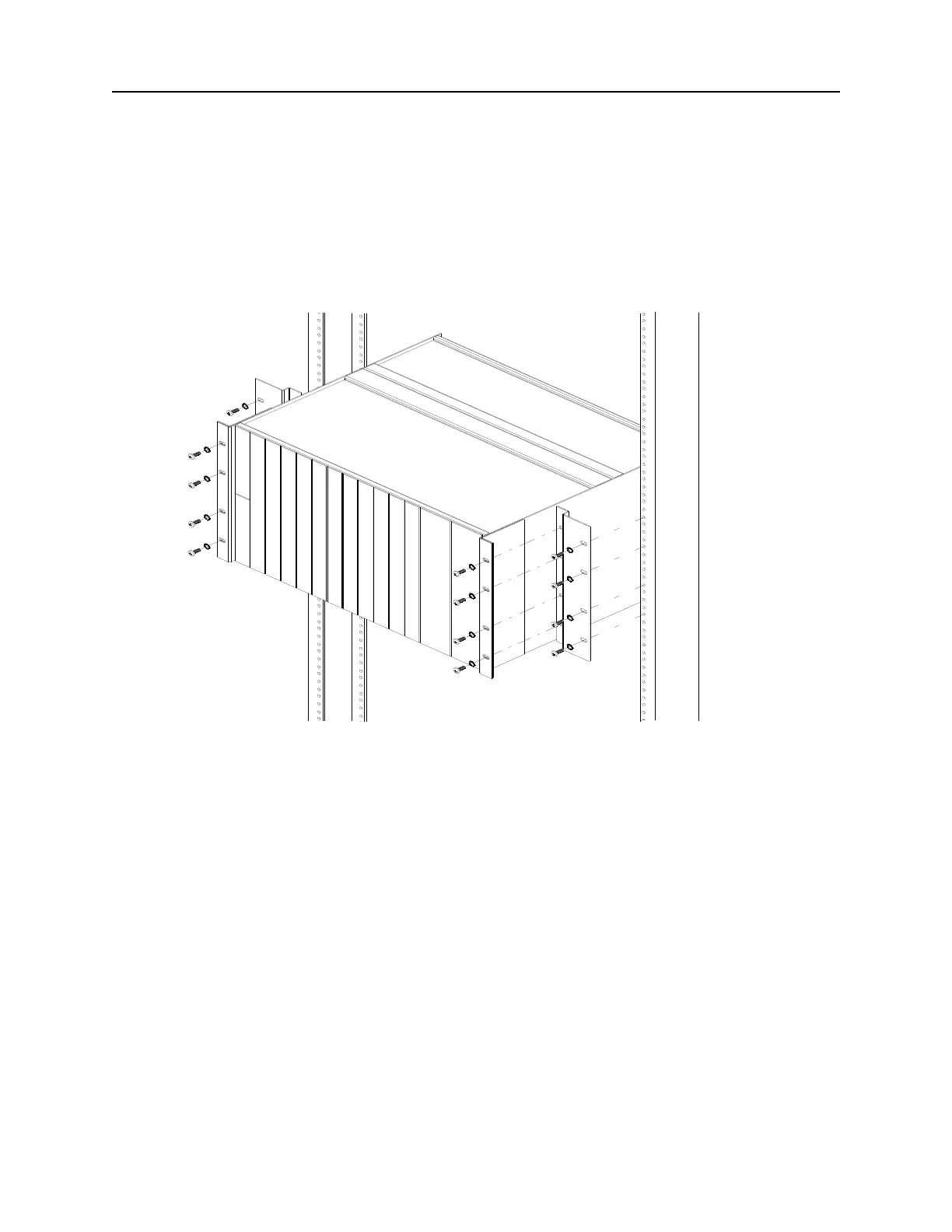
DNX-11 Installation Rack Mounting
DOC-001-11001 (Rev. 006) 4 DNX Quick Install & Setup Guide
23” EIA Flush Rack Mounting
1. Orient the flush mounting brackets behind the DNX-11 mounting brackets as shown in
figure 2. Align the four small threaded holes of the flush mounting brackets with the DNX-
11 mounting brackets.
Figure 2: DNX-11 Rack Mounting (23-inch rack).
2. Secure the DNX-11 unit to the flush mounting brackets using #10-32 thread-forming
screws.
3. Slide the DNX-11 unit into the equipment rack.
4. Line up the oval holes of the flush mounting brackets with the 23-inch equipment rack.
5. Secure the DNX-11 unit in place using appropriate thread-forming screws.
Make sure you leave enough space above the DNX unit for the N+1 Protection Switch to reside,
approximately 3U high.



 To Next Page