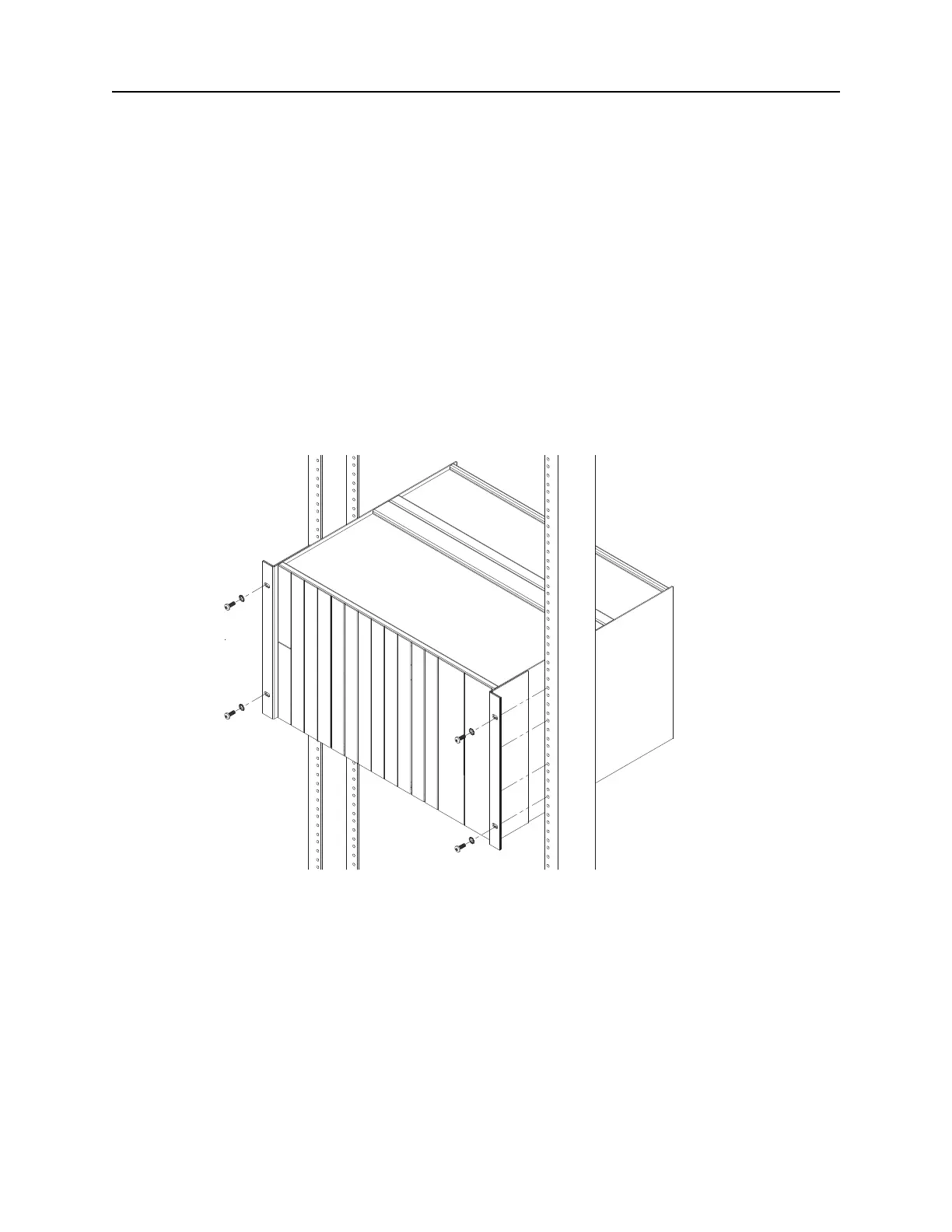
DNX-11 Installation Rack Mounting
DOC-001-11001 (Rev. 006) 6 DNX Quick Install & Setup Guide
19” Telco Flush Rack Mounting
Adapts a standard 19” flush EIA rack mount configuration for center mounting within a 19” wide
Telco equipment rack or cabinet via provided bracket set.
Note: If you intend to install an N+1 Protection Switch, make sure that you leave enough
space above the DNX-11 for the N+1 Protection Switch to reside - approximately 3U
high.
1. Line up the mounting brackets on the DNX-11 unit with the 19-inch equipment rack.
2. Slide the DNX-11 unit into the equipment rack. Refer to the figure below.
Figure 4: DNX-11 Telco Flush Rack Mounting (19-inch rack)
3. Secure the DNX-11 unit in place using #12-24 thread-forming screws.



 To Next Page