PSX-5300 Installation Rack Mounting
DOC-001-11001 (Rev. 006)
28 DNX Quick Install & Setup Guide
Rack Mounting
Ensure that you have 3RU (5.25"/133mm) of empty rack space above the DNX unit in which to
install the PSX-5300.
1. Securely mount the N+1 Protection Switch in the equipment rack, directly above the DNX-
11.
Proper Grounding
Grounding via Rack Mount
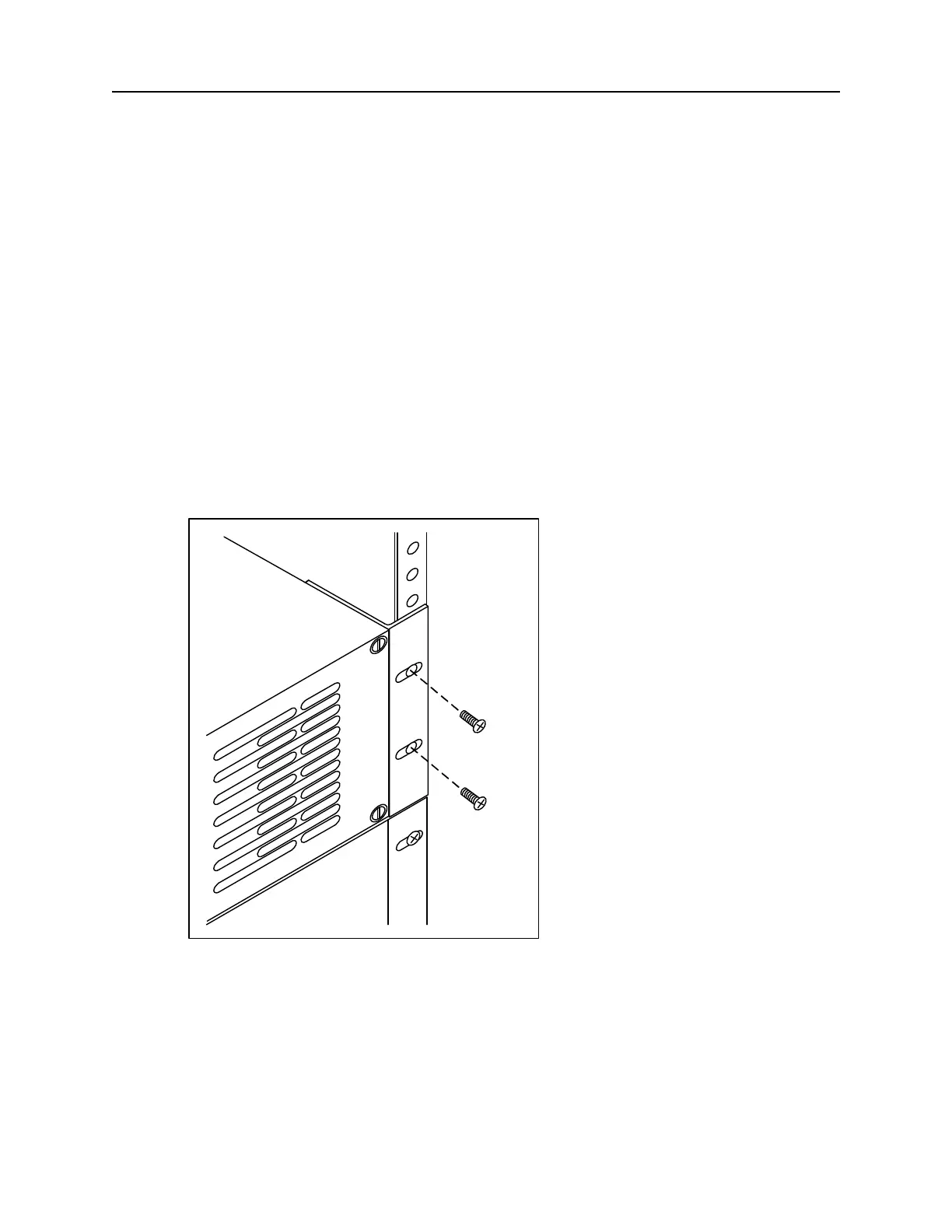
1. Securely mount the PSX-5300 directly above the DNX-11 in the equipment rack using rack
mounting screws (supplied) as shown in Figure 23.
Note: The PSX-5300 may be flush mounted or center mounted in a 19” or 23” equipment
rack. See the PSX-5300 Reference & User's Guide for details.
Figure 23: Grounding via Rack Mount.
Rack Mounting
Screws
DNX-11
Chassis
PSX-5300 and
Mounting Bracket



 To Next Page