DNX-11 Installation DNX-11 DC Power
DOC-001-11001 (Rev. 006) 15 DNX Quick Install & Setup Guide
Connecting DC Power (-48VDC) to a DNX-11
Note: When powering the DNX-11 from a DC power source, use two separate fuse panels or
a fuse panel with redundant (A and B) fuse positions.
1. Mount the unit in a rack as specified previously.
2. Shut off power to the DC supply leads.
3. Strip the insulation back approximately 5/16 inch (8mm) from the end of each lead.
4. Note the positions of earth, negative and positive on the DC power plug (designations are
on the DNX-11 chassis).
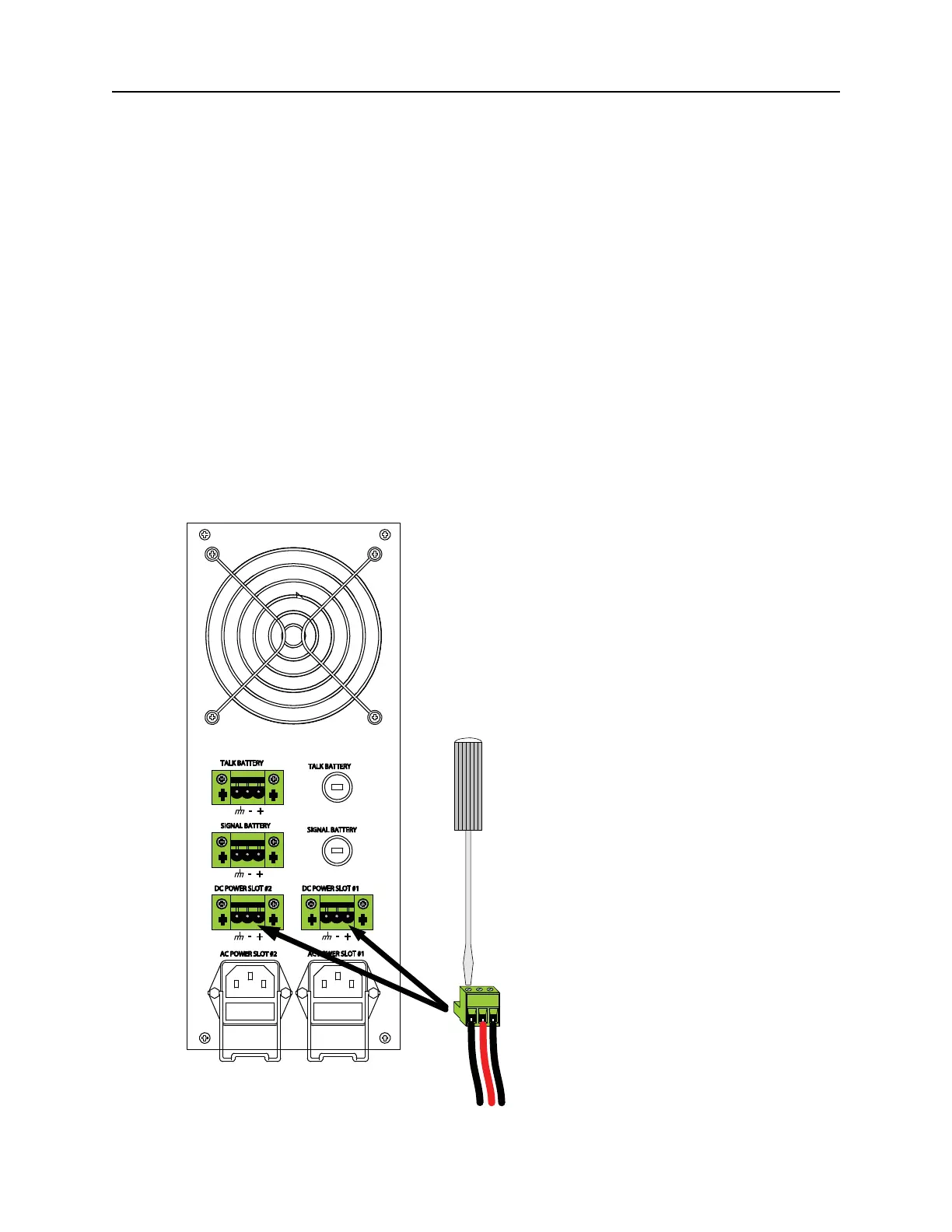
5. Remove the DC power plug from the mating receptacle on the DNX rear panel.
6. Insert the “earth” lead into the earth terminal clamp on the power terminal block and tighten
the clamp screw using a small flat screwdriver (see Figure 11).
Figure 11: Connecting the DNX-11 to DC Power.



 To Next Page